Blog

Explore our blog for the latest updates, expert tips, and valuable business insights to help you stay ahead and make the most of 365 CRM.

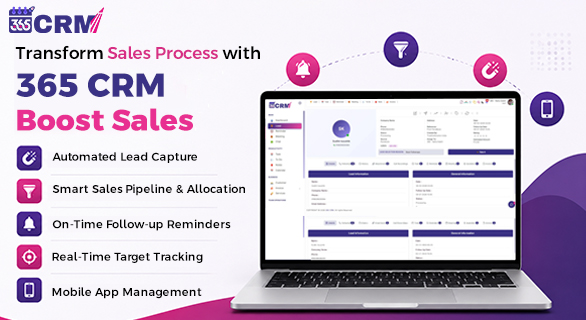
365 CRM Software dashboard showing lead management and sales tracking
Read More

365 CRM vs Other CRMs: Why Growing Businesses Prefer 365 CRM

As businesses grow, managing sales leads becomes more complex. Enquiries start coming from websites, ads, marketplaces, and social media. Sales teams need to respond quickly, follow up regularly, and keep every detail recorded. Many companies use CRM tools, but still struggle with missed leads and slow responses.

This usually happens because most CRMs are too complicated for daily use. 365 CRM Software is different. It is built for real sales work and helps teams stay focused, organized, and responsive. That is why many growing companies choose it over other CRM tools.

Lead tracking software interface of 365 CRM
Read More

Are You Losing Leads? 365 CRM Helps You Convert Faster

Generating leads is no longer the biggest challenge for businesses. The real challenge begins after the lead arrives. Many companies invest heavily in ads, campaigns, and promotions, yet struggle to convert inquiries into paying customers. The reason is rarely the product or pricing. Most of the time, leads are lost due to poor follow-ups, unorganized tracking, and unclear ownership.

This is where 365 CRM plays a critical role.

Instead of relying on spreadsheets, manual notes, or memory-based follow-ups, 365 CRM provides a structured system that ensures every lead is tracked, followed up, and moved forward with clarity. If you’ve ever wondered why your lead volume looks good, but conversions remain low, this blog will explain how 365 CRM helps you convert faster and more consistently.

Custom Invoice Brochures with 365 CRM
Read More

Now, let's Create Custom Invoice Brochures with 365 CRM

In every growing business, invoices, quotations, and company documents play a crucial role in communication. Whether it’s an official company profile, a legal document, or a detailed quotation, the way you present your files creates a strong impression on clients. To simplify this entire process, the upgraded 365 CRM now introduces multiple new features that help businesses design, customize, and share professional-grade documents, including custom invoice brochures, without depending on external tools.

This update is all about refinement, flexibility, and clarity - designed to make document management effortless while ensuring every file matches your business standards.

365 CRM Hiring Module dashboard
Read More

Smarter Hiring Made Easy with the Upgraded 365 CRM Module

Hiring becomes stressful when information is scattered across spreadsheets, follow-ups get missed, and candidate tracking becomes confusing. The upgraded 365 CRM Hiring Module is designed to eliminate these challenges. With new tools, intelligent color indicators, dynamic filters, QR-based form completion, and customizable hiring pipelines, the entire recruitment flow becomes organized, fast, and transparent.
This updated module isn’t just an improvement—it's a complete shift from old-style hiring to a smarter, structured, technology-driven process.

Read More

Reduce Daily Workload in Half with 365 CRM Workflow Tools

Every sales-focused business handles leads, follow-ups, meetings, daily tasks, and team coordination daily. When this work is done manually or through different tools, things quickly become confusing. Workload increases, follow-ups get delayed, and some leads are missed without even knowing.

365 CRM is designed to fix this problem. With easy-to-use 365 CRM workflow tools, businesses can manage daily sales work in a more organised way and reduce unnecessary effort. Instead of spending hours updating records, sales teams can spend more time talking to customers and closing deals.

Have Questions?

We're here to help! Reach out to us today and discover how 365 CRM can transform your business.

Whatspp Now For Inquiry
Call Now For Inquiry