Analyze Every Business Call with
Smart Call Analytics
Stop guessing how your team spends time on calls. 365 CRM Call Analyzer automatically tracks every Incoming, Outgoing, Missed, and Rejected call — and turns them into clear reports, graphs, and insights your sales team can actually act on.




The Growing Leaks in Modern Sales Pipelines
No Visibility into Call Performance
Managers have no way to see how many calls their team is making, how long conversations last, or which customers are being missed — until it is too late to act.
Missed Calls Go Untracked
Without a system, missed and rejected calls are forgotten. There is no record of which customers tried to reach you and never got a callback — lost opportunities every day.
No Data for Reporting
Sales managers spend hours manually pulling call data from phones and spreadsheets. There is no single source of truth for team call performance — making reporting slow and inaccurate.
The 365 CRM Automation Solution
Everything You Need to Track & Analyze Business Calls
A complete call analytics toolkit designed for sales teams, telecallers, and business owners who need real data — not guesswork.
Automatic Call Synchronization
Every new call — incoming, outgoing, missed, or rejected — is automatically detected and synced to the server the moment it ends. No manual logging, no missed calls, no extra effort from your team.
Smart Analytics Dashboard
Visual dashboards displaying total calls, success rates, durations, and comparisons across custom date ranges.
Call History Management
Keep an organized record of all Incoming, Outgoing, Missed, and Rejected calls with infinite scrolling.
Top Caller Identification
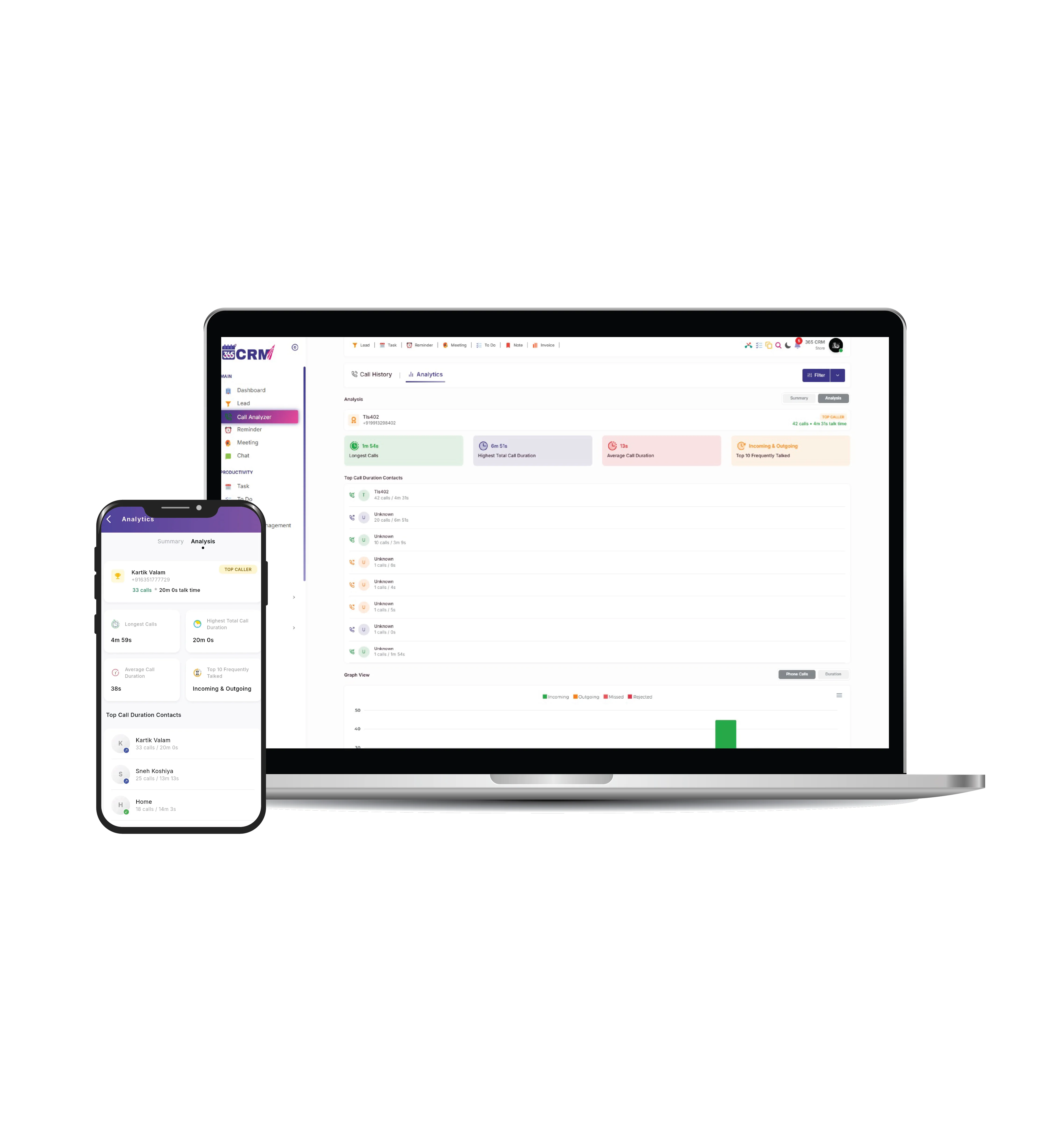
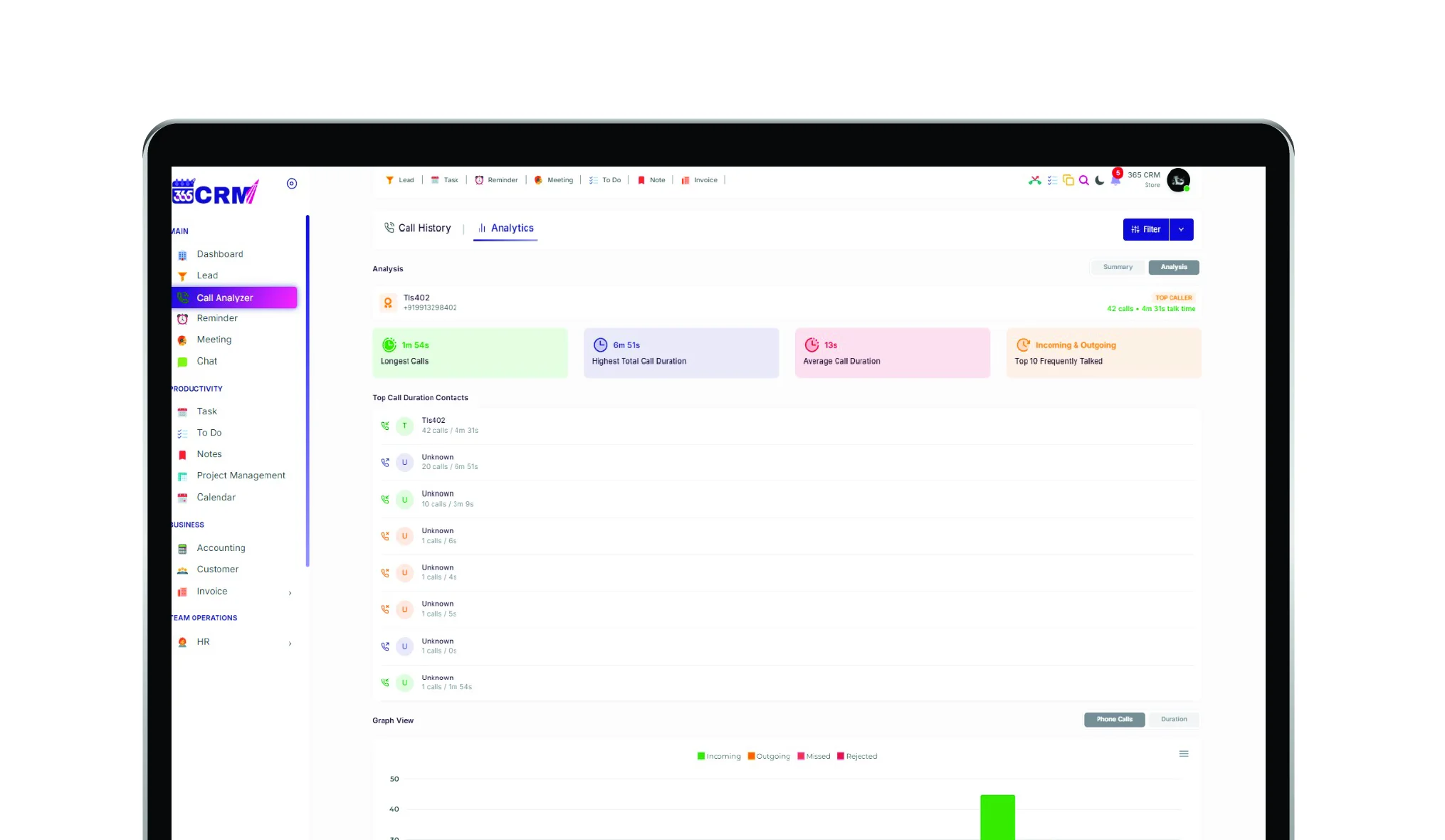
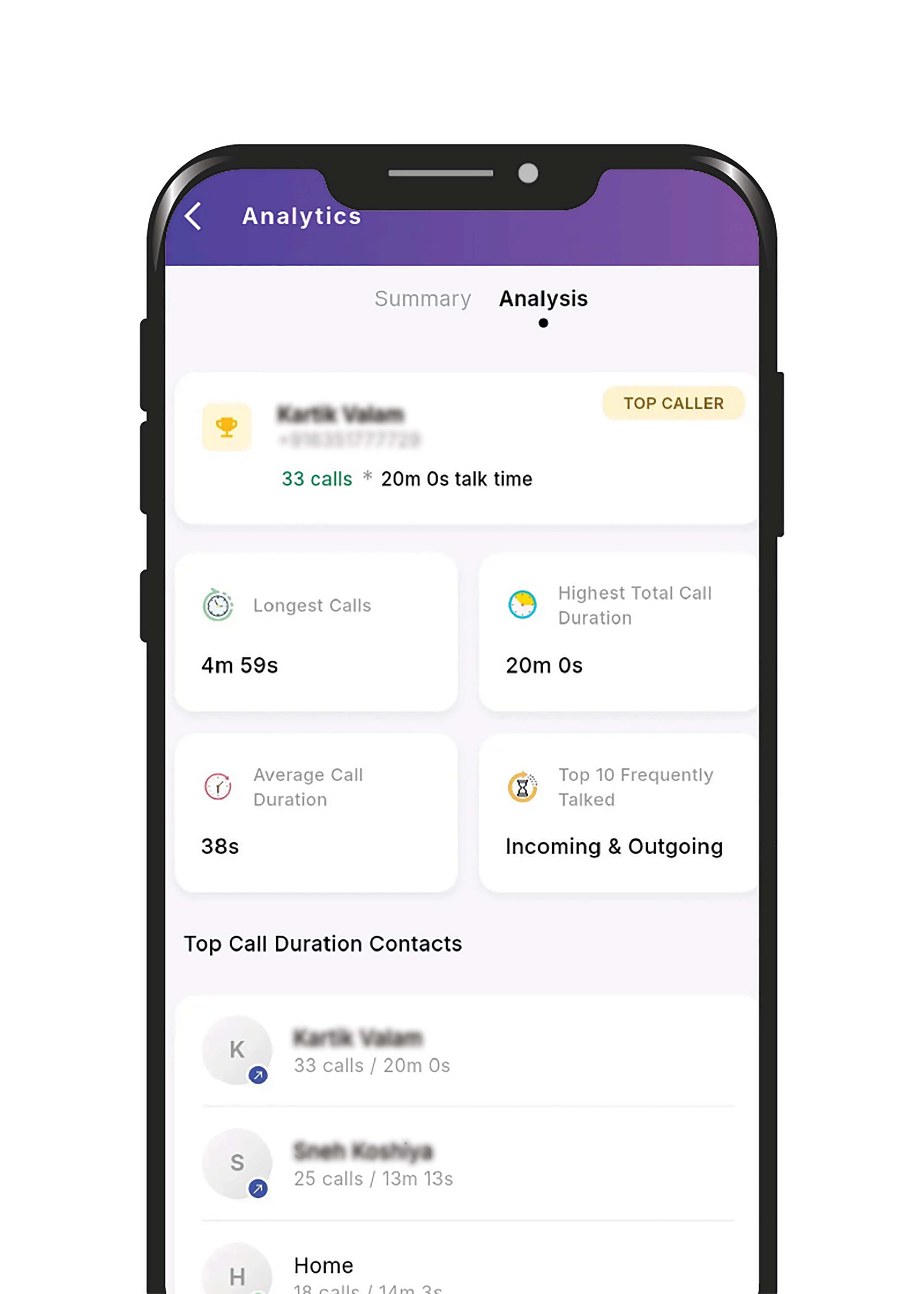
Instantly see who your Top Caller is, which contact had the Longest Call, who had the Highest Total Call Duration, and your Top 10 Most Frequently Talked contacts — all calculated automatically.
Smart Search & Filter
Search calls by name or number. Filter by call type — All, Incoming, Outgoing, Missed, Rejected, Never Attended, or Not Picked Up by Client. Also filter by date range and saved/unsaved contacts.
CSV Report Export
Download a complete call report as a CSV (Excel) file. Choose your call type, contact type, date range, date format, and duration format — then export in one tap. Perfect for reporting and record-keeping.
Seamless Integration from Setup to Insight
Subscribe & Set Up
Purchase the Call Analyzer package. Open the feature on your Android device and grant the required Call Log and Phone State permissions. You are ready.
Calls Happen Normally
Your team makes and receives calls as usual on their Android phones. No extra steps needed — the app runs silently in the background.
Auto Sync to Server
The moment each call ends, its details — number, name, type, duration, time, and SIM — are securely synced to the server automatically. Duplicates are filtered out.
View Reports & Insights
Open Call Analyzer anytime to see your full Call History, Analytics dashboard with charts, and Contacts summary — all updated in real time.
Note: Only calls made after the subscription purchase date are synchronized and analyzed. Previous call history is never uploaded.
Your Complete Call Intelligence Platform
Every call your team makes is turned into a clear, actionable insight — with date filters, bar charts, summary cards, and deep analysis all in one screen.
Call Summaries
Total, incoming and outgoing call counts with their combined talk-time duration, at a glance.
Duration & Success Rate
Missed-call rate and average call duration, calculated automatically for any selected period.
Period Comparison
Every summary card shows the percentage change versus the previous period, so trends are easy to spot.
Interactive Date Ranges
Switch between call-count and call-duration bar graphs, shown hour-wise for today/yesterday and day-wise for longer ranges.
Comprehensive Call History
Every detail recorded perfectly. Instantly know who was contacted, for how long, and whether the call was successful.
Date-wise Grouping
Calls are auto-organised into Today, Yesterday and date-wise sections, making it easy to scan recent activity fast.
Clear Call Indicators
Colour-coded icons show call type at a glance — green for incoming, blue for outgoing, red for missed, orange for rejected.
Quick Actions
Copy the number, send an SMS, message on WhatsApp, or call back — all in a single tap, right from the call list.
Smart Search & Filters
Search by name or number, and filter by call type, date range, or saved/unsaved contacts, with results loading as you scroll.
See Call Analyzer in Action
A premium analytics experience built for high-performance CRM teams.
Why Top Teams Choose
365 CRM Call Analyzer
Measurable impact on your team's call visibility, follow-up quality and reporting workload.
Data-driven Sales Decisions
Managers review call volume, connection patterns and calling activity to coach reps and plan staffing using real data instead of guesswork.
Better Customer Follow-up
Reps can see exactly when a customer was last contacted and for how long, before making the next call.
Automated Reporting
Export-ready CSV call reports mean no more manually logging calls in a spreadsheet at the end of the day.
Important Information
Subscription Required
Call Analyzer works only after the package is purchased. Calls made before your subscription date are not saved or displayed.
Privacy & Permissions
Explicit permission for Call Log, Phone State and Contacts is required before any call data is read. Data is transmitted to the server securely.
OS Compatibility
Currently available on Android only. iOS does not allow apps to read the device call log, so this feature is not available on iPhone.
Duplicate Prevention
Each call gets a unique ID based on number, time and duration, so the same call is never stored twice.
What Our Community Says
Real feedback from project managers and business owners who have transformed their workflows.
Hear From Our Users
Don't just take our word for it. See how teams across industries are using 365 CRM to improve efficiency, accountability, and customer service.
Thank you so much 365 CRM and team to provide wonderful solutions for business automation and management about company and staff and even about my personal events and calendar.

365 CRM is actually very good, making it easy for small and medium-sized businesses to track leads and respond to them on time. To me, CRM has the potential to 10x a company's income. I would strongly propose startups that would be ideal for you.
Awesome experience with 365 Team Management application. it's make easy to our life for day to day activities which was challenge for our business. Good supporting system and customer care as well as.
CRM that is highly recommended The customer service was excellent. They were quite helpful in guiding me and answering all of my inquiries.
Great service support. I'm so happy. Thank you 365 CRM team
Awesome experience with 365 Team Management application. it's make easy to our life for day to day activities. Best service ever.
We were lacking in follow-up management. We only tried the 365 CRM free trial at first, but we subsequently profited from ts follow-up on-time reminder. Eventually, we were able to convert more leads. We now use 365 crm on a regular basis.
If you are looking for a crm, this is the greatest one. Here are some of the reasons why. * You CAN track your leads and follow-ups; it also indicates in red when you fail to follow-up on your leads.* LEADS CAN BE FETCHED FROM YOUR RESPECTIVE SOURCE and directly sent automatically with alternate lead assigned to team. * MONITORING YOUR SALES IS VERSY EASY.
When looking for a strategic IT-partner for the development of a corporate CRM solution, we chose 365 CRM System. The company proved itself a reliable provider of IT services. And also team is very supportive. Thank you for the best service.
Superb service and the way you guys have coordinate is wow. I will surely recommend to other friends of mine who are also entrepreneurs
I really like using 365 CRM for my business. It's easy to use, and it helps me keep track of my leads. The automatic reminders are handy, and the reports give me useful information. The customer support is good too - they're quick to help when I have questions. I recommend it!
There is a problem in this CRM...I have been using it for a long time...I have not been able to add the calling system, or the second follow up date or time has not come in the age line, even when you Follow up has to be seen to see the lead up and down of the entire system...in which time more time is wasted,,,experience is true compared to other CRM....
I am happy as of now with the process explained to me. Software is easy accessible with easy interface. I am delighted by post sales service i.e Trainning and Support especially by Preeti Mam.. Thank You
365 CRM Software is a powerful tool for streamlining sales processes and enhancing customer relationships. With features like lead scoring, automation, and reporting, it helps businesses improve efficiency and close deals faster. While it may have a learning curve, its user-friendly interface and strong customer support make it a valuable asset for many organizations.
Frequently Asked Questions
No. Only calls made after your subscription (purchase) date are saved and displayed. Historical data from before that date is never uploaded or processed.
Automatically, right after the call activity happens — whether it connects and ends, is missed, or is rejected.
No. Everything happens automatically. You just need an active subscription and the required permissions granted.
No. It's currently available on Android only, since iOS does not allow apps to read the device call log.
No. Both Filters and Export only work with data from after your subscription date.
To keep the design simple, contacts are shown with an avatar containing the first letter of their name instead of a photo.