Automatically Turn Every
WhatsApp Conversation
into a CRM Lead
Stop losing WhatsApp inquiries in your chat window. With 365 CRM and WapMonkey, every new customer who messages your WhatsApp Business number is automatically captured as a lead in your CRM — complete with their details, message, and your custom labels. Zero manual effort.




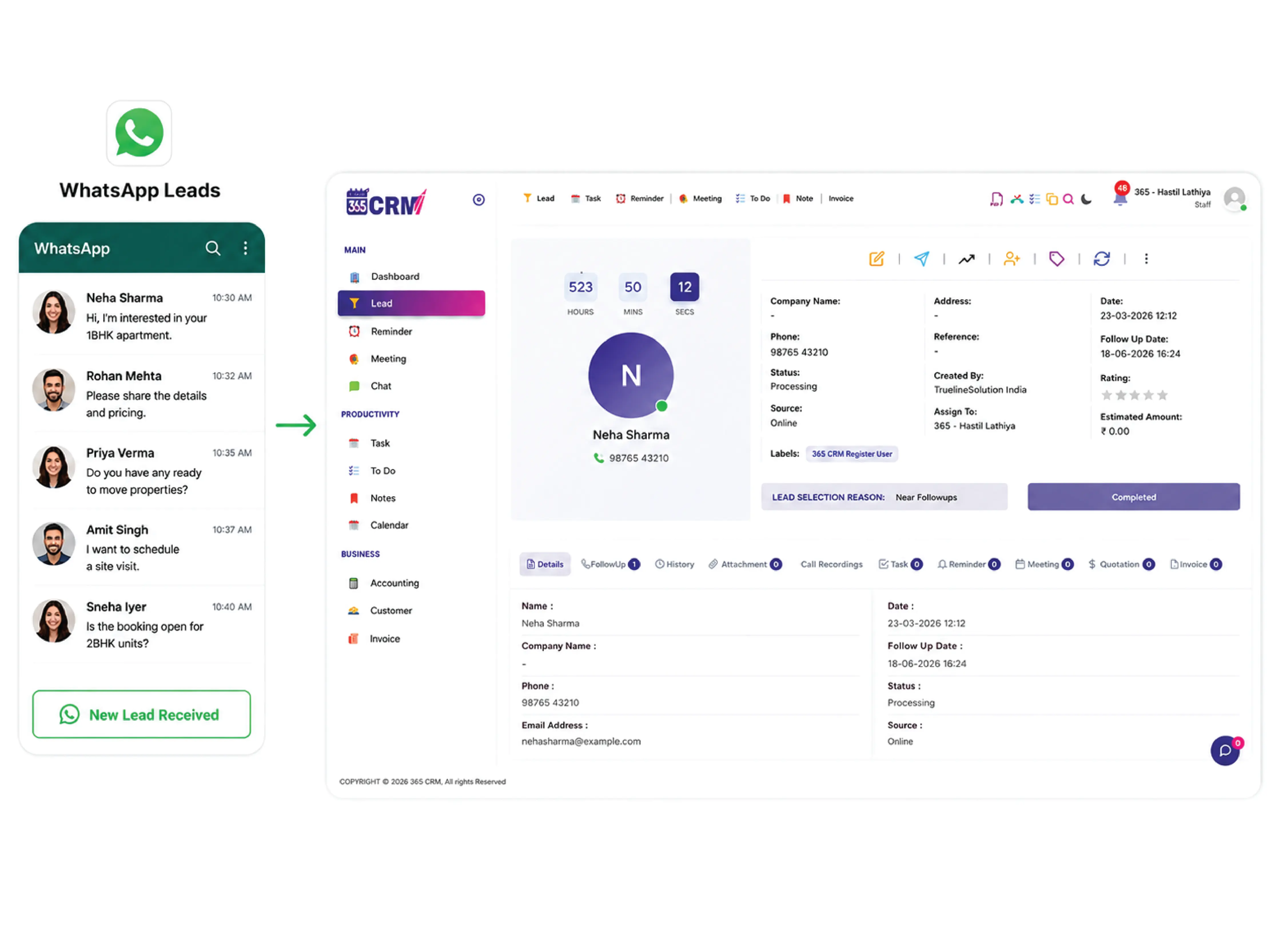
The Growing Leaks in Modern Sales Pipelines
Delayed Follow-ups
WhatsApp inquiries sit in the chat window without any action. By the time your team manually copies the details into a CRM, the customer's interest has already cooled.
Scattered Conversations
Without a system to capture leads, customer inquiries are scattered across your WhatsApp chat history. There is no way to track who needs follow-up and who has already been attended to.
Duplicate Leads
Without smart recognition, the same returning customer may get entered into your CRM multiple times — creating confusion, wasted effort, and incorrect lead counts.
The 365 CRM Automation Solution
Powerful WhatsApp Integration
A complete set of tools designed to turn your WhatsApp Business inbox into an automatic lead generation engine — connected directly to your CRM.
Automatic Lead Creation
When a new customer messages your WhatsApp Business number for the first time, a lead is instantly created in 365 CRM — no manual steps needed from your team.
First Message Detection
The system identifies whether a contact is messaging for the first time. Only first-time messages trigger lead creation. Returning customers are recognized and skipped automatically.
365 CRM API Key Integration
Connect WapMonkey to 365 CRM using your unique API key generated from General Settings → Integration → Website Lead Integration. One-time setup, permanent connection.
WhatsApp Business App Support
Connect your existing WhatsApp Business App number to WapMonkey through a simple onboarding process. Your number appears by name in the WapMonkey panel, ready to capture leads.
Auto Profile Capture
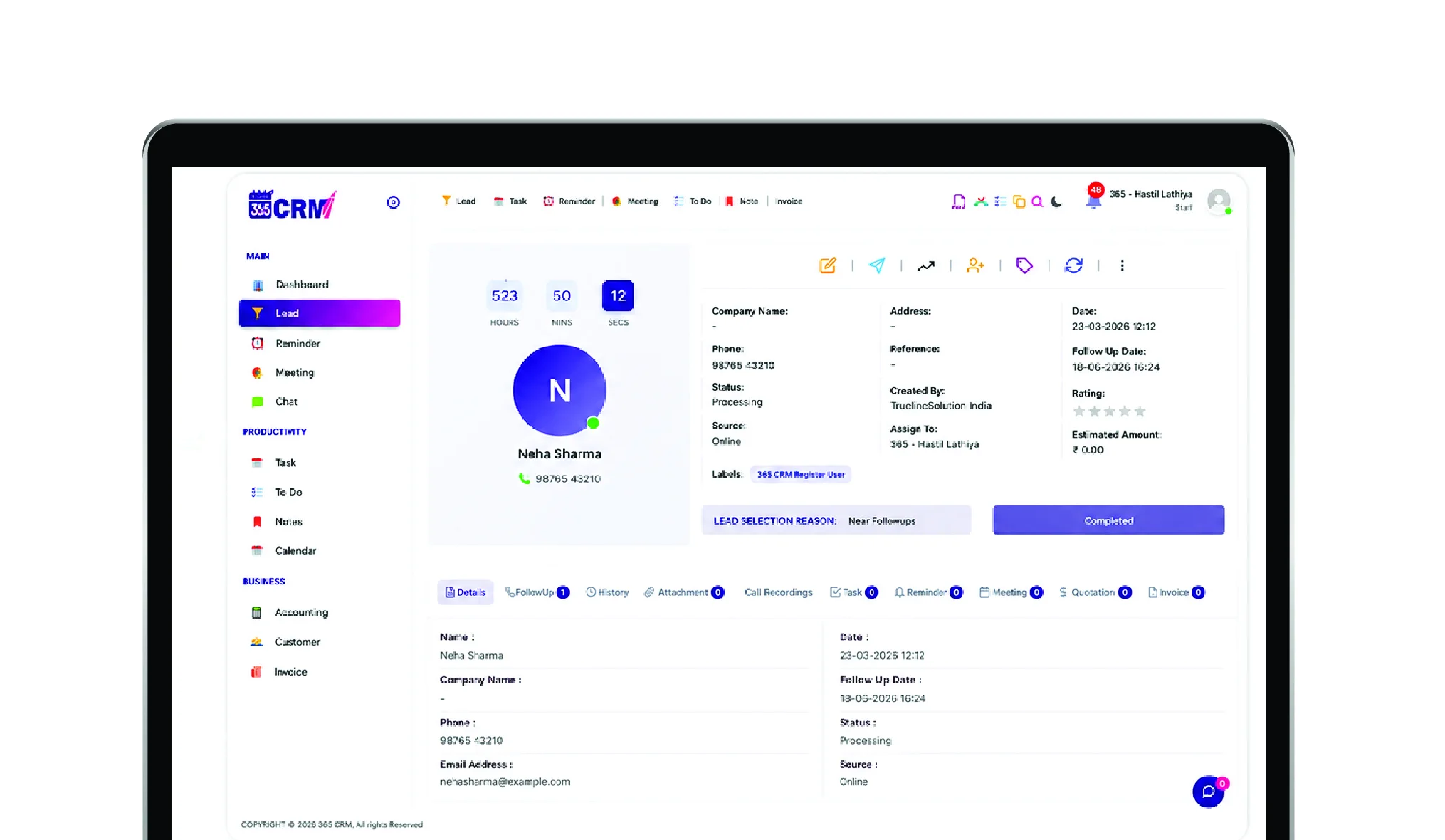
Every lead comes pre-filled with the customer's name, mobile number, first message, your WhatsApp number, and any labels you have configured — giving your team full context instantly.
Custom Label Assignment
Assign one or multiple labels to incoming leads from each WhatsApp number. Organize leads by source, location, or campaign — making filtering and follow-up effortless for your team.
Save Time with Automated Lead Capture
Get in touch to activate WhatsApp Lead Capture for your business today.
From First Click to CRM Lead in Seconds
Setup & Subscribe
Complete onboarding by connecting your WhatsApp Business number to WapMonkey. Enable Lead Capture Setting, add your 365 CRM API key, assign labels, and save. You are live.
Customer Engages
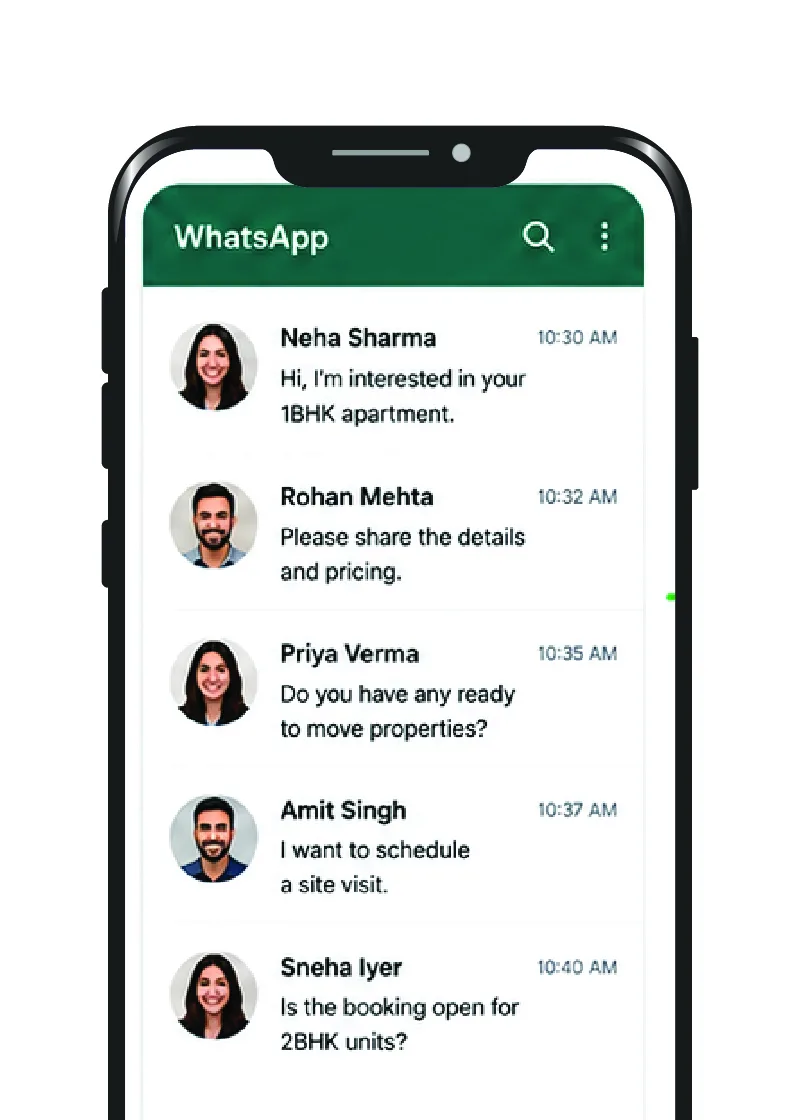
A new customer sends a WhatsApp message to your business number for the first time. Their message appears in the WapMonkey chat panel in real time.
Instant CRM Magic
The system recognizes it is their first message and automatically creates a new lead in 365 CRM — complete with name, number, message content, and your custom labels. Your team is ready to follow up immediately.
WhatsApp Lead Dashboard
Every new WhatsApp lead lands directly in your 365 CRM — organized, labeled, and ready for your sales team to act on immediately.

Unlock the Power of WhatsApp Marketing with WapMonkey's Official API Panel
Your One-Stop Solution for WhatsApp Marketing, Customer Support, and CRM Integration — trusted by over 5,000+ clients worldwide.
Real-Time Analytics in Dashboard
Get a comprehensive overview of your WhatsApp campaigns with real-time data and reports. Monitor WhatsApp number status, credit usage, and chat counters — all in one place.
- Real-time updates on campaign performance
- Detailed analytics to fine-tune messaging strategy
- Track customer interactions in real-time
Easy Template Creation
Create all types of WhatsApp templates with ease — carousel templates with images, text, and buttons — using a no-code interface that requires zero technical skill.
- Create carousel templates with images & buttons
- No-code solution for hassle-free template creation
- customise for specific campaigns or customer groups
Powerful Broadcast Campaigns
Send personalized WhatsApp messages to your entire audience. Organize contacts into groups, apply tags, and broadcast targeted messages to specific customer segments.
- Segment your audience for targeted campaigns
- Push notifications and updates via WhatsApp
- Personalized messaging for better engagement
Official WhatsApp Business API Partner
WapMonkey is an officially recognized WhatsApp Business API partner — giving your business a trusted, reliable, and compliant WhatsApp channel.
Explore WapMonkeyReady to Capture More Leads?
Get in touch with our team to activate WhatsApp Lead Capture for your business.
What Our Community Says
Real feedback from sales managers and reps who have transformed their operations.
Ready to Capture More Leads?
Get started with WhatsApp Lead Capture today and see the difference it makes to your sales process!
Built for Enterprise Reliability
Dependable CRM integration suitable for businesses of all sizes, featuring secure API communication, enterprise-grade infrastructure, reliable synchronization, automatic duplicate prevention, and scalable architecture.
Thank you so much 365 CRM and team to provide wonderful solutions for business automation and management about company and staff and even about my personal events and calendar.

365 CRM is actually very good, making it easy for small and medium-sized businesses to track leads and respond to them on time. To me, CRM has the potential to 10x a company's income. I would strongly propose startups that would be ideal for you.
Awesome experience with 365 Team Management application. it's make easy to our life for day to day activities which was challenge for our business. Good supporting system and customer care as well as.
CRM that is highly recommended The customer service was excellent. They were quite helpful in guiding me and answering all of my inquiries.
Great service support. I'm so happy. Thank you 365 CRM team
Awesome experience with 365 Team Management application. it's make easy to our life for day to day activities. Best service ever.
We were lacking in follow-up management. We only tried the 365 CRM free trial at first, but we subsequently profited from ts follow-up on-time reminder. Eventually, we were able to convert more leads. We now use 365 crm on a regular basis.
If you are looking for a crm, this is the greatest one. Here are some of the reasons why. * You CAN track your leads and follow-ups; it also indicates in red when you fail to follow-up on your leads.* LEADS CAN BE FETCHED FROM YOUR RESPECTIVE SOURCE and directly sent automatically with alternate lead assigned to team. * MONITORING YOUR SALES IS VERSY EASY.
When looking for a strategic IT-partner for the development of a corporate CRM solution, we chose 365 CRM System. The company proved itself a reliable provider of IT services. And also team is very supportive. Thank you for the best service.
Superb service and the way you guys have coordinate is wow. I will surely recommend to other friends of mine who are also entrepreneurs
I really like using 365 CRM for my business. It's easy to use, and it helps me keep track of my leads. The automatic reminders are handy, and the reports give me useful information. The customer support is good too - they're quick to help when I have questions. I recommend it!
There is a problem in this CRM...I have been using it for a long time...I have not been able to add the calling system, or the second follow up date or time has not come in the age line, even when you Follow up has to be seen to see the lead up and down of the entire system...in which time more time is wasted,,,experience is true compared to other CRM....
I am happy as of now with the process explained to me. Software is easy accessible with easy interface. I am delighted by post sales service i.e Trainning and Support especially by Preeti Mam.. Thank You
365 CRM Software is a powerful tool for streamlining sales processes and enhancing customer relationships. With features like lead scoring, automation, and reporting, it helps businesses improve efficiency and close deals faster. While it may have a learning curve, its user-friendly interface and strong customer support make it a valuable asset for many organizations.
Ready to Capture More Leads?
Get in touch with us to see how WhatsApp Lead Capture can transform your sales.
Frequently Asked Questions
Everything you need to know about the WhatsApp Lead Capture feature. Can't find the answer? Contact our team.
No. This feature works with a WhatsApp Business App number only. You must complete onboarding by connecting your WhatsApp Business number to WapMonkey before the Lead Capture feature can be activated.
No. A new lead is created in 365 CRM only when a customer messages your number for the very first time. If the same customer sends a message again later, no new lead is created and the message does not reappear in the WapMonkey chat panel. Only genuinely new contacts trigger lead creation.
Go to 365 CRM → General Settings → Integration → Website Lead Integration. There you will find the option to generate your unique API key. Copy it and paste it into the Lead Capture Setting field inside the WapMonkey panel.
Yes. You can assign a single label or multiple labels to incoming leads. For example, you can add "Whatsapp Lead", "Gujarat", and "Surat" all to the same lead at the same time — making it easy to filter and organize your leads by any category your team uses.
No. WapMonkey is our own platform, built specifically to work with 365 CRM. It is an official WhatsApp Business API partner. The WhatsApp Lead Capture feature is available as a combined 365 CRM + WapMonkey package under a single yearly plan of ₹1,500.