Customer Reminders & Meetings That Send Themselves
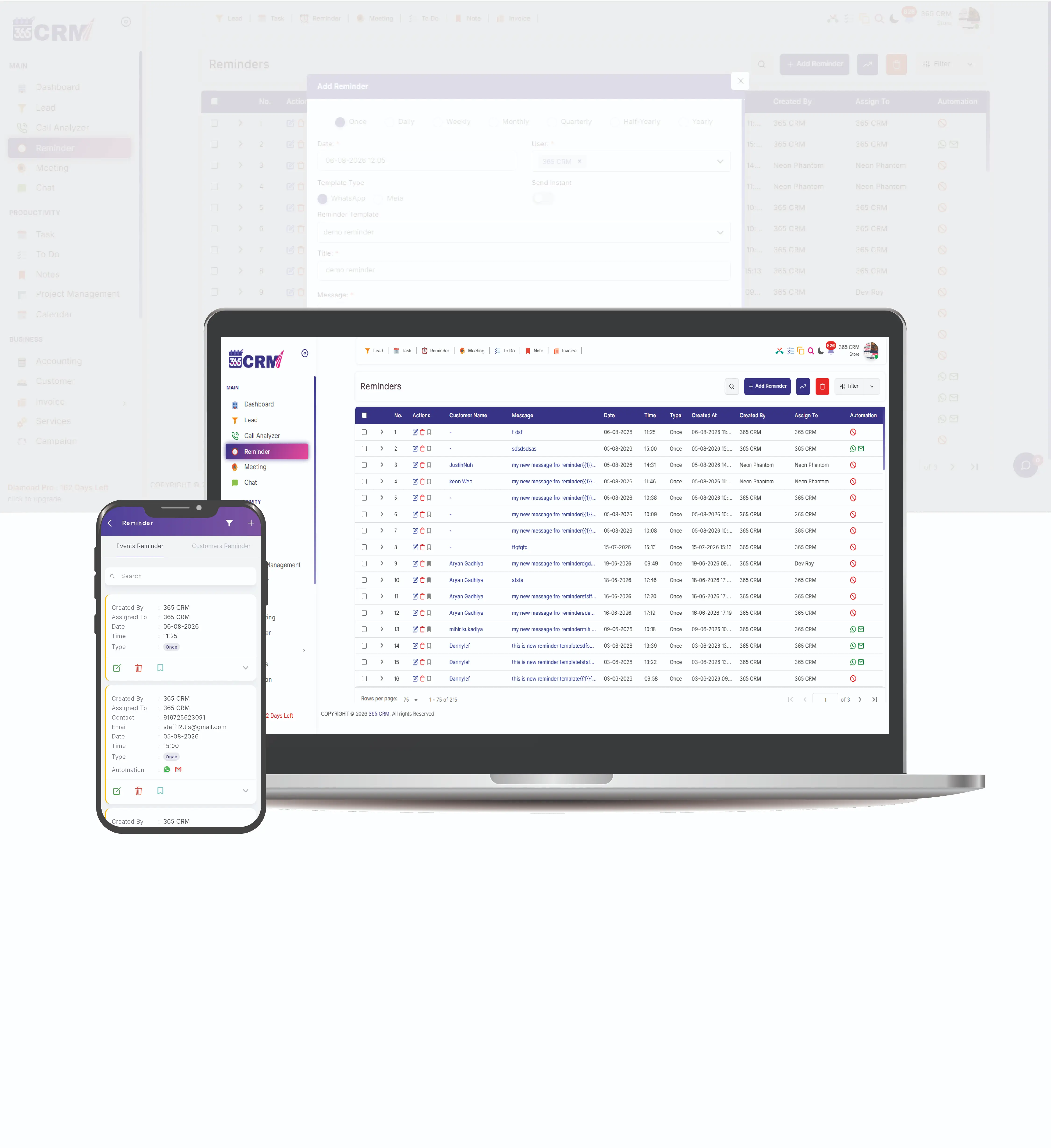
365 CRM's customer reminder software and meeting reminder CRM keep every payment deadline, appointment, and renewal on track — with reminders sent automatically over WhatsApp and Email, not left to memory.


The Problem with Manual Follow-ups
Missed Payment Deadlines
Without automated alerts, follow-ups on due payments rely on someone remembering to call.
Forgotten Meetings
Manually tracked meeting schedules lead to double-booking or no-shows.
Renewals Slipping Through
A customer's renewal date passes unnoticed, and the opportunity to re-engage is lost.
Reminders Sent the Wrong Way
A call or app notification is easy to miss — customers respond faster to WhatsApp and Email.
The 365 CRM Solution
Everything You Need to Stay on Schedule
As a complete meeting management software, 365 CRM keeps reminders and meetings tied directly to your leads, customers, and tasks.
WhatsApp Reminder Automation
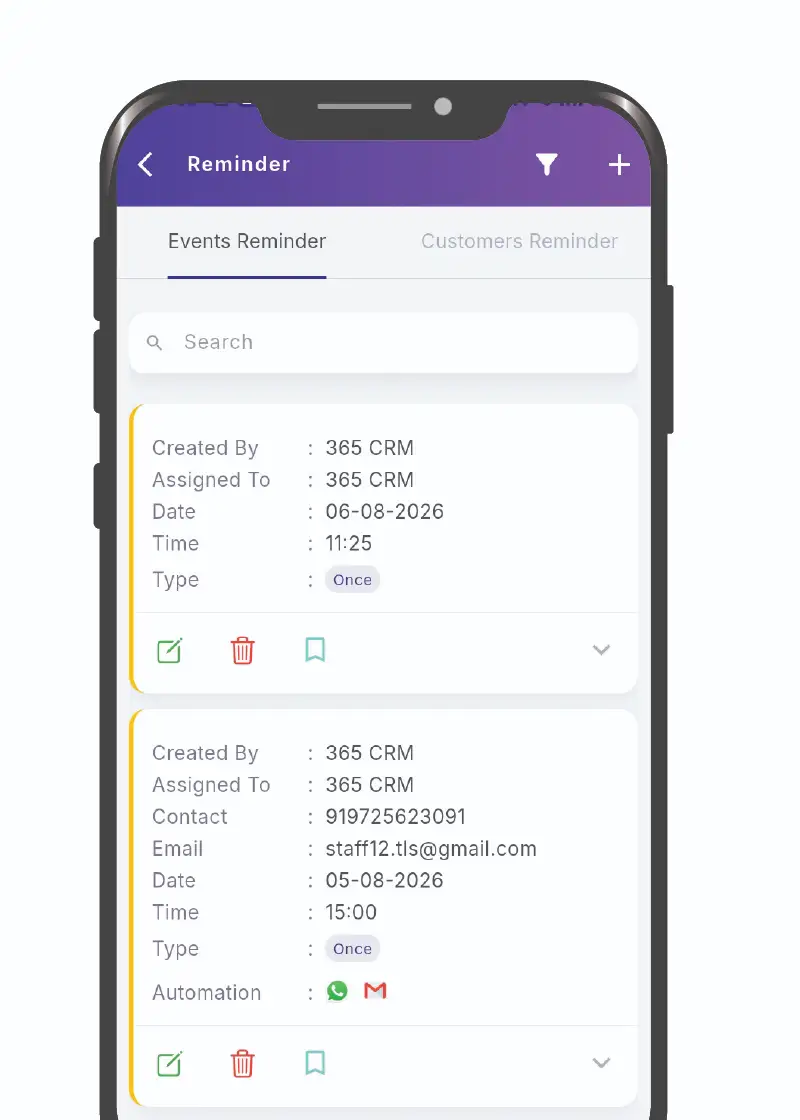
Add a reminder and turn on WhatsApp Automation so it's sent to the customer without any manual follow-up.
Email Reminder Automation
Meeting and reminder alerts go out on Email alongside WhatsApp, so nothing depends on one channel alone.
Meeting Scheduling
Schedule meetings directly from the Lead, Customer, or Task page — no separate calendar app needed.
Meeting Reschedule
Move a meeting to a new time without losing its history or having to recreate it from scratch.
Auto-Create Lead at Renewal
Set a renewal reminder on a customer, and 365 CRM automatically creates a new lead when the date arrives.
Reminder with Customer Context
Reminders show the customer's name and business details for quick context — no digging through records.
Never Miss a Follow-up Again
Add a reminder to any lead, customer, or task in 365 CRM — and turn on WhatsApp Automation. It’s the simplest way to ensure timely follow-ups without lifting a finger.
Set It Once — Let the Reminder Do the Follow-Up
Whether it's a payment due date or a client meeting, setting up an automatic renewal reminder CRM workflow in 365 CRM takes just two steps.
Add a Reminder
Go to Reminder, click Add Reminder, then turn on WhatsApp Automation and submit — the reminder is sent automatically on WhatsApp.
Schedule a Meeting
Go to Meeting, click Add Meeting, then set the Meeting Reminder and Automation and submit — the reminder goes out on both WhatsApp and Email.
Send a Meeting Reminder to a Customer
Go to Customer, click Add Reminder, then set the Meeting Reminder and Automation and submit to notify the client on WhatsApp and Email.
Set a Reminder for a Customer
Go to Lead, click Convert to Customer, then set the Reminder and Automation and submit.
Automate Renewal Follow-Up
Go to Lead, click Convert to Customer, set a Reminder, turn on Lead Reminder and WhatsApp Automation, and submit — a new lead is created automatically when the renewal date arrives.
Smart Workflows for Sales Teams
Automate every step of your sales process, from lead capture to renewal.
Built to Keep Every Client Relationship on Track
Consistent follow-up is what turns a one-time customer into a long-term relationship.
Boost Engagement
Keep clients informed and involved through regular touchpoints.
Improve Relationships
Personal interactions help build support and trust with clients.
Minimize Missed Appointments
Ensure important meetings and deadlines are never missed.
Enhance Customer Satisfaction
Consistent communication and problem-solving improve the overall customer experience.
Channels
Never Miss a Follow-up Again
Add a reminder to any lead, customer, or task in 365 CRM — and turn on WhatsApp Automation. It’s the simplest way to ensure timely follow-ups without lifting a finger.
Reminders Connected to the Lead — Not a Standalone To-Do List
A generic reminder app only tells you something is due. As a meeting reminder CRM 365 CRM ties every reminder and meeting back to the actual Lead, Customer, or Task record — so the context is already there when the reminder fires.
- Reminders and meetings created from Lead, Customer, or Task directly
- Two-channel automation — WhatsApp and Email — on every reminder
- Meeting reschedule without losing history
- Renewal reminders that auto-create a fresh lead
- Customer name and business shown for instant context
Send Reminders the Way Customers Actually Respond
Every reminder and meeting alert in 365 CRM can go out automatically over these channels.
Email Automation
Reminder Module
Meeting Module
Customer Module
Lead → Customer Conversion
Ready to Never Miss a Follow-up Again?
Get 365 CRM today and automate your customer follow-ups with smart reminders and scheduled WhatsApp messages.
Built for Any Business That Depends on Follow-Up
As customer reminder software for small business in India, 365 CRM fits any workflow where a missed follow-up means a missed opportunity.
Sales Representatives
Manage dozens of follow-ups at once without letting a single prospect slip through the cracks. Automated WhatsApp reminders keep every lead warm.
- Never miss a follow-up call
- Track meeting history per lead
- Auto-send WhatsApp reminders
Small Business Owners
Run your business without juggling spreadsheets and sticky notes. Set reminders once and let 365 CRM handle follow-ups automatically on WhatsApp and Email.
- Payment & renewal reminders
- Client meeting scheduling
- Auto-create leads at renewal
Sales Team Managers
Give your team a single tool to manage all customer touchpoints. Monitor follow-up activity and ensure no appointment or deadline goes unattended.
- Team-wide reminder visibility
- Consistent follow-up processes
- Reduce missed opportunities
Service-Based Businesses
Schedule appointments, send pre-meeting reminders, and reschedule without losing context — all from one dashboard linked to your customers.
- Appointment reminders via WhatsApp
- Easy meeting reschedule
- No double-bookings
Subscription & Renewal Businesses
Never lose a renewal again. Set a reminder on any customer and 365 CRM automatically creates a fresh lead when the renewal date is due.
- Auto lead creation at renewal
- Renewal reminder on WhatsApp
- Zero manual tracking needed
Growing Enterprises
Scale your follow-up process without scaling your headcount. Automate reminders across leads, customers, and tasks so your team stays focused on closing.
- Multi-channel reminders
- Integrated with leads & tasks
- Scales with your team
See What Our Community Says
Real feedback from sales managers and business owners who have transformed their lead conversion process.
Ready for Smarter Follow-ups?
365 CRM turns reminders and meetings from scattered to-dos into connected sales actions.
What Our Customers Say
Thank you so much 365 CRM and team to provide wonderful solutions for business automation and management about company and staff and even about my personal events and calendar.

365 CRM is actually very good, making it easy for small and medium-sized businesses to track leads and respond to them on time. To me, CRM has the potential to 10x a company's income. I would strongly propose startups that would be ideal for you.
Awesome experience with 365 Team Management application. it's make easy to our life for day to day activities which was challenge for our business. Good supporting system and customer care as well as.
CRM that is highly recommended The customer service was excellent. They were quite helpful in guiding me and answering all of my inquiries.
Great service support. I'm so happy. Thank you 365 CRM team
Awesome experience with 365 Team Management application. it's make easy to our life for day to day activities. Best service ever.
We were lacking in follow-up management. We only tried the 365 CRM free trial at first, but we subsequently profited from ts follow-up on-time reminder. Eventually, we were able to convert more leads. We now use 365 crm on a regular basis.
If you are looking for a crm, this is the greatest one. Here are some of the reasons why. * You CAN track your leads and follow-ups; it also indicates in red when you fail to follow-up on your leads.* LEADS CAN BE FETCHED FROM YOUR RESPECTIVE SOURCE and directly sent automatically with alternate lead assigned to team. * MONITORING YOUR SALES IS VERSY EASY.
When looking for a strategic IT-partner for the development of a corporate CRM solution, we chose 365 CRM System. The company proved itself a reliable provider of IT services. And also team is very supportive. Thank you for the best service.
Superb service and the way you guys have coordinate is wow. I will surely recommend to other friends of mine who are also entrepreneurs
I really like using 365 CRM for my business. It's easy to use, and it helps me keep track of my leads. The automatic reminders are handy, and the reports give me useful information. The customer support is good too - they're quick to help when I have questions. I recommend it!
There is a problem in this CRM...I have been using it for a long time...I have not been able to add the calling system, or the second follow up date or time has not come in the age line, even when you Follow up has to be seen to see the lead up and down of the entire system...in which time more time is wasted,,,experience is true compared to other CRM....
I am happy as of now with the process explained to me. Software is easy accessible with easy interface. I am delighted by post sales service i.e Trainning and Support especially by Preeti Mam.. Thank You
365 CRM Software is a powerful tool for streamlining sales processes and enhancing customer relationships. With features like lead scoring, automation, and reporting, it helps businesses improve efficiency and close deals faster. While it may have a learning curve, its user-friendly interface and strong customer support make it a valuable asset for many organizations.
Ready to Stop Missing Meetings?
Get in touch with our team to see how automated reminders can streamline your scheduling process.
Customer Reminders & Meetings FAQs
If you don't see an answer to your question, you can send us an email from our contact form. Contact our team.
Step 1 : Reminder
Go to Reminder >> Click on Add Reminder
Step 2 : Whatsapp Automation
Go to Reminder >> Click on Add Reminder >> On Whatsapp Automation >> Submit
Step 1 : Meeting
Go to Meeting >> Click on Add Meeting
Step 2 : Set Meeting Reminder
Go to Meeting >> Click on Add Meeting >> Set Meeting Reminder and Automation >> Submit
Step 1 : Customer
Go to Customer >> Click on Add Reminder
Step 2 : Set Meeting Reminder
Go to Customer >> Click on Add Reminder >> Set Meeting Reminder and Automation >> Submit
Step 1 : Lead
Go to Lead >> Click on Convert to Customer
Step 2 : Set Reminder
Go to Lead >> Click on Convert to Customer >> Set Reminder and Automation >> Submit
Step 1 : Lead
Go to Lead >> Click On Convert to Customer
Step 2 : Set Reminder
Go to Lead >> Convert to Customer >> Set Reminder >> On Lead reminder and Whatsapp Automation >> Submit