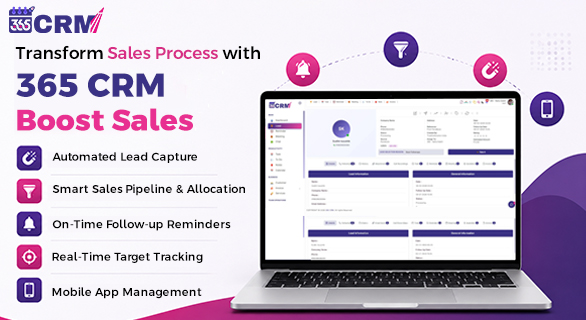
Transform Sales Process with 365 CRM Boost Sales
Picture this. A high-intent lead fills out your inquiry form at 10:30 AM. Your sales team is busy. Nobody notices the new lead until 11:45 AM. By the time they call, the prospect has already spoken to a competitor and moved on.
This single scenario plays out dozens of times every month in businesses across India. And every missed lead is not just a lost sale. It is lost revenue, lost trust, and a lost opportunity that could have been avoided entirely.
The problem is not that your sales team is not working hard. The problem is that your sales process has no system to ensure the right lead reaches the right person at the right moment, automatically, every single time.
This is exactly what 365 CRM Boost Sales is built to solve.
Used by 10,000 plus sales teams, 365 CRM Boost Sales transforms the way businesses handle incoming leads by introducing intelligent routing, smart prioritization, automated alerts, and real-time accountability into the sales process. The result is a team that responds faster, follows up consistently, and closes more deals without any additional manual work.
The Real Problems Killing Your Sales Pipeline
Before understanding how 365 CRM Boost Sales works, it helps to understand the three core problems it solves.
The Manual Sorting Trap
Sales professionals often spend the first hour of their day figuring out which lead to call next. They scroll through dashboards, sort spreadsheets, and try to remember which inquiries came in recently and which ones are getting old. This is prime selling time that gets consumed by administrative work instead of actual conversations.
The Response Time Gap
High-intent leads require immediate engagement. A lead who submits an inquiry expects a quick response. The longer a lead waits without a call, the faster their interest drops and the higher the chance they reach out to another provider. Manual assignment methods simply cannot keep up with real-time incoming traffic across multiple sources.
The Forgotten Follow-Up
Even when leads are assigned, follow-up tasks often get pushed back in a busy team's queue. Without a system that creates urgency and accountability, important opportunities quietly slip away. The lead does not say goodbye. They just stop responding.
365 CRM Boost Sales addresses all three of these problems through one integrated, automated system.
How 365 CRM Boosts Sales: A Simple 3-Step Process
The Boost Sales module follows a clean, automated workflow that takes a lead from the moment it enters the system until a rep picks it up and calls.
Step 1: Capture and Analyze
A lead enters 365 CRM through any connected source such as a web form, API, or automated import. The system instantly analyzes the lead data, references history, and applies intelligent scoring logic to determine its priority.
Step 2: Instant Routing
Based on your custom-configured rules, the lead is assigned to the right sales representative in real time without any manual administrative steps. No one has to sit and decide who should take the lead. The system does it automatically.
Step 3: Engage and Convert
The representative receives an immediate push notification, calls the lead while they are still actively interested, answers their questions, and moves them toward closing. The entire handoff from lead capture to first call happens in minutes, not hours.
Core Features of 365 CRM Boost Sales
1. Custom Lead Sorting Engine
Not all leads carry the same urgency. Some are fresh inquiries that came in minutes ago. Others are older leads that still need follow-up. Your sales team should always know which one to prioritize without spending time figuring it out.
The Custom Lead Sorting Engine inside 365 CRM Boost Sales lets sales reps fully control their dashboard view. You can arrange settings so that the earliest leads appear at the top, keeping the oldest unattended inquiries visible first. Or you can flip the view so the most recent leads show at the very top, giving priority to the freshest inquiries. This flexibility means your team always works in the order that makes the most sense for your business.
2. Intelligent "Take It" Buzz Alert
One of the most unique features of 365 CRM Boost Sales is the Buzz Alert system. When an unassigned lead sits without being picked up by a sales executive, the system does not simply wait. It triggers a persistent buzz notification that keeps ringing until the rep takes action.
The buzzer continues until someone from the team clicks "Take It" and accepts ownership of the lead. This creates immediate accountability without requiring a manager to manually follow up on who picked up what. If a rep takes another lead during an active buzzer period, the buzz pauses for that lead and resumes until all unattended leads have been addressed.
No lead can silently disappear into the queue.
3. Adjustable Timeout Configurations
Every sales team operates at a different speed. A team handling 20 leads a day has different response expectations than a team handling 200.
365 CRM Boost Sales gives managers complete authority to set their own alert timelines inside Global Settings. You decide how many minutes a lead can sit before the buzzer activates. The system enforces a safety baseline of a minimum of 5 minutes, ensuring that no lead waits too long regardless of the configuration. Beyond that, you can scale the time intervals to match your team's capacity and target response speed.
4. Smart Priority Sorting Settings
Decision fatigue is real. When a sales rep opens their dashboard and sees 30 leads stacked up, choosing which one to call first takes mental energy that should be spent on actual conversations.
The Smart Priority Sorting Settings in 365 CRM Boost Sales eliminate this friction. With a single click, reps can switch their view to focus on the most urgent follow-ups first, bringing overdue leads to the top. Or they can flip to clear old backlogs from the bottom, ensuring no older lead is permanently ignored. The choice is instant and requires no manual sorting or spreadsheet review.
5. Proactive Response Time Controllers
The system does not just alert reps once and move on. Built-in workflow safeguards ensure that if the minimum configured window expires without any response or activity, the audio-visual alert pushes back again. The team is kept active and accountable as long as there are unattended leads in the system.
This means managers do not need to constantly check in on their team. The system does the checking automatically.
6. Pipeline Milestone Appreciation
Sales work can be relentless. When your team clears their queue completely and every lead has been addressed, 365 CRM Boost Sales acknowledges it. The exact moment a user successfully addresses every entry in their list, the screen displays a celebratory greeting.
This small but meaningful recognition keeps the team motivated to maintain clean pipelines and respond to leads quickly. It makes the process feel rewarding rather than just repetitive.
7. Speed Champion Badges
365 CRM Boost Sales includes built-in gamification tools to drive healthy competition inside your sales team. Reps who consistently maintain fast response times are automatically awarded badges that are visible on the team leaderboard.
Badges progress from Bronze to Silver to Gold to Platinum based on performance. This creates a culture where responding quickly to leads is not just expected but celebrated. Reps can see where they stand compared to their teammates, which motivates them to stay sharp without any management pressure.
Feature Overview: What 365 CRM Boost Sales Delivers
| Feature | What It Does | Benefit to Your Team |
| Custom Lead Sorting Engine | Arrange leads by earliest or latest first | The team always knows which lead to call next |
| Buzz Alert System | Persistent notification for unattended leads | No lead gets ignored or forgotten |
| Adjustable Timeout Config | Manager sets alert timelines in Global Settings | Response speed matches your team's capacity |
| Smart Priority Sorting | One-click switch between urgent and old leads | Eliminates decision fatigue for sales reps |
| Response Time Controllers | Audio-visual alert if the minimum window expires | Keeps team active and accountable |
| Pipeline Milestone Appreciation | Celebratory screen when the queue is fully cleared | Motivates reps to maintain clean pipelines |
| Speed Champion Badges | Bronze to Platinum badges for fast responders | Builds healthy competition within the team |
Why Response Speed Changes Everything in Sales
The connection between response speed and conversion is one of the most well-documented realities in sales. When a lead submits an inquiry, they are in a state of active interest. Every minute that passes without a response, that interest begins to cool.
365 CRM Boost Sales is engineered around this principle. The entire system, from the Buzz Alert to the Response Time Controllers to the Smart Sorting Engine, is designed with one goal: getting the right rep on the phone with the right lead as fast as possible.
When your team responds within minutes instead of hours, more leads convert. It is that direct.
Who Benefits Most from 365 CRM Boost Sales?
Sales Managers: Get full visibility into lead response times without manually checking in on the team. The system creates accountability automatically.
Sales Executives: Start every day with a clear, prioritized dashboard. Know exactly which lead to call first without sorting through a cluttered queue.
Business Owners: Stop losing high-intent leads to slow response times. Set your routing rules once and let the system ensure every lead is handled on time, every time.
Growing Teams: As your team scales and lead volume increases, manual assignment becomes impossible. Boost Sales scales with your team, handling higher volumes without adding administrative complexity.
Before and After 365 CRM Boost Sales
| Situation | Before Boost Sales | After Boost Sales |
| Lead assignment | Manual, slow, often delayed | Automatic and instant |
| Response time | Hours in many cases | Minutes every time |
| Unattended leads | Common, often unnoticed | Impossible with Buzz Alert |
| Team accountability | Requires manager intervention | Built into the system |
| Rep prioritization | Based on guesswork | Clear, one-click priority sorting |
| Team motivation | Standard performance expectations | Gamified with badges and milestone celebrations |
| Pipeline visibility | Limited to whoever checks manually | Real-time for managers and reps |
Final Thoughts
Your leads are not just numbers in a CRM. Every single inquiry represents a person who showed interest in your business at a specific moment. How your team responds to that moment, how fast, how systematically, and how consistently, determines whether that person becomes a customer or a missed opportunity.
365 CRM Boost Sales gives your sales team the tools to make sure every lead gets the attention it deserves, at the right time, every time. With smart routing, persistent accountability, priority-based sorting, and built-in gamification, it transforms your sales process from reactive to proactive.
If your team is still relying on manual lead assignment and hoping someone picks up new inquiries before they go cold, it is time to make the switch.
Start your free trial today at 365crm.io and see how 365 CRM Boost Sales transforms the way your team sells.
FAQs
365 CRM Boost Sales is a smart lead routing and prioritization module within 365 CRM. It automatically assigns incoming leads to the right sales rep, triggers buzz alerts for unattended leads, and gives your team priority-sorted dashboards so every lead gets a fast, consistent response.
When a lead enters the system and is not picked up within the configured timeout window, the Buzz Alert triggers a persistent audio-visual notification that keeps ringing until a sales executive clicks "Take It" and accepts the lead. This ensures no lead is silently ignored in the queue.
Yes. Managers have complete control over alert timelines inside Global Settings. You can configure how many minutes a lead can remain unattended before the buzzer activates. The system enforces a minimum baseline of 5 minutes as a safety floor, and you can adjust the timing from there based on your team's speed and capacity.
Speed Champion Badges are part of the built-in gamification system in 365 CRM Boost Sales. Reps who consistently respond to leads quickly are automatically awarded badges starting from Bronze and progressing through Silver, Gold, and Platinum. These badges are visible on the team leaderboard and encourage healthy competition around fast lead response.
Yes. As lead volume increases, manual assignment becomes a bottleneck for growing teams. 365 CRM Boost Sales handles higher lead volumes automatically, routes leads without any manual administrative steps, and keeps every rep accountable through alerts and real-time visibility. It is built to scale with your team as your business grows.