Never Lose an
Important Note Again
365 CRM is a complete notes management software built into your CRM — CRM notes management that lets you capture, organize, and instantly retrieve every customer note, reminder, or idea, right where your sales work already happens.


The Cost of Scattered Notes
Lost Information
Important customer details written on paper or in chat apps quietly disappear.
No Central Place
Notes end up spread across notebooks, phones, and multiple apps.
Slow Retrieval
Finding one specific note among dozens takes far longer than it should.
Disconnected From the Customer Record
Standalone notes apps don't connect back to the lead or deal they're about.
The 365 CRM Solution
Everything you need to
Keep Notes Organized
A complete customer notes software designed to fit naturally into your daily CRM workflow.
Capturing Information
Record key ideas, reminders, or action items the moment they come up — nothing gets forgotten.
Organizing Notes
Keep notes clear and easy to reference by organizing them by category or context.
Sticky Notes on Dashboard
Show your most important notes as sticky notes right on the Dashboard for quick access.
Quick Retrieval
Organized notes mean crucial information is always fast and easy to find.
Team Collaboration
Share notes with team members so everyone stays aligned on a customer or task.
Boosting Productivity
Well-managed notes improve collaboration, communication, and overall efficiency.
Never Lose a Lead Again.
Centralize every note, insight, and follow-up for effortless lead tracking.
Create a Note in 3 Simple Steps
No learning curve — capturing a note in 365 CRM takes seconds.
Go to Notes
Open the Notes section from your CRM dashboard.
Click Add Note
Write your note and click Submit to save it instantly.
Show as Sticky Note
Pin it to your Dashboard as a sticky note for quick, ongoing visibility.
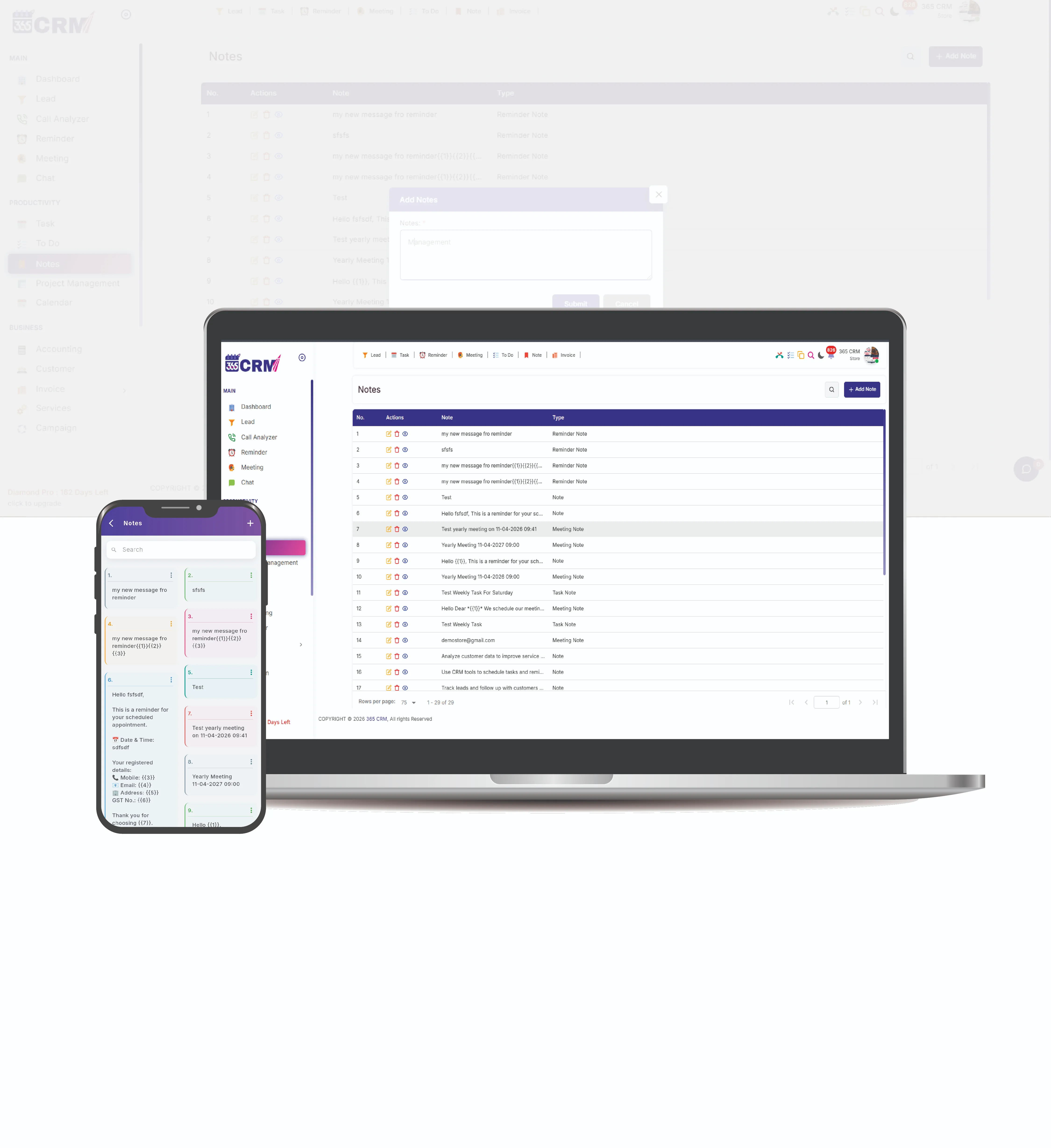
See Notes Management in Action
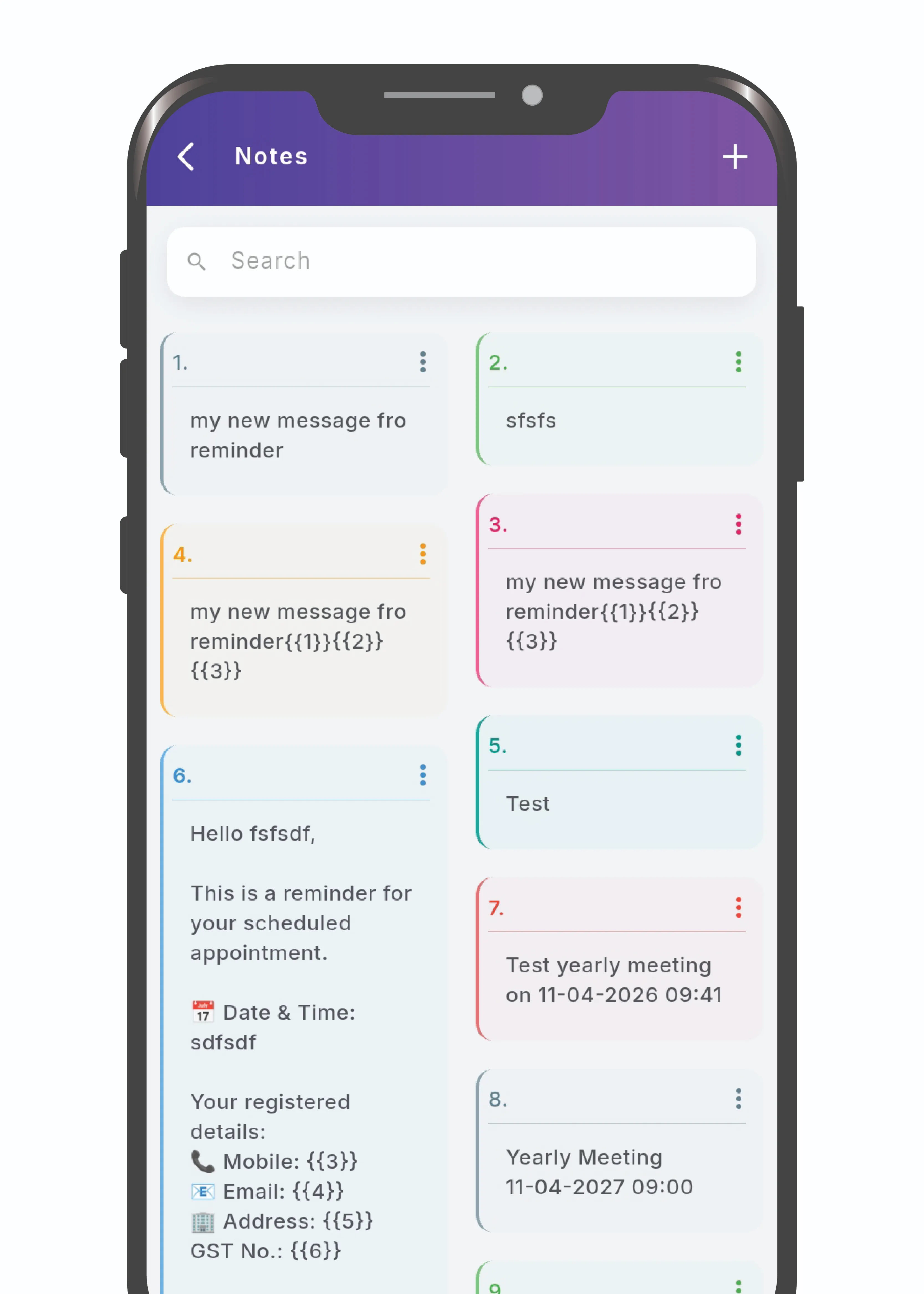
A simple, clean interface designed to make capturing and organizing notes fast and effortless.
Built to Keep Your Team Organized and Aligned
Good notes management isn't about writing more — it's about never losing what matters.
Stay Organized
Keep all your important thoughts, tasks, and reminders in one place.
Boost Productivity
Quickly access essential details, saving time and reducing stress.
Enhance Collaboration
Share notes easily with team members, ensuring everyone stays on the same page.
Increase Efficiency
A well-organized note system reduces the risk of forgetting key tasks or information.
Ready to Streamline Your Notes?
Start using Notes Management to stay organized, boost productivity, and enhance team collaboration.
Notes That Live Next to the Customer, Not in a Separate App
Most note-taking apps sit disconnected from your actual sales process. As a notes management system built into the CRM, 365 CRM keeps every note attached to the lead, task, or meeting it belongs to — so context is never lost.
- Add a note in seconds from anywhere in the CRM
- Pin key notes as sticky notes on your Dashboard
- Notes tied to leads, tasks, and meetings automatically
- Share notes across the team for full context
- No separate note-taking app subscription needed
What Our Users Say
Get Your 365 CRM Account
Don`t do more manually work.
Trusted by Teams Worldwide
Thank you so much 365 CRM and team to provide wonderful solutions for business automation and management about company and staff and even about my personal events and calendar.

365 CRM is actually very good, making it easy for small and medium-sized businesses to track leads and respond to them on time. To me, CRM has the potential to 10x a company's income. I would strongly propose startups that would be ideal for you.
Awesome experience with 365 Team Management application. it's make easy to our life for day to day activities which was challenge for our business. Good supporting system and customer care as well as.
CRM that is highly recommended The customer service was excellent. They were quite helpful in guiding me and answering all of my inquiries.
Great service support. I'm so happy. Thank you 365 CRM team
Awesome experience with 365 Team Management application. it's make easy to our life for day to day activities. Best service ever.
We were lacking in follow-up management. We only tried the 365 CRM free trial at first, but we subsequently profited from ts follow-up on-time reminder. Eventually, we were able to convert more leads. We now use 365 crm on a regular basis.
If you are looking for a crm, this is the greatest one. Here are some of the reasons why. * You CAN track your leads and follow-ups; it also indicates in red when you fail to follow-up on your leads.* LEADS CAN BE FETCHED FROM YOUR RESPECTIVE SOURCE and directly sent automatically with alternate lead assigned to team. * MONITORING YOUR SALES IS VERSY EASY.
When looking for a strategic IT-partner for the development of a corporate CRM solution, we chose 365 CRM System. The company proved itself a reliable provider of IT services. And also team is very supportive. Thank you for the best service.
Superb service and the way you guys have coordinate is wow. I will surely recommend to other friends of mine who are also entrepreneurs
I really like using 365 CRM for my business. It's easy to use, and it helps me keep track of my leads. The automatic reminders are handy, and the reports give me useful information. The customer support is good too - they're quick to help when I have questions. I recommend it!
There is a problem in this CRM...I have been using it for a long time...I have not been able to add the calling system, or the second follow up date or time has not come in the age line, even when you Follow up has to be seen to see the lead up and down of the entire system...in which time more time is wasted,,,experience is true compared to other CRM....
I am happy as of now with the process explained to me. Software is easy accessible with easy interface. I am delighted by post sales service i.e Trainning and Support especially by Preeti Mam.. Thank You
365 CRM Software is a powerful tool for streamlining sales processes and enhancing customer relationships. With features like lead scoring, automation, and reporting, it helps businesses improve efficiency and close deals faster. While it may have a learning curve, its user-friendly interface and strong customer support make it a valuable asset for many organizations.
Frequently Asked Questions
Everything you need to know about the Notes Management feature. Contact our team.
Notes management in 365 CRM is the process of organizing, storing, and managing notes so they stay easily accessible and useful — writing down information, thoughts, or tasks, categorizing them for clarity, and keeping them safely stored and searchable across devices.
Go to Notes, click Add Note, and submit. The note is instantly saved and can also be shown as a sticky note on your Dashboard for quick reference.
Yes. Once a note is added, it can be displayed as a sticky note directly on the Dashboard for fast, at-a-glance access.
Yes. Notes can be shared with team members so everyone stays on the same page about a customer, task, or reminder.
Notes management keeps important thoughts, tasks, and reminders in one organized place, helping sales teams retrieve details quickly, avoid forgetting key information, and collaborate more effectively.