Housing
Housing Push API
The Housing Push API allows Housing to send lead information directly to the CRM.
Navigation
Go to:
General Settings → Integrations → Housing
Open the Housing integration and configure the request type as Push.
Housing Push API cURL
Once the Housing Push API/Webhook URL is generated from the CRM, use the generated URL in place of {{CRM_HOUSING_URL}}.- curl --location '{{CRM_HOUSING_URL}}?lead_name=JohnDeo&lead_email=johndeo@gmail.com&country_code=91&lead_phone=7894567495&apartment_names=1%20BHK&service_type=rent&category_type=residential&locality_name=Palanpur&city_name=Surat&min_price=13000&max_price=13000&project_id=12&project_name=Orchid%20Infinity&property_field=Apartment'
Request Parameters
| Parameter | Type | Example | Description |
|---|---|---|---|
lead_name |
String | John Deo |
Lead/customer name |
lead_email |
String | johndeo@gmail.com |
Lead email address |
country_code |
String | 91 |
Country dialing code |
lead_phone |
String | 7894567495 |
Lead phone number |
apartment_names |
String | 1 BHK |
Apartment/property preference |
service_type |
String | rent |
Service type |
category_type |
String | residential |
Property category |
locality_name |
String | Palanpur |
Locality/area name |
city_name |
String | Surat |
City name |
min_price |
Number | 13000 |
Minimum budget |
max_price |
Number | 13000 |
Maximum budget |
project_id |
Number | 12 |
Project ID |
project_name |
String | Orchid Infinity |
Project name |
property_field |
String | Apartment |
Property type |
Select Lead Label
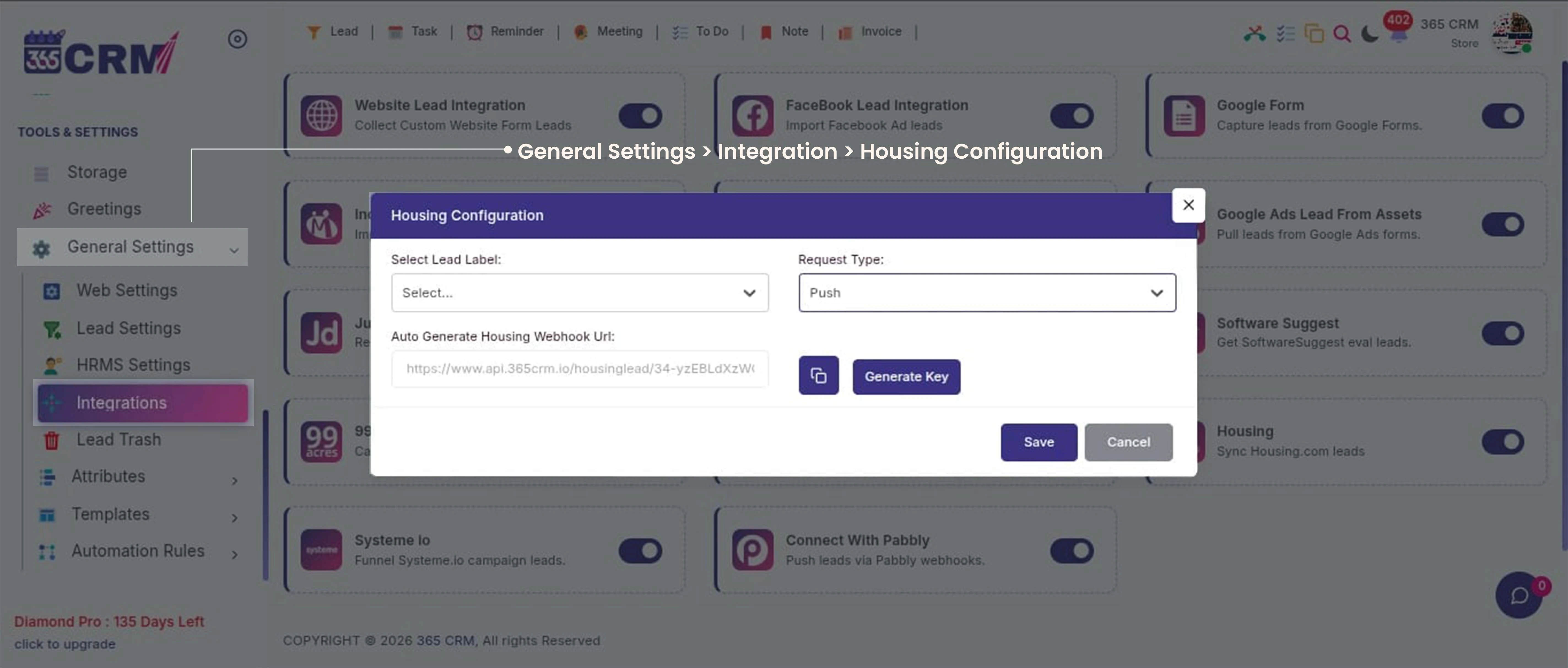
In the Housing Configuration popup:
- Select the required Lead Label.
- Select Push as the Request Type.
- The CRM will generate the Housing Webhook URL automatically.
- Copy the generated webhook URL.
- Click Generate Key if a webhook/API key is required.
- Click Save to save the Housing Push configuration.
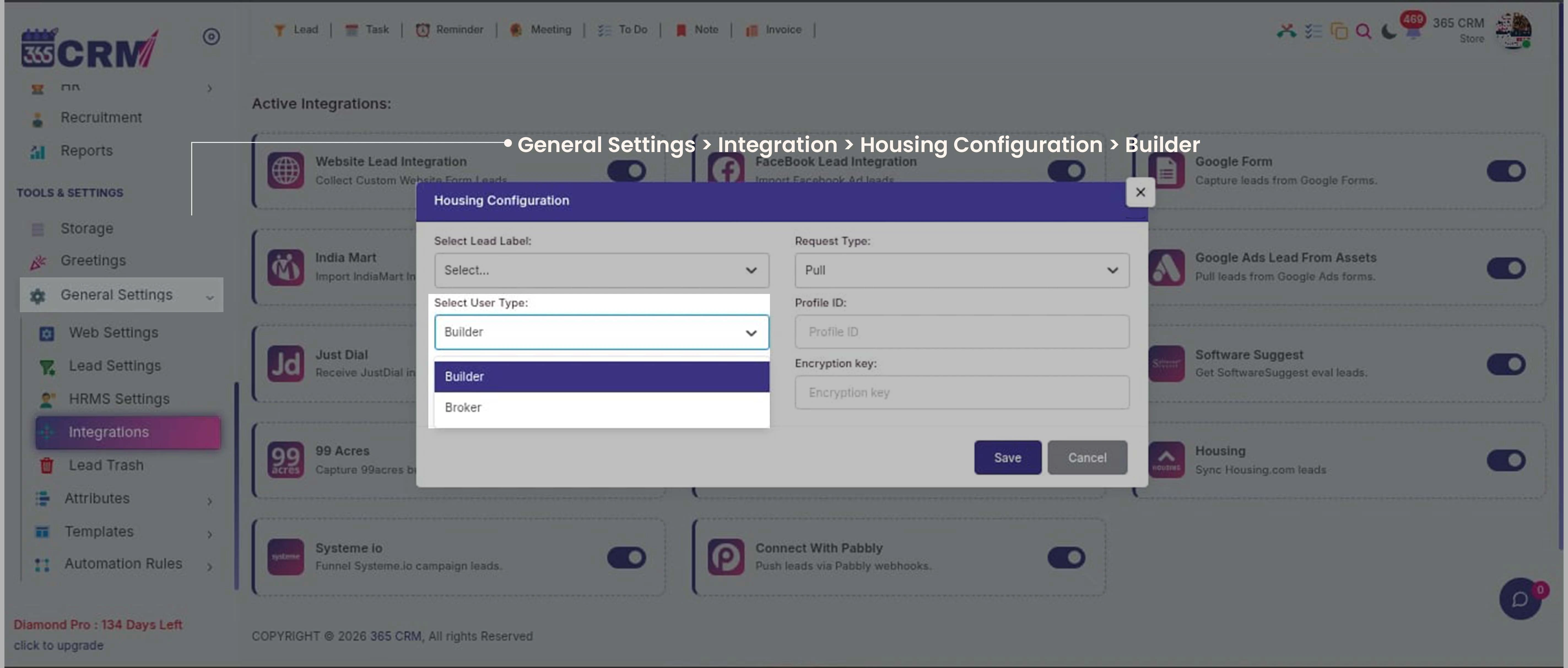
Housing Pull Integration
Go to General Setting >> Web Setting >> Third Party Integration >> Housing Pull Integration
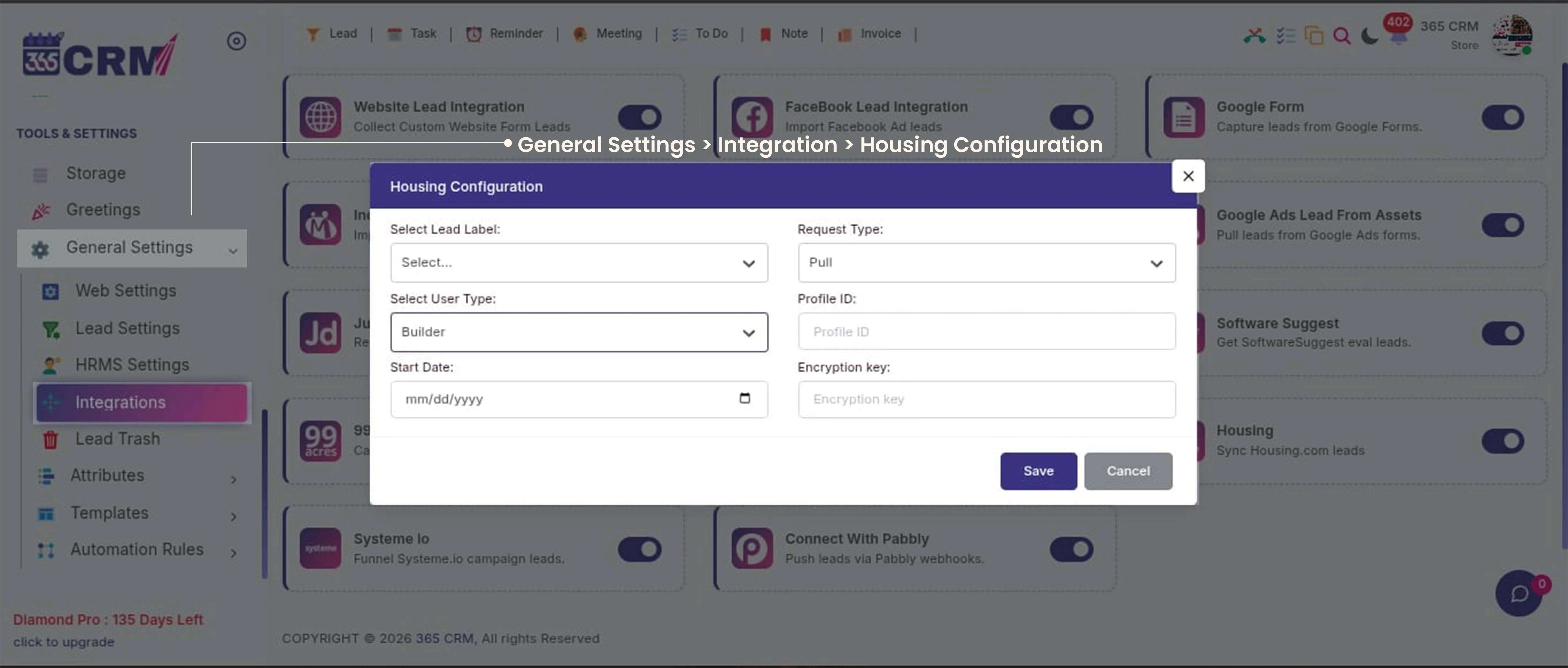
Select User Type
Go to General Setting >> Web Setting >> Third Party Integration >> Housing Integration