AI-Powered
Face Recognition Attendance System for Your Workforce
Eliminate proxy attendance and buddy punching forever. 365 CRM's contactless face recognition attendance system verifies each employee's unique facial features using liveness detection — ensuring the right person is at the right place, every time. No biometric hardware needed.




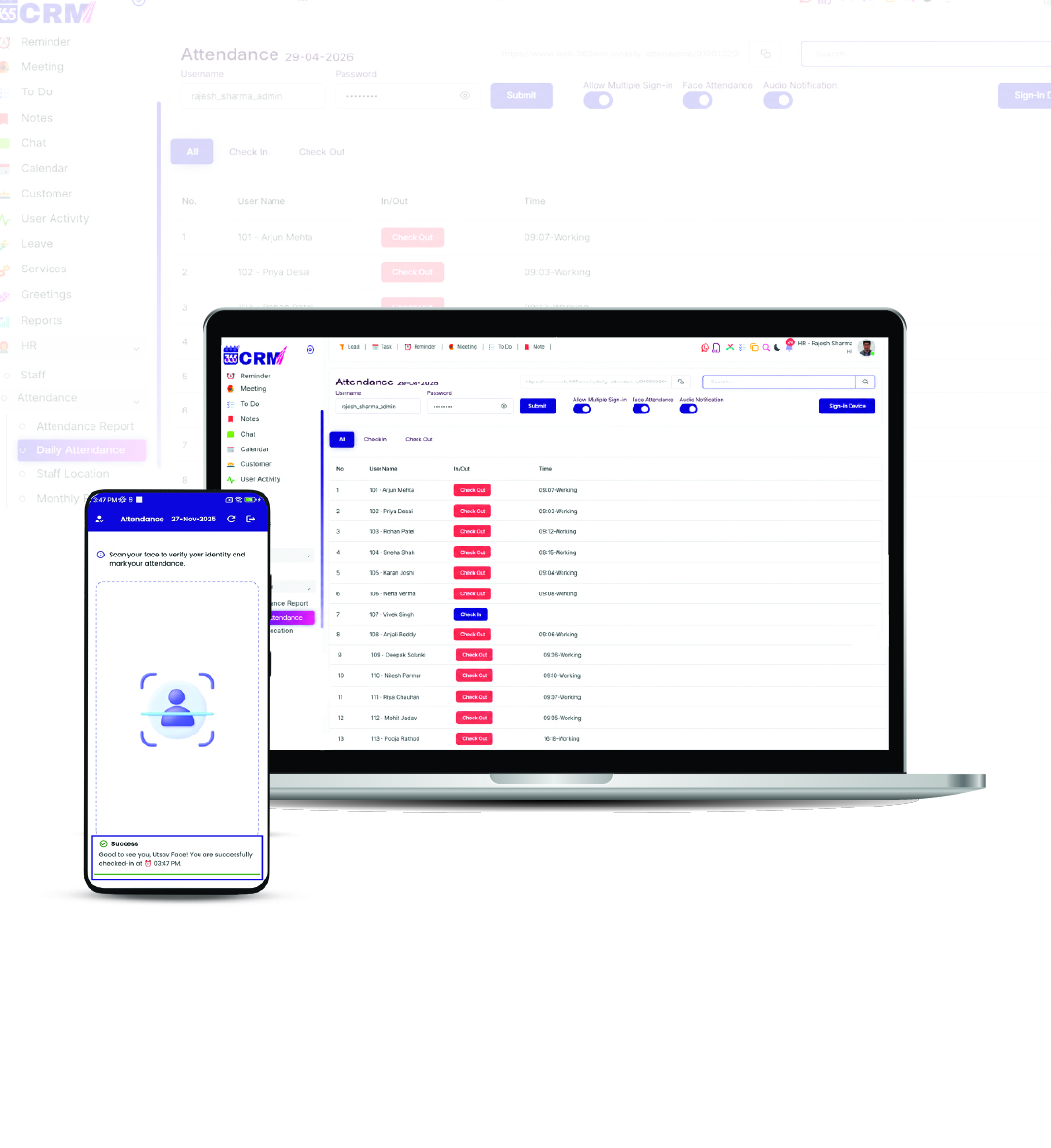
The Problem with Old Attendance
Buddy Punching & Proxy Attendance
Employees marking attendance for absent colleagues leads to direct payroll leaks and inaccurate records. Traditional systems — fingerprint scanners, cards, paper registers — cannot prevent buddy punching reliably.
No Way to Verify Physical Presence
Card-based systems and old biometric attendance software are easy to manipulate. Without contactless face verification, there is no reliable way to confirm an employee is actually at the worksite.
Time Loss with Manual Attendance
Paper registers and card-punch machines create queues and waste productive hours every day — especially in teams with large workforces. A touchless attendance app eliminates this bottleneck completely.
Manual Entry Errors & Payroll Disputes
Human errors in attendance registers lead to salary disputes and incorrect payroll calculations. Without automated attendance reports, HR spends hours every month fixing errors that should never happen.
The 365 CRM Solution
Everything You Need in a
Face Recognition Attendance System
A complete set of intelligent, contactless attendance tracking tools — designed for accurate workforce management without any biometric hardware or manual entry.
Liveness Detection
Advanced live person can mark attendance. The system matches the live face scan against the registered facial profile in under a second.
Anti-Spoofing — Buddy Punching Prevention
The system actively detects and rejects all proxy attendance attempts. Photos, printed images, recorded videos, and masks are identified and blocked — ensuring only a live person can mark attendance. Buddy punching becomes impossible.
GPS Geo-Fencing Attendance
Restrict face attendance marking to specific office locations, project sites, or field zones. Staff can only mark attendance when physically within the designated GPS boundary — no more marking from home or unauthorized locations.
Voice Confirmation for Check-In / Check-Out
When enabled, the system speaks personalized voice messages for each Check-In and Check-Out — audibly confirming the staff member's identity and attendance status. Clear, immediate, and impossible to miss even in busy environments.
Automated Attendance Reports — Payroll Ready
Generate automated daily, weekly, and monthly attendance logs directly from the system. All records are stored securely with timestamps and are payroll-integration and audit-ready — eliminating manual HR report preparation.
Multi-Device Authorization — HRMS Controlled
Authorized access from multiple devices with Admin approval. When any new device attempts to log in to the face attendance system, Admin, Sub-admin, or HR receives a real-time notification and must explicitly approve or reject access.
Stay Ahead of the Competition
Connect with us to explore innovative solutions designed to fuel your business growth.
How It Works
From activating the contactless attendance system to marking the first face-verified attendance — here is the exact process based on the actual 365 CRM app workflow.
Open Attendance Report
Open the 365 CRM Mobile App, tap the drawer menu, go to HR Management → Attendance, and tap Attendance Report to see the full staff attendance list.
Open Face Attendance Settings
On the Attendance screen, tap the info (i) button at the top right to open the Authentication / Face Attendance Settings panel.
Secure Permissions
App requests camera and location to ensure secure and valid tracking.
Configure Attendance User
Set a Username and Password for the dedicated attendance device. Turn ON Face Recognition and Voice Messages (for check-in/check-out audio confirmation). Tap Submit.
Open Staff Module
Go to the drawer menu → HR Management → Staff. The Staff list shows all active and inactive employees.
Campaign Report
Track results from Campaign > Campaign Report.
Login as Attendance User
On the attendance device, open 365 CRM and log in using the Username and Password created in Step 3. This is separate from the admin login.
Access Verification Sent
Before entering the Attendance Module, a verification request is automatically sent to Admin, Sub-admin, and HR. The screen shows Account Verification — In Progress, with three stages: Request Submitted → Awaiting Admin Approval → Access Granted.
Admin Reviews Notification
In the Admin login, tap the notification bell icon to view the pending attendance login alert. The notification shows the device details and an Attendance login alert with Reject and Approve buttons.
Admin Approves or Rejects
Admin, Sub-admin, or HR can choose Approve or Reject. On Approve: a confirmation dialog shows device details and an Allow Access button. On Reject: a Deny Access dialog appears, and the user sees an Access Denied popup with a Return to Login option.
Access Granted — Attendance Screen
Once approved and Allow Access is confirmed, the attendance user is automatically moved to the Attendance screen. The system fetches the user's profile and registered face data for verification.
Scan Face to Mark Attendance
The staff member taps Scan Face. The camera opens and the system scans and processes the face in real time. A Success message with the staff name and check-in time confirms the attendance has been marked.
Stay Ahead of the Competition
Connect with us to explore innovative solutions designed to fuel your business growth.
Enterprise-Grade
Privacy & Protection
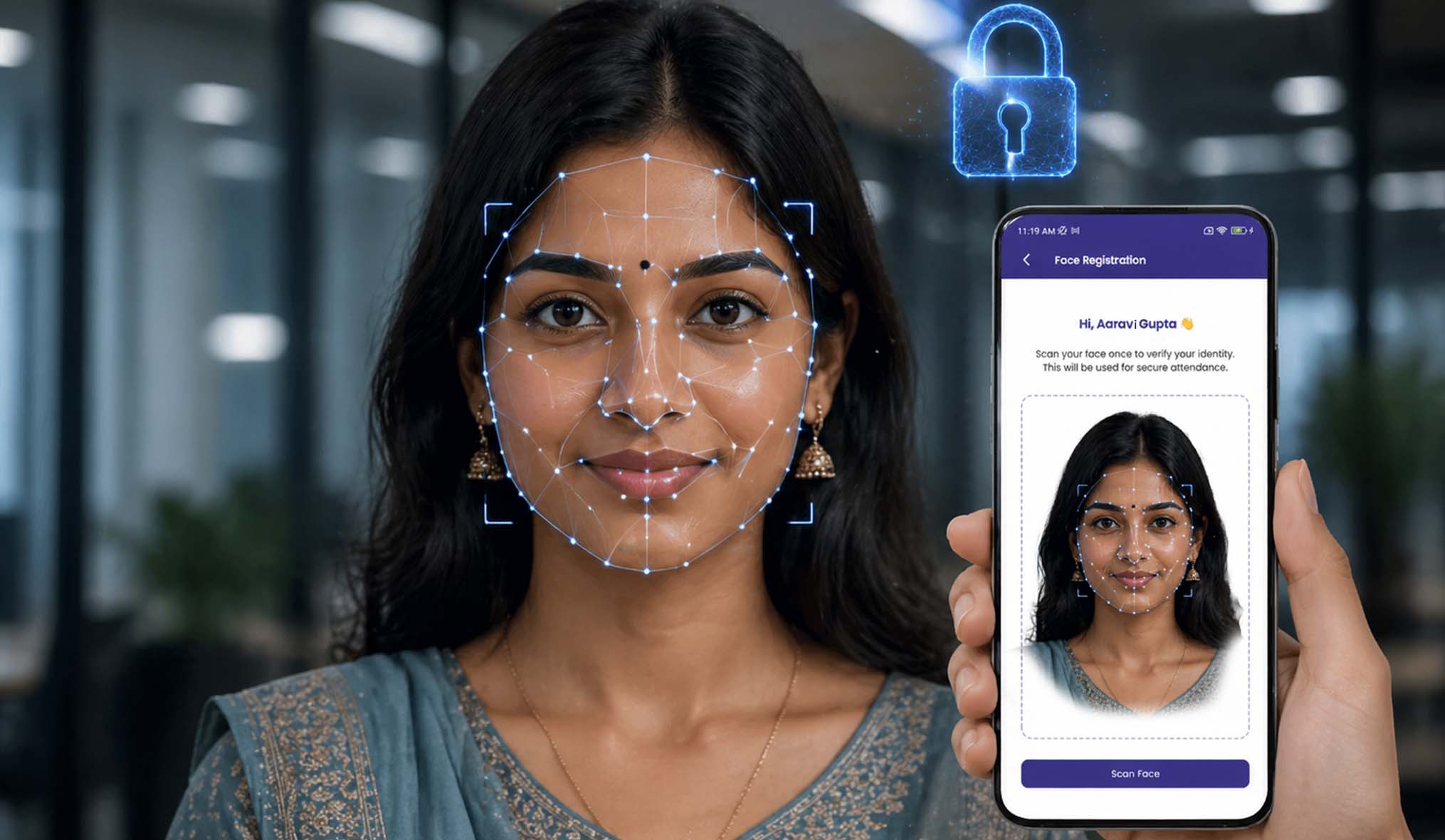
Your biometric attendance data, fully protected. All face recognition data is managed with the highest security standards — permission-based access, encrypted storage, compliance-friendly, and always audit-ready for payroll and HR teams.
What Our Community Says
Real feedback from field managers and business owners who have transformed their operations.
Stay Ahead of the Competition
Connect with us to explore innovative solutions designed to fuel your business growth.
Trusted by HR Teams Worldwide
Thousands of businesses rely on 365 CRM to manage their attendance operations every day.
Thank you so much 365 CRM and team to provide wonderful solutions for business automation and management about company and staff and even about my personal events and calendar.

365 CRM is actually very good, making it easy for small and medium-sized businesses to track leads and respond to them on time. To me, CRM has the potential to 10x a company's income. I would strongly propose startups that would be ideal for you.
Awesome experience with 365 Team Management application. it's make easy to our life for day to day activities which was challenge for our business. Good supporting system and customer care as well as.
CRM that is highly recommended The customer service was excellent. They were quite helpful in guiding me and answering all of my inquiries.
Great service support. I'm so happy. Thank you 365 CRM team
Awesome experience with 365 Team Management application. it's make easy to our life for day to day activities. Best service ever.
We were lacking in follow-up management. We only tried the 365 CRM free trial at first, but we subsequently profited from ts follow-up on-time reminder. Eventually, we were able to convert more leads. We now use 365 crm on a regular basis.
If you are looking for a crm, this is the greatest one. Here are some of the reasons why. * You CAN track your leads and follow-ups; it also indicates in red when you fail to follow-up on your leads.* LEADS CAN BE FETCHED FROM YOUR RESPECTIVE SOURCE and directly sent automatically with alternate lead assigned to team. * MONITORING YOUR SALES IS VERSY EASY.
When looking for a strategic IT-partner for the development of a corporate CRM solution, we chose 365 CRM System. The company proved itself a reliable provider of IT services. And also team is very supportive. Thank you for the best service.
Superb service and the way you guys have coordinate is wow. I will surely recommend to other friends of mine who are also entrepreneurs
I really like using 365 CRM for my business. It's easy to use, and it helps me keep track of my leads. The automatic reminders are handy, and the reports give me useful information. The customer support is good too - they're quick to help when I have questions. I recommend it!
There is a problem in this CRM...I have been using it for a long time...I have not been able to add the calling system, or the second follow up date or time has not come in the age line, even when you Follow up has to be seen to see the lead up and down of the entire system...in which time more time is wasted,,,experience is true compared to other CRM....
I am happy as of now with the process explained to me. Software is easy accessible with easy interface. I am delighted by post sales service i.e Trainning and Support especially by Preeti Mam.. Thank You
365 CRM Software is a powerful tool for streamlining sales processes and enhancing customer relationships. With features like lead scoring, automation, and reporting, it helps businesses improve efficiency and close deals faster. While it may have a learning curve, its user-friendly interface and strong customer support make it a valuable asset for many organizations.
Get Started with 365 CRM Today
Transform your business with our all-in-one CRM platform. Manage leads, sales, customer relationships, and business workflows seamlessly.
Frequently Asked Questions
Everything you need to know about the Face Attendance. Can't find the answer? Contact our team.
Step 1 : Register staff for face attendance
Open the 365 CRM Mobile App >> Go to Attendance Report
Step 2 : Enable face recognition
Tap the (i) Info button at the top right >> Open Face Attendance settings
Step 1 : Staff face capture
Go to Staff Module >> Tap the red person icon
After successfuly face add then a green icon indicates the face was added successfully.
Step 1 : The user logs in with their credentials
Go to user`s 365 CRM Mobile App and Login
Step 2 : A verification notification is sent to Admin, Sub Admin, HR
Step 3 : Staff Verification
Go to Admin 365 CRM Mobile App >> Click notification icon
Step 4 : Registration process is completed. From here, face attendance scanning will begin, and attendance can be managed directly from this system.
Yes, completely. The anti-spoofing technology detects and rejects photos, printed images, recorded videos, and masks — so only a live person can successfully mark attendance. Additionally, GPS geo-fencing ensures staff can only mark attendance when physically present within the designated location boundary. Combined, these two features make proxy attendance and buddy punching impossible.
The attendance login approval notification is sent to Admin, Sub-admin, and HR users simultaneously. Any one of them can approve or reject the request. This ensures that attendance access is never blocked due to a single person being unavailable.
No additional hardware is required. The entire face recognition attendance system runs through the 365 CRM mobile app on any standard Android or iOS device. No biometric scanners, fingerprint readers, punch machines, or separate attendance terminals are needed — your existing phone or tablet is all you need.