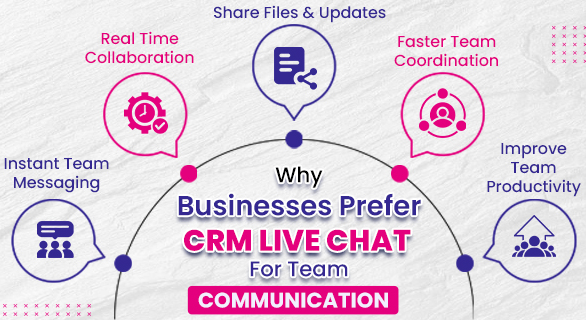
Why Businesses Prefer CRM Live Chat for Team Communication
In many growing companies, internal communication becomes complicated as teams expand and responsibilities increase. Sales teams share updates, managers track tasks, and support staff coordinate with multiple departments. When these conversations happen across scattered platforms, important information can easily get lost.
This aspect is where CRM live chat becomes valuable. Instead of switching between messaging apps, emails, and spreadsheets, teams can communicate directly within the CRM system, where their daily work already happens. Businesses prefer this approach because it keeps conversations connected to tasks, updates, and team activities in one place.
For companies using platforms like 365 CRM, live chat simplifies internal coordination and helps teams stay aligned throughout the day.
What is CRM Live Chat
CRM live chat is an internal messaging system within a CRM platform that enables employees to communicate instantly while managing their daily work. It enables teams to send messages, share updates, and discuss tasks without leaving the CRM environment.
Unlike traditional communication methods such as email, which often delay responses, a CRM chat system supports real-time interaction. Messages can be exchanged quickly, helping teams resolve small issues immediately and move work forward without waiting for long reply cycles.
Within 365 CRM, the live chat feature is designed to support smooth communication between team members while they handle leads, tasks, and operational activities.
Why Businesses Are Moving Toward CRM Based Team Communication
Modern businesses are becoming faster and more mobile. Sales teams may work in the field, managers monitor operations remotely, and staff members collaborate across departments.
When communication happens inside the CRM platform, teams gain several advantages
- Clear communication history connected with work activities
- Faster coordination between team members
- Reduced dependency on emails for internal updates
- Better visibility for managers monitoring team discussions
Because conversations remain connected to the workflow, employees do not need to search across multiple apps to understand project updates.
A Simple Example from Daily Business Operations
Consider a sales company where multiple executives handle incoming leads every day. One executive might need help from a manager before confirming a follow-up, while another team member may need to clarify a requirement discussed earlier.
Without an internal communication system, these updates may happen through phone calls or personal messaging apps. This can create confusion because the information is not linked to the actual work process.
With CRM live chat, the team can quickly communicate inside the system. Managers can guide sales executives, staff members can clarify tasks, and discussions remain visible to the team.
Over time, this improves coordination and reduces communication delays.
Key Features That Make CRM Live Chat Effective
Businesses prefer CRM based chat tools because they support daily operational workflows. Some commonly used capabilities include
Real Time Messaging
Employees can exchange updates instantly without waiting for email responses.
Group Conversations
Teams can create chat groups to discuss projects, campaigns, or internal updates.
Private Messaging
One-to-one communication helps employees resolve issues quickly.
File Sharing
Documents, images, or important files can be shared directly within the conversation.
Search Function
Previous messages can be searched easily when teams need to review earlier discussions.
These features help organizations maintain smooth communication without creating additional tools or systems.
How CRM Live Chat Improves Team Productivity
Internal communication delays often slow down business operations. When employees need quick clarification but responses arrive late, tasks remain incomplete, and deadlines shift.
CRM live chat reduces this friction by allowing teams to exchange quick updates during the workday. A manager can clarify instructions, a sales executive can confirm a task update, and team members can share important files instantly.
This continuous flow of information helps teams work faster and avoid unnecessary delays.
Over time, businesses notice that smoother communication directly improves operational efficiency.
Comparison of Traditional Communication and CRM Live Chat
| Aspect | Traditional Communication | CRM Live Chat |
| Response Speed | Often delayed | Instant messaging |
| Workflow Connection | Separate from tasks | Connected with daily work |
| Information Tracking | Hard to trace | stored within the CRM system |
| Team Coordination | Limited visibility | Better collaboration |
This comparison highlights why many companies now prefer CRM integrated communication instead of relying only on emails or external messaging platforms.
Why Businesses Prefer Live Chat Inside CRM Platforms
There are several practical reasons organizations choose CRM chat systems for internal communication.
- Work and communication stay on the same platform.
- Teams spend less time switching between tools.
- Managers get better visibility into operational discussions.
- Important updates remain documented within the system.
Because the chat system exists within the CRM environment, communication naturally aligns with the workflow instead of becoming a separate activity.
For businesses using platforms like 365 CRM, this structure helps teams stay organized while handling multiple responsibilities.
The Role of CRM Live Chat in Growing Companies
Startups and expanding companies often experience communication challenges as team size increases. Informal messaging methods that worked for small teams may no longer be reliable when departments expand.
A structured communication system inside the CRM platform creates consistency. Employees know where to communicate, managers know where to monitor updates, and the organization avoids fragmented information across different channels.
This structure becomes especially valuable for companies managing sales operations, internal coordination, and task-based workflows.
Final Thoughts
Clear communication plays a critical role in business efficiency. When conversations happen across scattered tools, teams lose time searching for information and resolving misunderstandings.
CRM live chat, or customer relationship management live chat, provides a more organized way for employees to communicate while handling their daily responsibilities. By keeping conversations connected to work activities, businesses can maintain clarity and reduce operational delays.
For organizations using platforms like 365 CRM, integrated team communication helps create a smoother workflow, stronger coordination, and better visibility across departments. This is why many businesses now prefer CRM-based chat systems as part of their daily operations.
FAQs:
Businesses prefer CRM live chat because it allows employees to communicate instantly while working inside the CRM system. It improves coordination, reduces delays, and keeps team conversations connected with daily tasks.
CRM live chat helps teams send instant messages, share files, and collaborate without switching platforms. This improves communication speed and helps employees stay aligned on projects and tasks.
CRM live chat is often faster than email for internal communication because messages are delivered instantly. Teams can resolve issues quickly and avoid long email chains.
CRM live chat improves collaboration by allowing team members to discuss updates, ask questions, and share information in real time. All conversations stay within the CRM, making communication easier to track.
The live chat feature in 365 CRM allows staff members to send messages, share files, and discuss work in real time. This keeps communication organized within the CRM environment and improves team coordination.