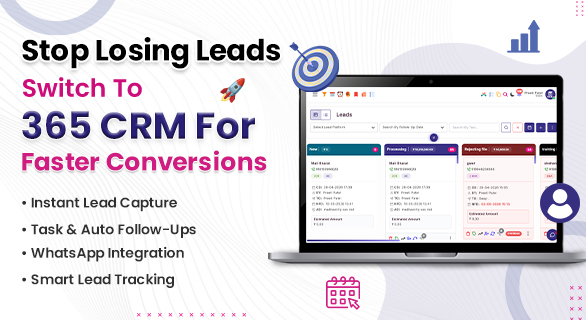
Stop Losing Leads Switch to 365 CRM for Faster Conversions
Leads are one of the most valuable assets for any business. You invest time and money in marketing to generate inquiries, but the real challenge begins after the lead is captured. Many businesses fail not because they lack leads, but because they fail to manage them properly.
If your team is still handling leads manually or switching between multiple tools, you are likely missing opportunities every day. This is exactly why more businesses are choosing to Stop Losing Leads and bring structure to their sales process.
Why Businesses Lose Leads Even After Generating Them
Most businesses assume that generating leads is the hardest part. In reality, managing them effectively is where most problems occur.
Common reasons why leads get lost:
- Delayed response from the team
- No proper system to track follow-ups
- Lack of visibility on lead status
- Miscommunication between team members
- Scattered data across different platforms
Even a small delay in response can push a potential customer toward your competitor. Without a proper system, managing leads becomes confusing and unorganized.
The Problem with Manual and Multi Tool Systems
Many companies still depend on spreadsheets, notes, or multiple software tools to manage leads. This approach creates unnecessary complexity.
Some major issues include:
- Difficulty in tracking lead history
- Missed follow-ups due to manual errors
- Time wasted in switching between tools
- No centralized data for decision-making
When your team spends more time managing data than actually converting leads, your business growth slows down. This is where a unified solution becomes necessary.
Centralized Lead Management in One Dashboard
365 CRM provides a structured system where all your leads are managed from a single dashboard. Instead of handling data in multiple places, everything is organized and visible.
With this setup:
- All leads are stored in one place
- Lead status is clearly visible
- Team members can access updated information
- Managers get full control over operations
This reduces confusion and ensures that no lead is missed. Businesses that move to a centralized system often see immediate improvement in their workflow.
Faster Response Means Better Conversions
Speed plays a major role in converting leads. The faster your team responds, the higher the chances of closing the deal.
With 365 CRM:
- Leads are instantly visible on the dashboard
- Teams can quickly take action
- Follow-ups are easier to manage
- Delays are reduced
This is one of the main reasons businesses decide to Switch to 365 CRM, because faster response directly impacts revenue.
Better Lead Understanding with Organized Data
When lead information is scattered, it becomes difficult to understand customer needs. A structured system helps in maintaining clarity.
365 CRM allows you to:
- View complete lead details in one place
- Track progress of each lead
- Maintain proper records of interactions
This helps teams make better decisions and improves overall efficiency.
Lead Prioritization with Rating System
Not every lead has the same value. Some leads require immediate attention, while others can be handled later.
With the rating feature in 365 CRM:
- You can assign priority to leads
- Focus on high-value opportunities
- Improve decision-making
- Increase conversion chances
This ensures that your team spends time on the leads that matter the most.
Estimated Amount for Smarter Planning
Understanding the potential value of a lead is important for business planning.
365 CRM provides an estimated amount feature where:
- You can assign expected deal value
- Track potential revenue
- Plan your sales strategy effectively
This helps businesses stay focused on high impact deals and improves financial visibility.
Improve Team Coordination Without Confusion
When teams work without a proper system, communication gaps often lead to missed opportunities.
365 CRM solves this problem by:
- Keeping all data in one place
- Making updates visible to everyone
- Helping managers guide the team better
- Reducing dependency on external tools
Better coordination leads to better performance and higher conversions.
Save Time by Reducing Manual Work
Manual work slows down business operations. Tasks like updating data, tracking follow-ups, and managing records consume valuable time.
With 365 CRM:
- Data is organized automatically
- Teams can access information quickly
- Less time is spent on repetitive tasks
- More focus is given to closing deals
Saving time means improving productivity, which directly impacts business growth.
How 365 CRM Helps You Take Control
Switching to a structured system is not just about convenience, it is about control. When you know what is happening with every lead, you can take better decisions.
Businesses that choose 365 CRM for Faster Conversions experience:
- Better visibility
- Faster response time
- Improved team performance
- Higher conversion rates
How to Improve Lead Conversion Rate
Improving conversion is not about increasing leads, it is about handling them properly.
Key steps include:
- Respond quickly to every inquiry
- Track follow-ups consistently
- Prioritize important leads
- Use a centralized system
365 CRM supports all these steps, making it easier for businesses to improve results.
What Is the Best Way to Manage Leads
The best way to manage leads is to use a system that provides visibility, structure, and ease of use.
365 CRM offers:
- Centralized dashboard
- Clear lead tracking
- Better workflow management
- Easy access to information
This makes it a practical solution for businesses of all sizes.
Final Thoughts
Losing leads is not just a small mistake, it is a direct loss of revenue. If your business is still relying on outdated methods, it is time to upgrade your approach.
365 CRM provides a simple and effective way to manage leads, reduce delays, and improve conversions. Organizing your data and helping your team take faster action, it ensures that no opportunity is wasted.
If you want better results without increasing workload, the right step is to switch to 365 CRM and take full control of your sales process.
FAQs
Leads are lost due to delayed response, poor tracking, and lack of proper systems.
It helps manage leads, track follow-ups, and respond faster.
It allows users to prioritize leads based on importance.
Yes, it organizes data and reduces repetitive tasks.
Yes, it helps businesses manage leads efficiently and grow faster.