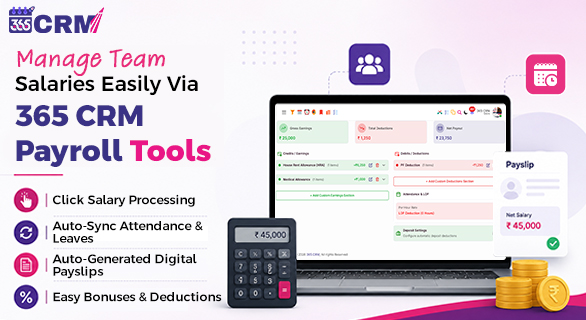
Manage Team Salaries Easily via 365 CRM Payroll Management Tools
Before we look at the solution, it is important to understand why manual payroll creates so many problems, especially as your team grows.
Manual payroll requires your HR team to start from scratch every single month. They have to manually check attendance records, apply leave deductions, calculate overtime, add bonuses, apply tax slabs, and then verify the final salary before processing payments. For a team of 10, this is manageable. For a team of 30, 50, or 100, it becomes a full-time job in itself.
The problems that come with manual payroll are well-documented across Indian businesses:
Salary Calculation Errors: Even a small mistake in attendance data can lead to an incorrect salary, which damages employee trust immediately.
Compliance Risks: India's payroll compliance landscape includes EPF, ESI, TDS, Professional Tax, and state-specific Labour Welfare Fund contributions. Missing even one update can lead to penalties and legal issues.
Time Wastage: Processing payroll manually takes days of data entry and verification, pulling HR teams away from more strategic work.
Delayed Payments: When manual calculations take too long, salary payments get delayed, which directly impacts employee morale.
No Audit Trail: Manual systems do not maintain transparent records, making it difficult to answer employee queries or face compliance audits.
According to industry data, over 60 % of small and medium businesses in India still manage payroll manually. These businesses face a significantly higher risk of compliance errors, delayed filings, and employee dissatisfaction compared to companies using automated payroll software.
365 CRM Payroll solves all of these problems within a single, integrated platform.
What Is 365 CRM Payroll Management?
365 CRM Payroll Management is a built-in payroll module within the 365 CRM platform. It connects directly with the attendance, leave, and HR management systems already available in 365 CRM, creating a unified workflow where data flows automatically from one module to the next.
Instead of exporting attendance data from one tool, importing it into a spreadsheet, manually applying leave deductions, and then processing salaries in a separate system, everything happens in one place. The system is designed to give business owners and HR teams a clear, accurate, and stress-free payroll process every month.
Trusted by 15,000 plus HR teams across India and beyond, 365 CRM Payroll delivers a reported 99 percent accuracy rate and saves up to 3 days of HR effort every month.
Key Features of 365 CRM Payroll Management
1. Automatic Salary Calculation
The most time-consuming part of manual payroll is the calculation. With 365 CRM Payroll, you define each employee's salary structure once, and the system takes care of everything after that.
Every month, the software automatically calculates:
- Basic Salary
- HRA (House Rent Allowance)
- Travel and Special Allowances
- Overtime Pay
- Performance Bonuses
- Unpaid Leave Deductions
- Gross Salary
- Net Salary after all deductions
The system applies your defined rules consistently, so every employee receives the exact salary they are entitled to, with no manual intervention required.
2. Attendance and Leave Integration
Payroll accuracy depends entirely on attendance data. If attendance records are wrong, salaries will be wrong too.
365 CRM Payroll automatically syncs with the attendance and leave management modules inside 365 CRM. This means the system already knows who was present, who took paid leave, who took unpaid leave, who came late, and who worked overtime, before payroll even begins.
This eliminates the need for HR teams to manually update attendance data every month, reducing errors and saving significant time.
For businesses using the 365 CRM Face Attendance feature, the integration is even more seamless. Attendance is captured automatically through AI-based face recognition, and that data flows directly into the payroll module without any manual step.
3. Flexible Salary Rules: Set Once, Apply Everywhere
Every business has its own salary policies. Some companies offer fixed allowances, some apply percentage-based deductions, and some have custom bonus structures that change over time.
365 CRM Payroll gives you complete flexibility to define salary rules your way. You can set a fixed deduction percentage, for example 5% of salary, and the system automatically applies it to every employee. If your policy changes in the future and you need to update that 5% to 10%, you simply change it in one place and the system instantly applies the updated rule across your entire team. You do not need to go to each employee's profile and update it individually.
This means:
- Set your own deduction percentage, allowance rules, and salary components
- One change updates all employees automatically
- No risk of missing an employee during a policy update
- Full control over how salaries are structured without depending on fixed government formulas
- Custom rules for different employee groups or departments if needed
Whether your team has 5 employees or 500, managing salary policy changes takes just a few seconds, not hours of manual updates.
4. Digital Payslips for Every Employee
Employees should not have to chase HR for their salary details. With 365 CRM Payroll, payslips are generated automatically after every payroll cycle.
Employees can view and download their monthly payslips directly from the self-service employee portal or through the 365 CRM mobile app. This improves transparency, reduces HR support requests related to salary queries, and builds employee confidence in the organization.
5. Bonuses, Incentives, and Custom Deductions
365 CRM Payroll gives HR teams full flexibility to add:
- Performance Bonuses
- Festival and Special Bonuses
- One-Time Salary Advances
- Custom Incentives
- Ad-hoc Deductions
Every addition and deduction is recorded with a complete audit trail, making payroll fully transparent and easy to review at any time.
How 365 CRM Payroll Works: A Simple 3-Step Process
One of the biggest advantages of 365 CRM Payroll is how easy it is to use, even for teams with no prior payroll software experience.
Step 1: Configure Salary Structure Set up salary components for employee. Define Basic Pay, HRA, Allowances, and any custom components based on your company policy. This is a one-time setup that the system remembers for every future payroll cycle.
Step 2: Verify and Sync The system automatically pulls attendance and leave data for the month. Review the draft payroll, check for any adjustments needed, and approve when ready. The entire verification process takes minutes, not days.
Step 3: Run Payroll and Distribute With a single click, finalize the payroll. The system instantly generates all payslips, creates compliance summaries, and prepares the salary data for bank transfer. Payroll is done.
Real Impact: What Businesses Experience After Switching
Businesses that move from manual payroll to 365 CRM Payroll report immediate and measurable improvements:
- 99 % salary accuracy: Automated calculations eliminate the human errors that cause incorrect payments
- 3 days saved every month: HR teams spend their time on people, not paperwork
- Zero compliance penalties: Automated EPF, ESI, and TDS calculations keep businesses aligned with the latest regulations
- Happier employees: Accurate, on-time salaries and instant access to digital payslips increase employee trust and satisfaction
- One-click processing: What used to take days of manual work now happens in a single click
Who Should Use 365 CRM Payroll?
365 CRM Payroll is built for businesses of all sizes. It is particularly valuable for:
Startups and Small Businesses: Get enterprise-grade payroll automation without the enterprise price tag. The system is simple enough to use from day one, with no technical expertise required.
Growing SMEs: As your team scales from 10 to 50 to 100 employees, 365 CRM Payroll scales with you. Adding new employees, updating salary structures, and processing payroll for larger teams require no additional effort.
Companies with Field Staff: Businesses with field sales executives, delivery teams, or remote employees benefit from the seamless connection between field attendance tracking and payroll processing.
HR Teams Tired of Spreadsheets: If your HR team is still using Excel for payroll, switching to 365 CRM Payroll will immediately free up days of their time every month.
365 CRM Payroll vs Manual Payroll: A Clear Comparison
| Parameter | Manual Payroll | 365 CRM Payroll |
| Salary Calculation | Manual, error-prone | Fully automated |
| Attendance Sync | Manual data entry | Automatic integration |
| Payslip Generation | Manual creation | Auto-generated instantly |
| EPF and ESI Compliance | Manual calculation | Fully automated |
| TDS Calculation | Manual, risk of errors | Auto-calculated per slab |
| Payroll Reports | Manual compilation | One-click generation |
| Time Required | 3 to 5 days per month | A few hours or less |
| Accuracy | Depends on HR attention | 99 % system accuracy |
| Employee Self-Service | Not available | Available via app and portal |
Final Thoughts
Payroll is not just a monthly task. It is a direct reflection of how much your business values its people. When salaries are accurate, on time, and transparent, employees feel respected and motivated. When payroll is delayed or incorrect, even once, trust is damaged, and recovery takes time.
365 CRM Payroll Management takes the guesswork, the manual work, and the compliance risk completely out of your payroll process. With automatic salary calculations, seamless attendance integration, statutory compliance management, digital payslips, and instant reports, it gives your HR team everything they need to run payroll with confidence every single month.
If you are ready to stop spending days on payroll and start running your salary process in minutes, 365 CRM Payroll is the solution built for you.
Start your free trial today at 365crm.io and experience payroll management that actually works.
FAQs
365 CRM Payroll Management is an integrated payroll module within the 365 CRM platform. It automates salary calculations, syncs attendance and leave data, manages statutory compliance including EPF, ESI, and TDS, and generates digital payslips, helping businesses process payroll accurately and efficiently every month.
Yes. In 365 CRM Payroll, salary rules are set at the policy level, not the individual level. So if you change a deduction from 5% to 10%, that single update applies across all employees instantly. You never have to update each employee's record separately, saving time and eliminating the risk of errors during policy changes.
The payroll module directly syncs with the attendance and leave management system inside 365 CRM. Attendance data, including present days, unpaid leaves, overtime, and late marks, is automatically pulled into the payroll calculation without any manual data entry from the HR team.
Yes. After payroll is processed, employees can log into the self-service employee portal or use the 365 CRM mobile app to view and download their monthly payslip. Payslips can also be sent automatically via email, making the process completely hands-free for HR teams.
Absolutely. 365 CRM Payroll is designed for businesses of all sizes, from startups and small teams to growing SMEs and larger enterprises. The system is intuitive and easy to set up, requiring no technical expertise. It scales naturally as your team grows, making it an ideal long-term payroll solution for any Indian business.