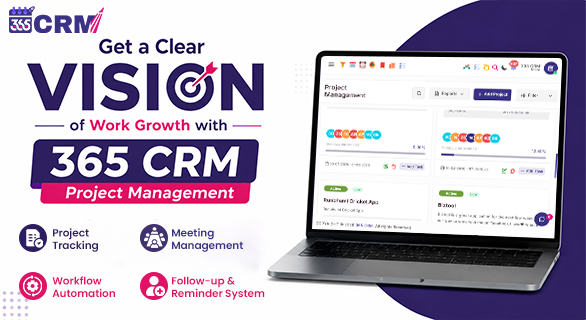
Get a Clear Vision of Work Growth with 365 CRM Project Management
Managing projects successfully is not just about assigning tasks and waiting for results. As businesses grow, projects become more complex, teams become larger, and tracking progress becomes increasingly difficult. Without a proper system, tasks can get lost, deadlines may be missed, and communication gaps can slow down overall productivity.
This is why modern businesses need a centralized project management solution that provides complete visibility into every stage of work.
If you want to Get a clear vision of work and manage projects more efficiently, 365 CRM Project Management offers a structured way to organize tasks, monitor progress, improve collaboration, and keep every team member aligned with project goals.
A well-organized project management system helps businesses stay focused, improve accountability, and achieve better results without unnecessary confusion.
Why Project Growth Often Becomes Difficult to Track
Many businesses start with simple workflows. Team members communicate through emails, messaging apps, spreadsheets, and separate documents. While this may work initially, problems begin to appear as projects become larger.
Common project management challenges include:
- Tasks scattered across multiple platforms
- Missed deadlines and delayed deliverables
- Difficulty tracking project progress
- Poor visibility into team performance
- Lack of centralized communication
- Difficulty identifying bottlenecks
When managers do not have a complete overview of project activities, it becomes difficult to make informed decisions.
This is where 365 CRM Project Management helps businesses gain better control over their operations.
Get a Clear Vision of Work Growth with Centralized Project Control
One of the biggest advantages of 365 CRM Project Management is centralized project management.
Instead of managing tasks through different tools, businesses can organize projects from one platform.
This allows teams to:
- Manage projects efficiently
- Track task progress
- Monitor deadlines
- Collaborate in one workspace
- Maintain project documentation
When everything is available in a centralized system, managers can gain a clear vision of work growth and understand how projects are progressing at every stage.
Unlimited Project Setup for Growing Businesses
As businesses expand, project requirements continue to increase.
With 365 CRM Project Management, organizations can create multiple projects and assign dedicated teams according to project requirements.
Benefits include:
- Better project organization
- Clear responsibility assignment
- Improved project visibility
- Structured workflow management
This flexibility allows businesses to manage both small and large projects without operational confusion.
Smart Task Management for Better Productivity
A successful project depends on proper task management.
365 CRM provides smart task management features that help teams stay organized throughout the project lifecycle.
Key capabilities include:
- Auto-generated task IDs
- Priority management
- Task labeling
- Status tracking
- Progress monitoring
When tasks are properly categorized, employees can focus on the most important work first, improving efficiency and reducing delays.
Why is task prioritization important?
One common reason projects fall behind schedule is poor prioritization.
High-priority tasks often get mixed with routine work, causing important deliverables to be delayed.
By assigning priority levels, businesses can:
- Focus on critical activities
- Reduce project risks
- Improve deadline management
- Increase overall productivity
This helps teams maintain a clear direction throughout the project.
Break Complex Work into Manageable Subtasks
Large projects often involve multiple activities that need to be completed in sequence.
365 CRM Project Management allows teams to divide larger tasks into smaller subtasks.
Benefits include:
- Better work organization
- Easier task tracking
- Improved accountability
- Clear progress visibility
Instead of managing one large task, teams can monitor each stage individually and ensure steady progress.
How Can Businesses Improve Team Collaboration?
One of the biggest challenges in project management is keeping every team member connected and updated throughout the project lifecycle.
With 365 CRM Project Management, collaboration becomes much easier because whenever a new project is created, a dedicated project group is automatically created for that project. The group includes only those team members who are assigned to work on that specific project.
This helps teams:
- Keep all project discussions in one place
- Communicate directly with project members
- Avoid unnecessary messages from unrelated teams
- Share updates faster
- Maintain better coordination throughout the project
Since every project has its own dedicated group, team members can easily discuss tasks, share updates, resolve issues, and stay aligned with project objectives without switching between multiple communication platforms.
This organized communication structure helps businesses improve teamwork, reduce confusion, and maintain a clear flow of information from project start to project completion. As a result, projects move forward more efficiently and teams remain focused on achieving their goals.
Document Management Keeps Everything Organized
Project-related files are often stored across different folders, devices, and applications.
This creates unnecessary delays whenever team members need access to important documents.
365 CRM Project Management provides centralized document management, allowing businesses to keep project assets organized in one location.
Examples include:
- Project requirements
- Client documents
- Work files
- Agreements
- Reference materials
Having all documents in one place improves accessibility and reduces confusion.
Dynamic Task Pipelines Improve Workflow Visibility
One of the most useful features of 365 CRM Project Management is dynamic task pipelines.
Task pipelines provide a visual representation of project progress.
Teams can easily track tasks through stages such as:
- To Do
- In Progress
- Review
- Completed
This visual workflow helps everyone understand project status instantly.
Why are visual workflows important?
Visual workflows make project tracking much easier because managers can quickly identify:
- Pending tasks
- Ongoing work
- Delayed activities
- Completed assignments
This provides a clear vision of work growth with 365 CRM and helps managers make better decisions.
Real-Time Project Tracking
Project visibility is essential for successful execution.
365 CRM provides real-time project tracking, allowing managers to monitor activities without constantly requesting updates from team members.
Real-time tracking helps businesses:
- Monitor project progress
- Track task completion
- Identify delays early
- Improve project planning
When managers have access to real-time information, project management becomes more proactive rather than reactive.
How Can Businesses Identify Project Delays Faster?
Another common challenge businesses face is identifying work that has become stuck.
365 CRM helps teams detect bottlenecks by providing visibility into stalled tasks.
Managers can quickly:
- Review delayed activities
- Reassign resources
- Adjust priorities
- Resolve blockers
Early identification of Delays helps businesses avoid project delays and maintain productivity.
Get a Clear Vision of Work Through Structured Project Execution
Every successful project follows a clear process.
With 365 CRM Project Management, businesses can manage projects through a structured workflow:
1. Plan and Setup
Define project goals, timelines, team members, and responsibilities.
2. Assign and Track
Allocate tasks, assign priorities, and monitor project progress.
3. Deliver and Review
Complete deliverables, review outcomes, and maintain documentation.
Following a standardized process helps businesses maintain consistency across projects.
Why Businesses Choose 365 CRM Project Management
Businesses need more than just task tracking software.
They need a system that helps them:
- Organize projects
- Improve collaboration
- Manage tasks effectively
- Track progress in real time
- Maintain project visibility
- Improve workflow efficiency
365 CRM Project Management provides all these capabilities within a centralized workspace, helping businesses work more efficiently while maintaining complete control over project activities.
When teams have access to organized workflows and real-time visibility, they can focus more on execution and less on administrative coordination.
Final Thoughts
Project success depends on visibility, collaboration, and proper organization. Businesses that rely on scattered communication and manual tracking often struggle with delays, confusion, and reduced productivity.
By implementing 365 CRM Project Management, organizations can create a centralized environment where tasks, documents, communication, and project tracking work together seamlessly.
If your goal is to Get a clear vision of work, improve team collaboration, and maintain better control over project execution, 365 CRM Project Management can help you build a more organized and productive workflow.
FAQs
It is a project management solution that helps businesses organize tasks, track progress, manage teams, and improve workflow visibility.
Yes, businesses can create and manage multiple projects based on their requirements.
Task prioritization helps teams focus on important work first, improving productivity and reducing delays.
When a project is created, a dedicated project group is automatically created for assigned team members, making it easier to coordinate and share project updates.
Project tracking provides real-time visibility into progress, helping managers monitor activities and identify issues early.