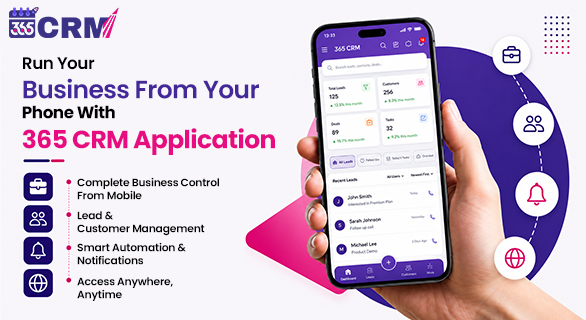
Run Your Business From Your Phone With 365 CRM Application
You close a deal at 9 PM, sitting on your couch. You assign a task to your sales executive while waiting at a traffic signal. You check today's lead count right after waking up, before even having your morning chai.
This is not a dream. This is what running a business looks like when you have the right mobile CRM in your hands.
For business owners across India, whether you run a real estate firm in Surat, a coaching center in Ahmedabad, or a trading business in Mumbai, your office is no longer just four walls. Your business moves with you. And your tools should move with you too.
The 365 CRM mobile app is built exactly for this reality. It puts your entire business, including leads, tasks, staff, marketing, attendance, and invoicing, right inside your smartphone. Available on both Android (Google Play) and iOS (App Store), this app is designed for business owners and sales teams who cannot afford to miss a single lead, a single follow-up, or a single opportunity.
Why Your Business Needs a Mobile CRM in 2026
Before we dive into the features, let us understand why mobile CRM has become non-negotiable for growing businesses in India.
According to industry data, 98% of global internet users now access the internet through mobile phones. Your customers are on mobile. Your leads come through WhatsApp, Facebook, and IndiaMART, which are all mobile-first platforms. Your sales executives are out in the field, not sitting at desks.
Yet many businesses still rely on spreadsheets, paper notebooks, or disconnected apps to manage their operations. The result? Leads get lost. Follow-ups get missed. Deals fall through.
A mobile CRM solves all of this by giving you real-time access to every part of your business from a single app, with no laptop required.
What Is the 365 CRM Mobile App?
The 365 CRM mobile app is a complete business management platform packed into a smartphone application. It is not just a CRM. It is an all-in-one tool that covers:
- Lead management and follow-ups
- Sales team tracking and performance monitoring
- WhatsApp, SMS, and email marketing
- HR functions like attendance and payroll
- Invoicing, quotations, and payment tracking
- Field staff location tracking
Whether you are a business owner, sales manager, or field executive, the app gives you full control of your operations from wherever you are.
Key Features of the 365 CRM Mobile App
1. Lead Management: Never Miss a Single Opportunity
Every lead that comes into your business, whether from Facebook Ads, Google Ads, IndiaMART, JustDial, 99acres, MagicBricks, TradeIndia, Housing.com, your website, or WhatsApp, is automatically captured in one place inside the app.
From your phone, you can:
- View all incoming leads with complete details
- Assign leads to specific sales executives
- Track lead status and update pipeline stages
- Set lead scores to prioritize hot prospects
- Add labels and source tags for better visibility
No more switching between 5 different apps or checking emails on a laptop to find a lead. Everything lands in your 365 CRM app.
2. Follow-Up Reminders: Stop Losing Deals to Forgetfulness
Research shows that 80% of sales require at least 5 follow-ups, but most salespeople give up after 1 or 2. The reason? They forget.
The 365 CRM app eliminates this problem with smart follow-up reminders. You can set reminders directly from your phone, receive push notifications for pending follow-ups, and view a daily follow-up dashboard that tells your team exactly who to call today.
The result is more consistent follow-ups, stronger relationships, and higher conversion rates.
3. WhatsApp, SMS, and Email Automation: Marketing That Works While You Sleep
One of the most powerful features of the 365 CRM mobile app is its built-in marketing automation. You can:
- Send bulk WhatsApp messages to leads and customers directly from the app
- Create and run SMS and email campaigns
- Set up automation rules so follow-up messages are sent automatically based on lead activity
- Use reusable templates for common messages like greetings, reminders, invoices, and quotations
- Send personalized birthday, anniversary, and festival greetings automatically
For Indian businesses where WhatsApp is the primary communication channel, this feature alone makes the 365 CRM app extremely valuable.
4. Sales Team Management: Full Control From Your Phone
As a business owner or manager, you do not always need to be physically present to know what your team is doing. The 365 CRM mobile app gives you:
- Real-time visibility into every sales executive's activity
- Lead assignment and reallocation from your phone
- Call update tracking and performance monitoring
- Sales target setting and progress tracking
- Role-based access so each team member sees only what they need to
You can monitor your entire sales operation from a single screen while sitting anywhere.
5. Field Staff Location Tracking: Know Where Your Team Is
If you have field sales executives or delivery staff, the live location tracking feature of the 365 CRM app is a game-changer. You can:
- See the real-time location of every field staff member on a map
- Track their daily routes and movement
- Assign tasks based on location proximity
- Ensure accountability without micromanaging
This feature connects the admin portal with the staff mobile app, giving you complete field workforce visibility.
6. Face Attendance: No More Proxy or Manual Registers
Manual attendance registers are outdated and easy to manipulate. The 365 CRM mobile app uses AI-based face recognition attendance that ensures only the actual employee can mark their attendance.
From your phone, you can:
- View daily attendance records in real time
- Approve or reject leave requests
- Track working hours and overtime
- Manage holidays and shifts
This is especially useful for businesses with remote or field-based teams.
7. Invoicing and Quotations: Close Deals Faster
The 365 CRM app allows your sales team to create and send professional quotations and invoices directly from their phone, without waiting to get back to the office.
Features include:
- One-tap quotation generation from lead details
- Instant invoice creation with GST calculations
- Payment tracking and status updates
- Multiple payment type management
When your salesperson can send a quotation within minutes of a client meeting, your chances of closing the deal go up dramatically.
8. Calendar and Task Management: Stay Organized Every Day
The app includes a centralized calendar that brings together lead follow-ups, meeting schedules, task deadlines, reminders, events, and holidays. Your team can view their daily schedule at a glance, update task status from the field, and never miss an important commitment.
365 CRM Mobile App: Feature Overview Table
| Feature | What It Does | Who Benefits |
| Lead Management | Captures and tracks all leads in one place | Sales teams, founders |
| Follow-Up Reminders | Sends push notifications for pending follow-ups | Sales executives |
| WhatsApp Automation | Sends bulk messages and automated follow-ups | Marketing teams |
| Sales Team Tracking | Monitors performance and activity in real time | Managers, owners |
| Location Tracking | Tracks field staff movement on a live map | Operations managers |
| Face Attendance | AI-powered attendance with no proxy risk | HR managers |
| Invoicing and Quotations | Creates and shares documents from mobile | Sales executives |
| SMS and Email Campaigns | Runs marketing campaigns from the app | Marketing teams |
| Task and Calendar | Organizes daily schedule and deadlines | All team members |
| Lead Integrations | Connects IndiaMART, JustDial, Facebook and Google Ads | Sales and marketing |
Who Should Use the 365 CRM Mobile App?
The 365 CRM mobile app is built for businesses of all sizes. It is particularly well-suited for:
Real Estate Businesses: Capture leads from 99acres, MagicBricks, and Housing.com. Track site visits, follow up with prospects, and manage your team's activity from your phone.
Education Institutes and Coaching Centers: Manage student inquiries, automate follow-up messages, and track admissions counselor performance in real time.
Manufacturing and Trading Companies: Track B2B leads from IndiaMART and TradeIndia, manage quotations, and monitor field sales executives on the go.
Digital Agencies and Service Providers: Handle client leads, campaign follow-ups, and project updates without being tied to a desktop.
Small Businesses and Startups: Get all the tools of an enterprise CRM at a fraction of the cost, designed to be simple enough to use without any technical training.
365 CRM vs Competitors: Why It Stands Out for Businesses
| Parameter | 365 CRM | HubSpot | Zoho Bigin | LeadSquared |
| Built for India | Yes | No | Partial | Partial |
| WhatsApp Integration | Native | Limited | Limited | Yes |
| IndiaMART and JustDial Integration | Yes | No | No | No |
| Face Attendance | Yes | No | No | No |
| Location Tracking | Yes | No | No | Partial |
| GST Invoicing from App | Yes | No | No | No |
| Affordable INR-based Pricing | Yes | No | Moderate | No |
| Android and iOS App | Both | Both | Both | Both |
Real Business Impact: What Changes When You Use 365 CRM on Mobile
When a business switches to managing operations through the 365 CRM mobile app, the results are measurable:
- Zero lead leakage: Every inquiry from every source is captured automatically
- Faster response times: Sales executives get notified instantly and can respond from their phone
- Better follow-up consistency: Automated reminders ensure no lead goes cold
- Increased team accountability: Managers can track performance without physical presence
- Reduced operational costs: One app replaces multiple disconnected tools
As per 365 CRM's own data, businesses using the platform have reported 61% faster lead response time, 2x improvement in task efficiency, and 70% faster movement through the sales funnel.
How to Get Started With the 365 CRM Mobile App
Getting started is simple:
- Download the app: Search for "365 CRM" on Google Play Store or Apple App Store
- Sign up or log in: Create your account or log into your existing 365 CRM account
- Set up your pipeline: Add your lead sources, sales stages, and team members
- Connect your integrations: Link IndiaMART, JustDial, Facebook Ads, or your website
- Start managing from your phone: Assign leads, set follow-ups, and run your business from anywhere
The app is designed to be intuitive enough that your team can start using it on day one, with no technical training required.
Final Thoughts
The businesses that will thrive in 2026 and beyond are the ones that operate without boundaries. No fixed working hours. No dependency on a single office. No leads slipping through the cracks because someone was not at their desk.
The 365 CRM mobile app makes this possible for businesses of every size. From capturing the first lead to closing the final deal, from monitoring your team to sending invoices, everything happens from the phone in your hand.
If you are still managing your business through spreadsheets, WhatsApp groups, and disconnected tools, it is time to make the switch. Download the 365 CRM app today and experience what it feels like to run your business from your phone, completely, confidently, and without limits.
FAQs
The 365 CRM mobile app is an all-in-one business management application available on Android and iOS. It allows business owners and sales teams to manage leads, follow-ups, staff attendance, invoicing, marketing campaigns, and more, all from their smartphones.
Yes. The 365 CRM app is available on both the Google Play Store (Android) and the Apple App Store (iOS), making it accessible for all smartphone users.
The app supports lead capture from Facebook Ads, Google Ads, IndiaMART, JustDial, 99acres, MagicBricks, TradeIndia, Housing.com, WordPress websites, Google Forms, and more, all in one place.
Yes. The 365 CRM mobile app includes a live location tracking feature that allows managers to monitor field staff movement in real time, view daily routes, and assign tasks based on location.
Yes. The app includes built-in WhatsApp marketing features, including bulk messaging, automation rules, reusable templates, and WhatsApp Meta Cloud API support for seamless communication with leads and customers.