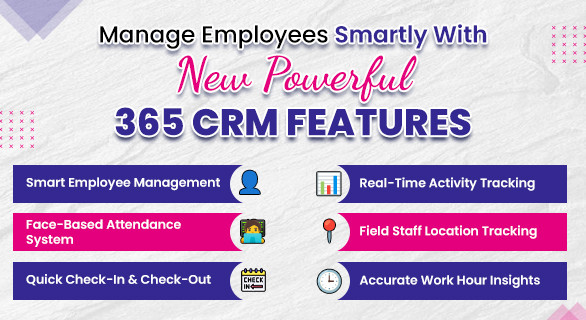
Manage Employees Smartly with New Powerful 365 CRM Features
Managing employees becomes challenging when attendance, daily activities, and performance data are handled through separate systems. Many businesses struggle with unclear work tracking, inconsistent attendance records, and limited visibility into employee productivity. This is where a structured system designed for 365 CRM employee management helps bring clarity and control to daily operations.
This blog explains how businesses can manage employees more effectively using practical tools like face attendance, employee monitoring, and map tracking. Each section focuses on real use cases so you can understand how these features work in everyday business scenarios.
What Smart Employee Management Really Means
Smart employee management is not about strict supervision. It is about having clear visibility, accurate records, and better decision-making.
Instead of relying on manual methods, businesses today prefer systems that offer:
- Real-time data access
- Automated attendance tracking
- Activity-based performance insights
- Centralized dashboards
This approach reduces errors and allows managers to focus on improving team efficiency rather than managing data manually.
Face Attendance System for Accurate and Contactless Tracking
Traditional attendance methods often create issues such as proxy attendance, manual errors, and delays in reporting. A face attendance system provides a more reliable and structured way to record employee presence.
How Face Attendance Works
Employees mark attendance using face recognition through the HR mobile application. The attendance process is managed at the HR level, ensuring that check-in and check-out records are accurate and controlled.
Once an employee completes check-in or check-out using face attendance, the data is automatically updated in the system. This information becomes visible in the employee’s CRM dashboard, both on the web and in the mobile application.
The attendance dashboard provides a clear and structured view of daily records, including:
- Check-in and check-out time
- Total working hours
- Active, idle, and break time
- Day-wise attendance status
This setup ensures that employees can easily access their attendance data, while HR maintains complete control over the system.
Employee Monitoring System for Better Productivity Insights
Attendance alone does not provide a complete picture of employee performance. Businesses also need visibility into how working hours are being used. An employee monitoring system helps bridge this gap by offering detailed activity insights.
What Employee Monitoring Shows
The system provides a breakdown of:
- Active time
- Idle time
- Locked time
- Application usage
This data helps managers understand how employees spend their working hours.
App and Activity Tracking
The activity dashboard tracks application usage and work patterns throughout the day. It shows:
-
Time spent on different application
-
Activity timelines
- Work sessions across the day
This level of detail helps identify productive behavior without relying on assumptions.
Why This Matters
Without proper tracking, performance evaluation becomes inconsistent. With structured monitoring:
-
Managers can identify productivity patterns
-
Employees become more focused on tasks
- Unnecessary distractions can be reduced
A Balanced Approach to Monitoring
Employee monitoring should be used to improve workflows rather than control employees. When implemented correctly, it helps:
- Build accountability
- Support employee performance
- Identify areas for improvement
Map Tracking for Field Employee Visibility
Managing field teams without location visibility can lead to confusion and inefficiencies. Map tracking helps businesses monitor field operations more effectively.
What Map Tracking Helps You Do
- Track real-time employee location
- Verify client visits
- Monitor travel routes
- Understand the time spent at each location
How It Improves Operations
For teams working outside the office, such as sales representatives, service staff, or delivery teams, map tracking provides clarity on daily movement and work progress.
Practical Benefits
- Reduces inaccurate reporting
- Improves route planning
- Supports better task allocation
- Increases transparency across teams
Combining These Features for Smarter Management
Individually, each feature solves a specific challenge. Together, they create a complete system powered by 365 CRM employee management that improves overall efficiency.
| Feature | What It Solves | Outcome |
| Face Attendance | Attendance accuracy | Reliable work hour data |
| Employee Monitoring | Productivity visibility | Better performance insights |
| Map Tracking | Field team tracking | Real-time operational clarity |
Real Business Impact
When businesses start using a structured system like 365CRM, the difference becomes noticeable in daily operations.
Before Using a System
- Attendance records were inconsistent.
- Limited visibility into employee work
- Field operations lacked proper tracking.
After Implementation
- Attendance becomes accurate and automated
- Managers gain real-time activity insights.
- Field operations become more transparent.
This shift allows businesses to focus on growth instead of managing operational gaps.
Why Businesses Are Moving Towards Smart Systems
In 2026, businesses are focusing more on automation, real-time tracking, and data-driven decision-making. Traditional methods are no longer sufficient for managing modern teams.
A centralized system built for 365 CRM employee management provides:
- Better operational control
- Faster reporting
- Improved workforce efficiency
Conclusion
Managing employees today requires more than basic attendance tracking. Businesses need systems that provide visibility, accuracy, and actionable insights. Tools like face attendance, employee monitoring, and map tracking help create a structured and efficient workflow.
With platforms like 365CRM, businesses can bring all these elements together in one place. This not only simplifies management but also helps teams perform more consistently.
FAQs
365 CRM employee management is a system that helps businesses manage attendance, employee activity, and performance in one place. It provides better visibility into daily operations and helps teams stay organized. This improves overall productivity and decision-making.
Face attendance works through the HR mobile application, where employees are marked present using face recognition. Once recorded, the attendance data is automatically updated and visible in the employee dashboard. This ensures accurate and transparent attendance tracking.
An employee monitoring system tracks how employees spend their working hours during the day. It shows activity details such as active time, idle time, and application usage. This helps businesses understand productivity patterns and improve performance.
Map tracking helps businesses monitor the real-time location of field employees. It allows managers to verify visits, track movement, and understand travel routes. This improves accountability and field team management.
CRM employee management features help streamline operations, reduce manual work, and improve decision-making. Businesses get better control over teams and processes. This leads to improved efficiency and long-term growth.