All-in-One Real Estate CRM Software for Property Leads, Follow-ups and Site Visits
365 CRM collects your portal and ad enquiries, alerts the right executive, keeps every call and note on the lead, and tracks field visits on a map. Nothing gets lost between the first enquiry and the booking.
 99acres
 Magicbricks
 Housing.com
 Meta Lead Ads
 Google Ads
 WhatsApp Business
Where a CRM Is Used in the Property Sales Journey
A property deal usually takes weeks and many conversations. Here is where a CRM helps at each step, and which 365 CRM tool does the job.
Lead Capture
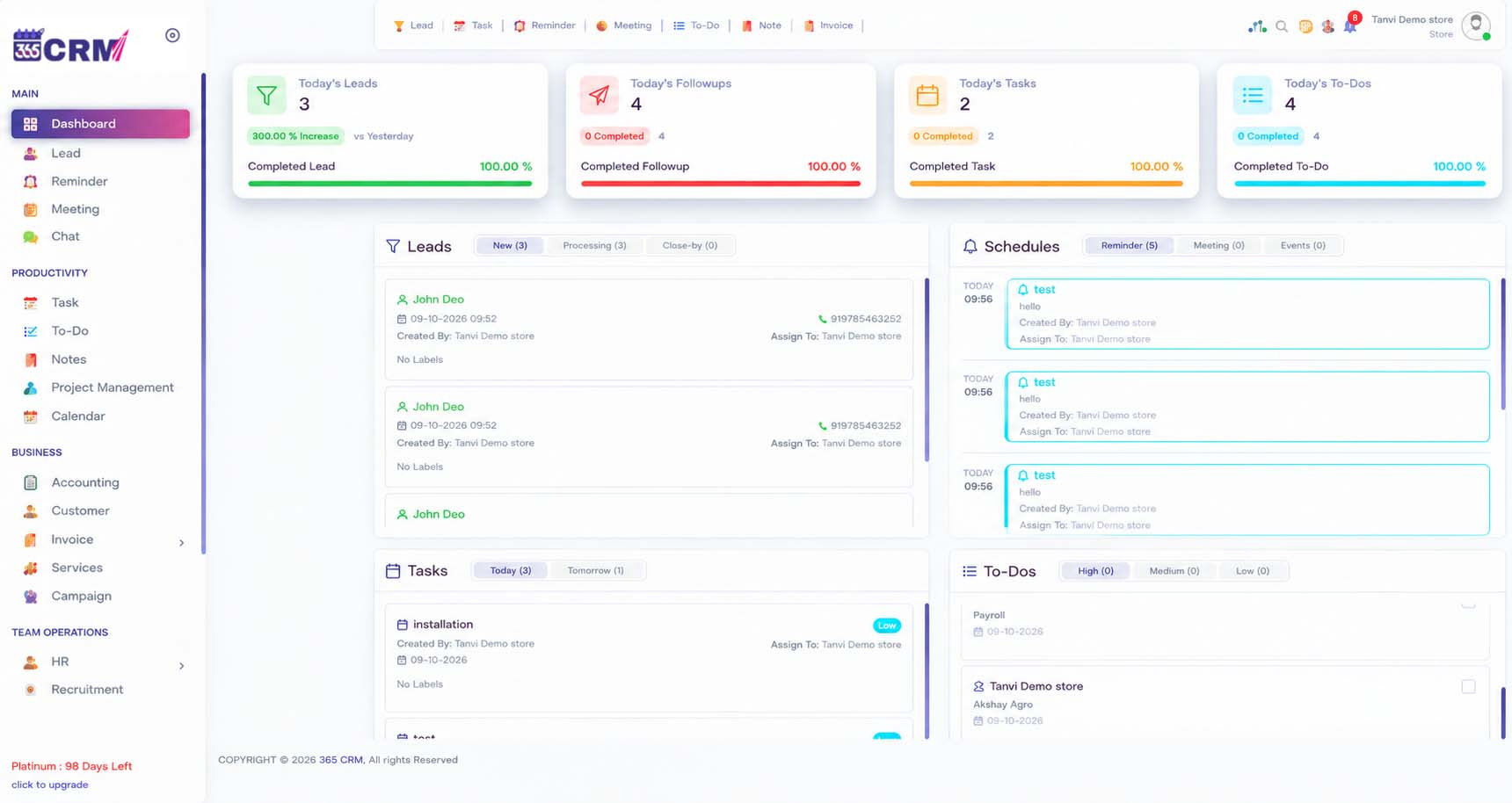
Portal, ad, website and WhatsApp enquiries arrive in one lead list, each tagged with a source label.
Lead Qualification
Add custom fields such as budget, location or configuration, and use labels to sort serious buyers.
Assignment & first call
Rules route the lead and the Boost Sales alert keeps pushing until a rep takes it.
Follow-up
Reminders, meetings and the shared calendar keep each prospect on someone's schedule.
Site Visit
Create a visit as a task with a map pin, then track the trip, photos and customer feedback.
Negotiation
Call recordings and notes stay on the lead, so any manager can pick up the thread.
Deal Closure
Payment reminders, service management and greetings help you stay in touch after the deal.
Best CRM for Real Estate: Features Your Team Will Use Daily
The best CRM for real estate is the one executives open every morning. These are the 365 CRM tools that matter most to property teams.
Multi-source lead capture
99acres, Magicbricks, Housing.com, Facebook, Google Ads, Just Dial, IndiaMART, website and CSV import.
Boost Sales routing
Routes leads by region, product or round-robin and buzzes until a rep clicks "Take It".
Lead labels & custom fields
Label leads by source or stage and add your own fields to the lead form.
Reminders & meetings
Schedule client meetings and get timely alerts for follow-ups, payment deadlines and appointments.
Calendar
Follow-ups, tasks, meetings, holidays and service appointments in one view.
Call recording
Android call recordings sync in the background and attach to the right lead.
Call Analyzer
Tracks incoming, outgoing, missed and rejected calls and turns them into reports and graphs.
WhatsApp lead capture
With WapMonkey, new WhatsApp Business messages become CRM leads automatically.
Field staff tracking
Live GPS map, selfie check-in, task and meeting trips, and route history.
Targets & staff
Set targets, assign roles and permissions, and review daily performance.
Campaigns
Run email, SMS and WhatsApp campaigns from the same CRM.
Mobile app
Manage leads and follow-ups from the 365 CRM app on Android and iOS.
Real Estate Lead Management Without the Spreadsheet Chaos
A buyer may enquire on a portal, then message you on WhatsApp the same evening. If those records sit in different places, your team calls twice or not at all.
-
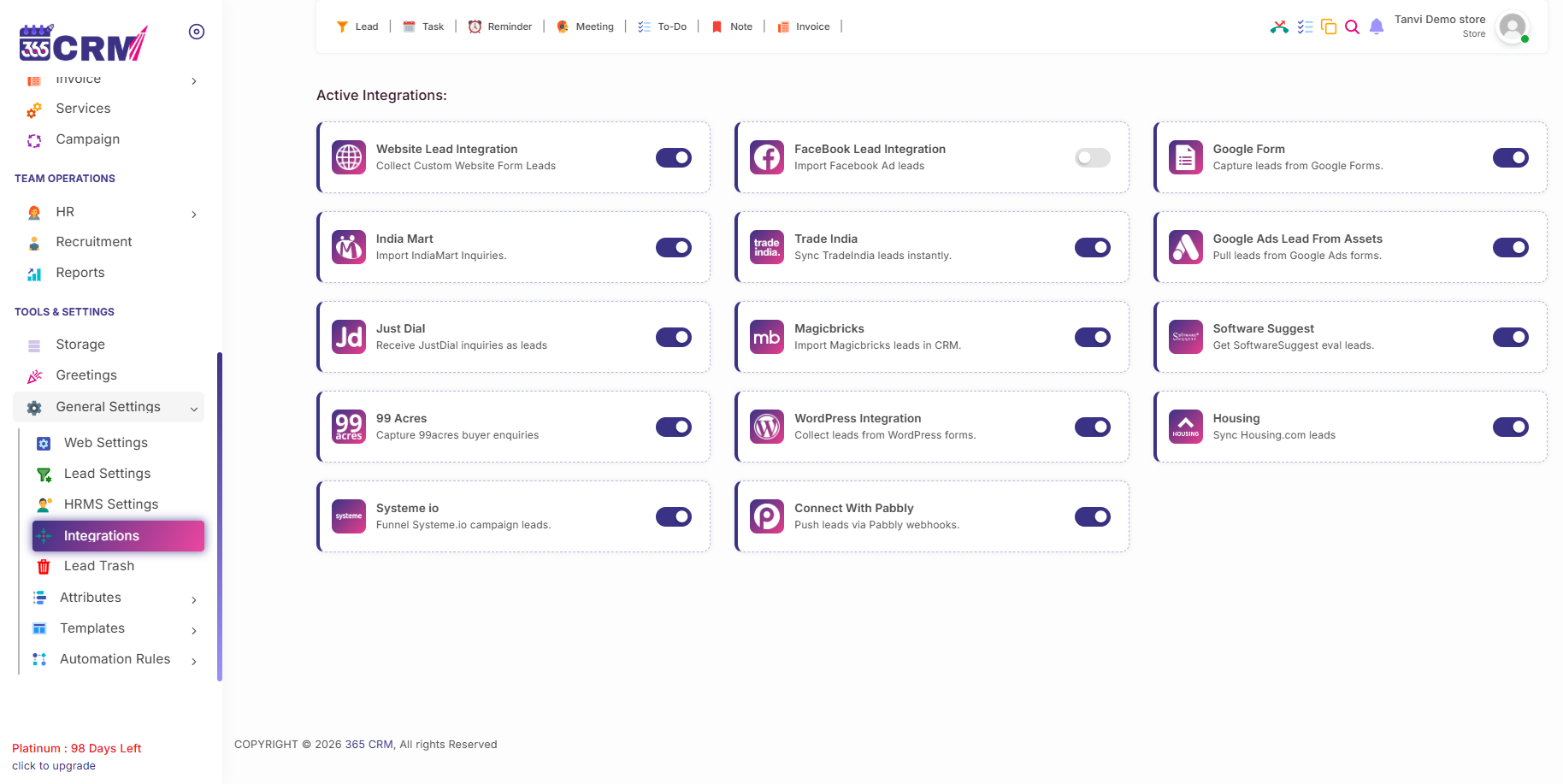
One lead list: every source feeds the same place, and you choose the label for each source.
-
Your own fields: add custom fields to the lead form for budget, preferred area or any detail you collect.
-
CSV import: bring in older lead lists from Excel in a few clicks.
-
Alternate assignment: distribute leads across selected staff in turn.
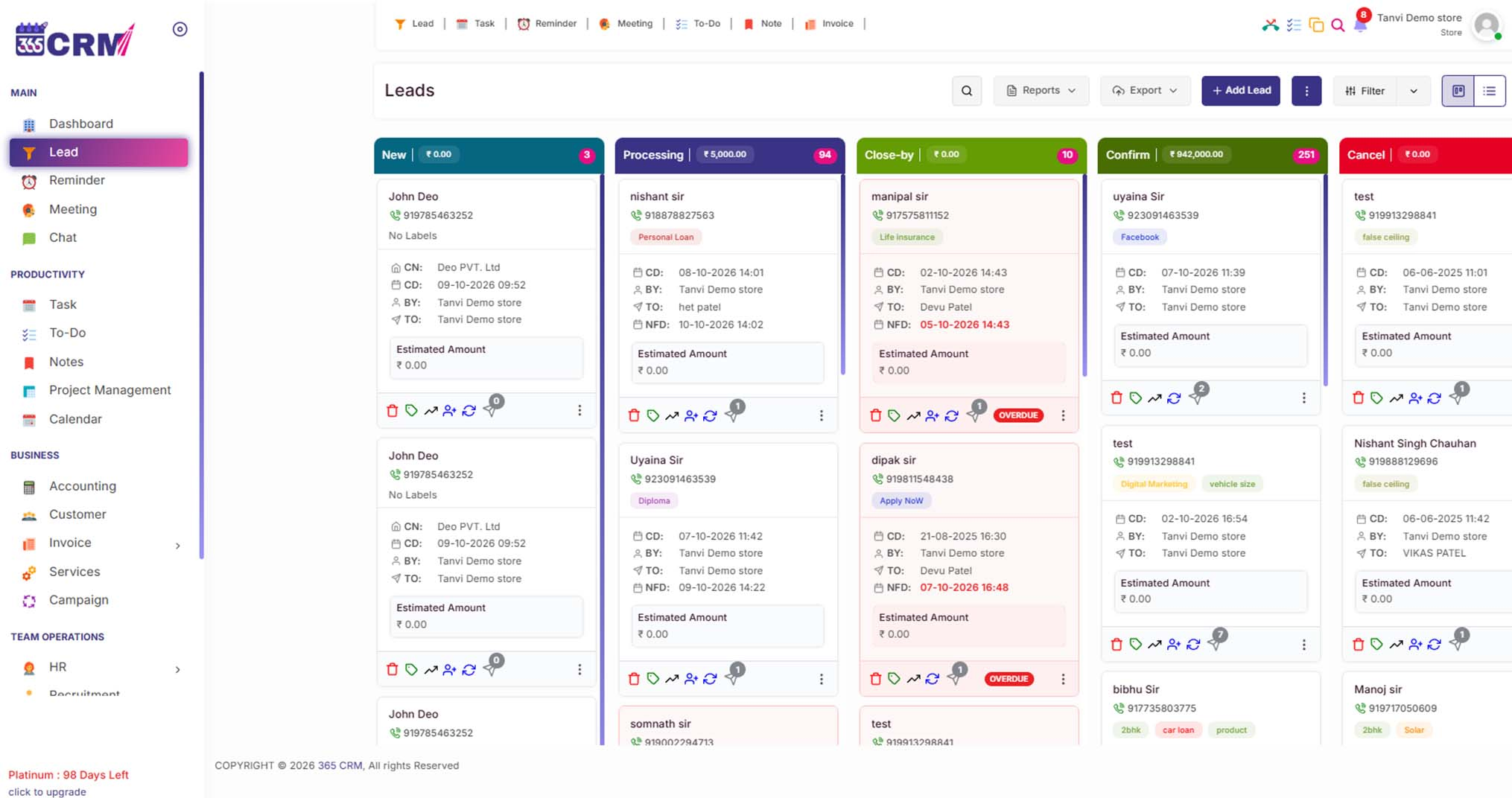
Connect 99acres, Magicbricks and Housing.com Leads
Most property teams pay for several lead sources at once. Connecting them to the CRM shows which source brings serious buyers instead of only enquiries.
-
99acres: add your 99acres details in the integration settings and assign a lead label.
-
Magicbricks: a push integration set up with your Magicbricks account manager using your CRM endpoint.
-
Housing.com: connect from the integration settings and choose the user type.
-
Facebook and Google Ads: bring in lead-form submissions from your campaigns.
-
Website and WordPress: capture form fills through an API key or the WordPress plugin.
Boost Sales: Stop Hot Enquiries From Going Cold
Speed matters in property sales because buyers contact several sellers at once. Boost Sales is built to make sure someone picks up each new lead.
-
Routing rules: assign by region, product interest or equal round-robin.
-
"Take It" workflow: unassigned leads keep buzzing until a rep claims them.
-
Escalation: a lead left untouched can be re-routed to another agent or a manager.
-
Adjustable timers: managers set the alert window in settings, with a minimum of 5 minutes.
-
Priority view: reps can sort by urgent follow-ups or older backlog.
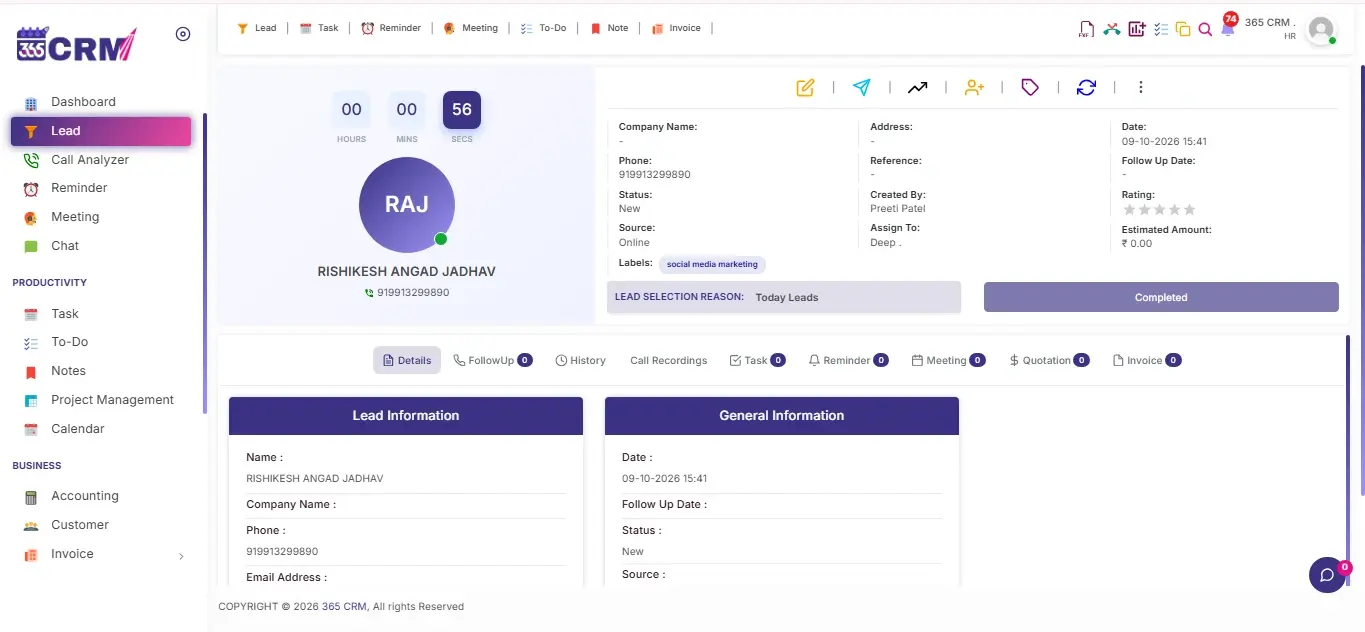
Follow-up Management: Fewer Missed Callbacks
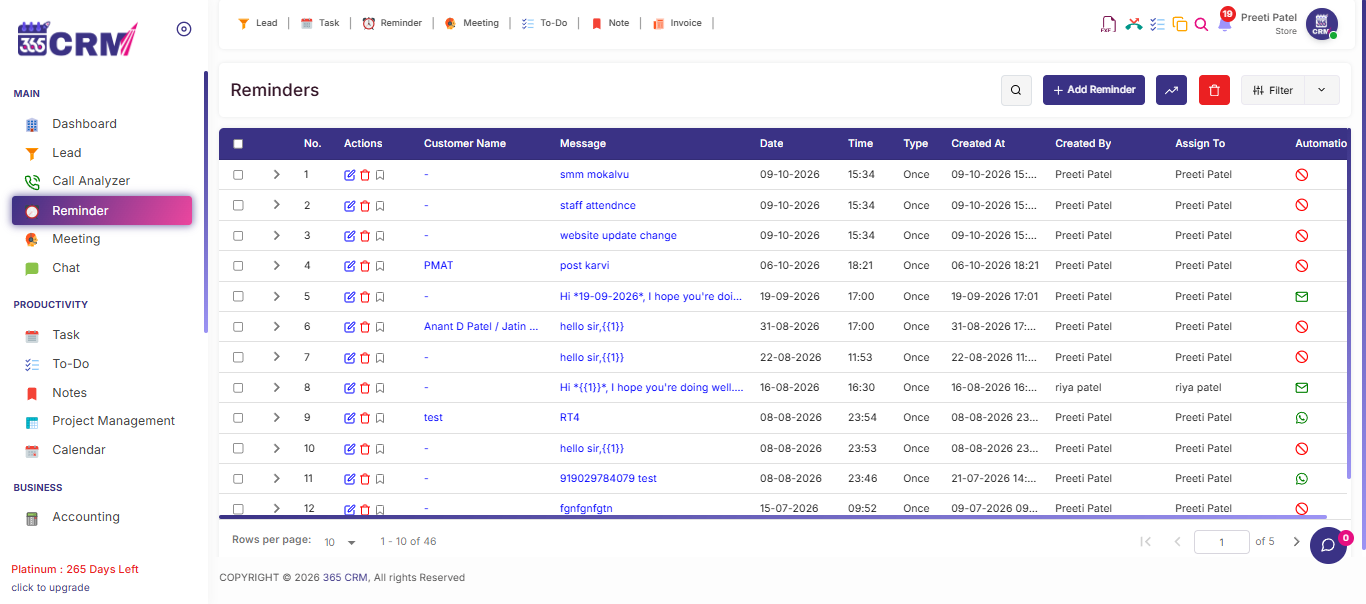
Property buyers rarely decide on the first call. A good CRM makes the next step visible to everyone on the team.
-
Customer reminders: follow-up alerts tied to each lead, including payment deadlines and appointments.
-
Meeting scheduler: book client meetings and keep them on the shared calendar.
-
Notes on the lead: meeting notes and call summaries stay searchable for the team.
-
Task management: Identify reps with high overdue follow-up counts to maintain team discipline and customer satisfaction.
-
Greetings: personalised greetings keep contact warm with past and current buyers.
Site Visit Tracking for FieldExecutives
Site visits are where many property deals are won. Treat each visit as a tracked task, not a verbal promise.
-
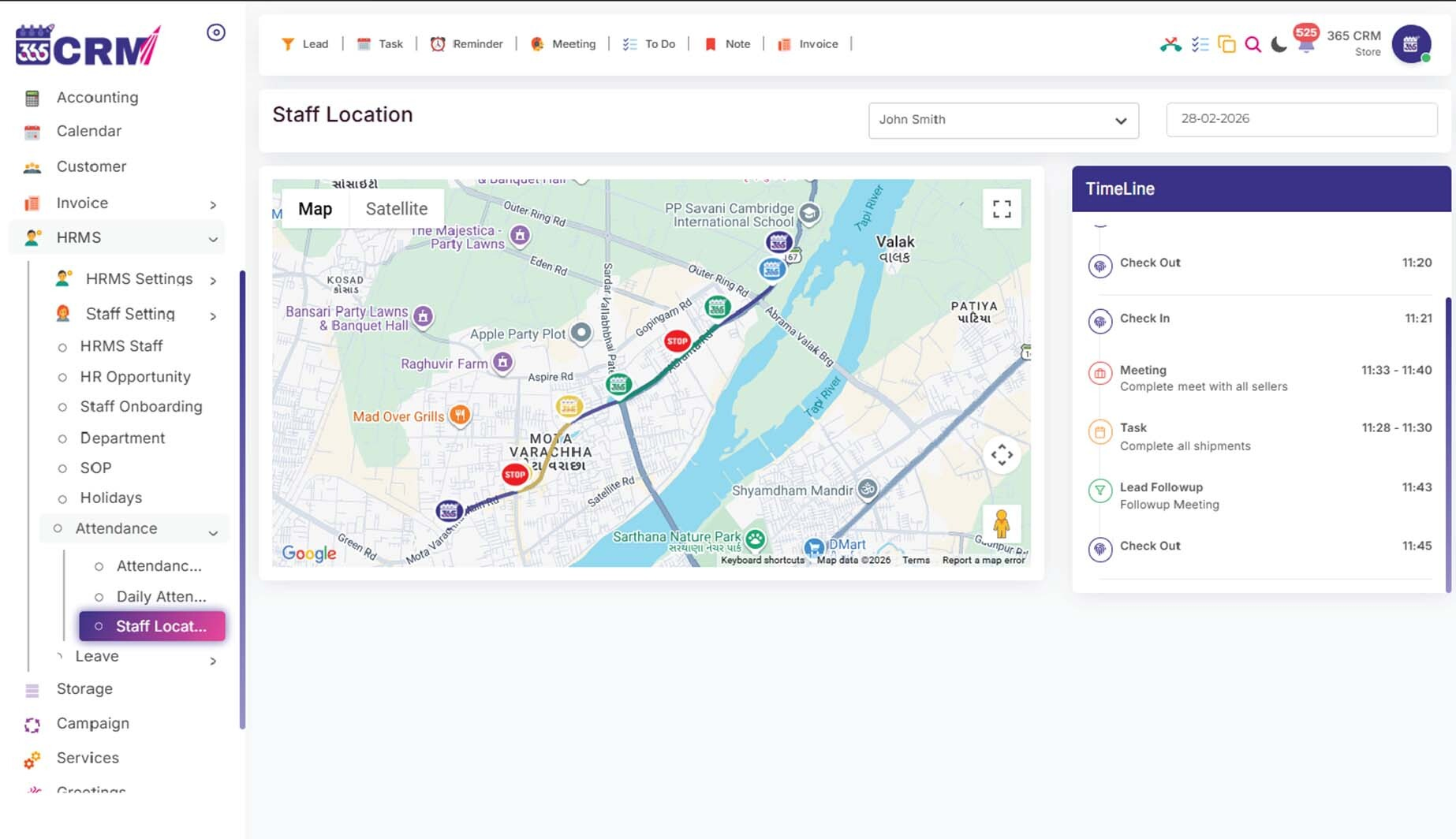
Visit as a task: create a task or meeting with a map pin, priority and agenda.
-
Selfie check-in: staff clock in with a live selfie, and GPS tracking starts automatically.
-
Trip tracking: start a trip from the task; the route, distance and travel time are recorded.
-
Proof of visit: attach photos and customer feedback to each completed visit.
Team Management for Sales Teams and Site Staff
Property sales runs across offices, calls and project sites. Managers need one view of all of it.
-
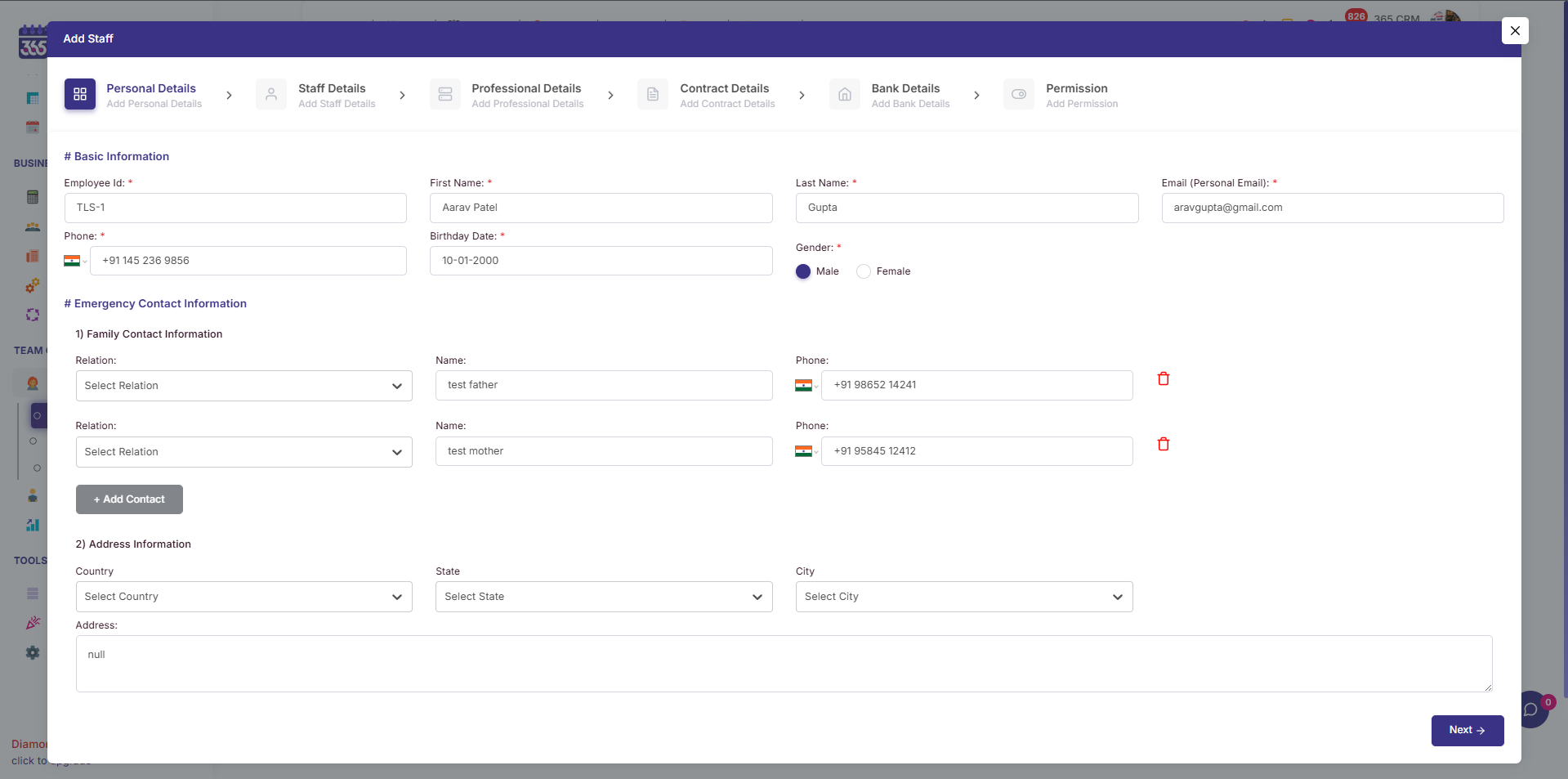
Roles and permissions: decide what each staff member can see and do.
-
Targets: set individual or team targets and track monthly and yearly progress.
-
Face attendance: face recognition with anti-spoofing and GPS geo-fencing for office or site attendance.
-
Live chat: quick internal messaging with file sharing and group chats.
-
HRMS and payroll: attendance, leave and salary processing in the same platform.
Calls, WhatsApp and Reports: in One Place
When several people speak to the same buyer, the history has to be shared. Reports then show what is working.
-
Call recording: Android recordings attach to the correct lead for review and coaching.
-
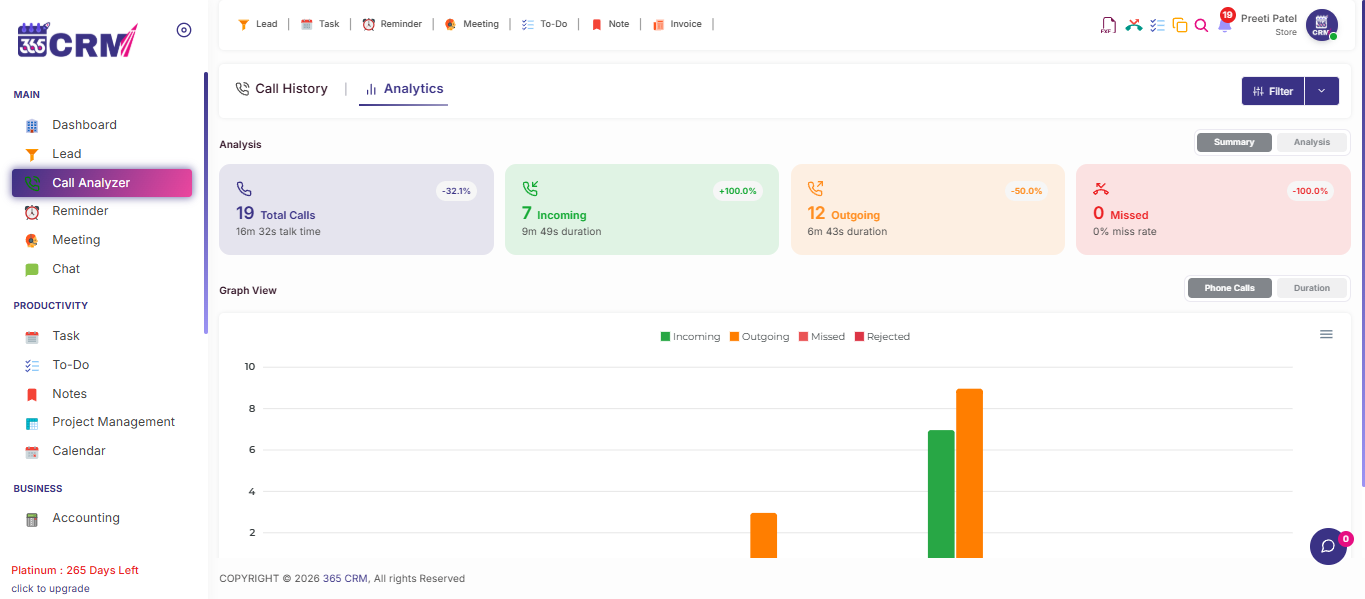
Call Analyzer: see incoming, outgoing, missed and rejected calls in reports and graphs.
-
WhatsApp lead capture: new WhatsApp Business chats become leads with your custom labels.
-
Campaigns: send email, SMS and WhatsApp messages, including broadcasts.
Designed for Builders, Developers & Real Estate Agencies
Experience how our Real Estate CRM Platform automates portal lead capture, organizes property inventories, and provides real-time sales visibility.
Beyond Leads: Projects, After-Sales and Operations
Builders and larger agencies run more than a sales desk. These modules sit in the same platform.
Project management
Plan projects with task boards, milestones and deadlines, connected to your leads.
Service management
Track customer service requests and scheduled services so after-sales queries are not forgotten.
Hiring
Post jobs, shortlist candidates and schedule interviews when you add sales or site staff.
Free Calculators Property Buyers and Sellers Search For
365 CRM also offers free calculators that suit property transactions. Share them with buyers or use them during discussions.
EMI Calculator
Work out a monthly home loan instalment from loan amount, interest rate and tenure.
TDS Late Payment Interest
Calculate interest on late TDS deposits, including TDS on property deals.
NRE Days Calculator
Check residential status days, useful when your buyer is an NRI.
Frequently Asked Questions
Everything you need to know about the Real Estate CRM Platform. Can't find the answer? Contact our team.
Real estate CRM software is a system that collects property enquiries from every source, assigns them to the right salesperson, schedules follow-ups and shows how each lead moves toward a booking. It replaces scattered spreadsheets, notebooks and WhatsApp chats with one shared record.
The main benefits are fewer lost enquiries, faster first response, on-time follow-ups, clearer team accountability and better visibility into which lead source brings real site visits. Every conversation sits in one place, so handovers between executives stay clean.
The best CRM is the one your team will actually use daily. Check that it connects to the portals you pay for, routes leads automatically, sends follow-up reminders, works on mobile and fits your budget. Run a free trial with your own leads before you decide.
Yes. 365 CRM has integrations for 99acres, Magicbricks and Housing.com, plus Facebook, Google Ads, Just Dial, IndiaMART and website forms. Some portals, such as Magicbricks and Just Dial, are activated through your portal account manager, so our team can guide you through setup.
Boost Sales assigns leads by your rules, such as region, product or round-robin. If nobody clicks "Take It" within the set time, a persistent alert keeps buzzing, and untouched leads can be re-routed. Managers set the timer, with a minimum of 5 minutes.
Yes. Create a task or meeting with a map pin, and staff can start a trip from it in the mobile app. The route, distance and travel time are recorded, and they can attach photos and customer feedback. Field tracking is permission-based and set up from Staff Management.
365 CRM is built for sales teams of different sizes. A broker can track enquiries and follow-ups, while a builder can add staff, targets, field tracking and project management. Book a demo so we can match the setup to your team.