Track Your Field Team
with Real-Time
Field Staff Tracking & Management
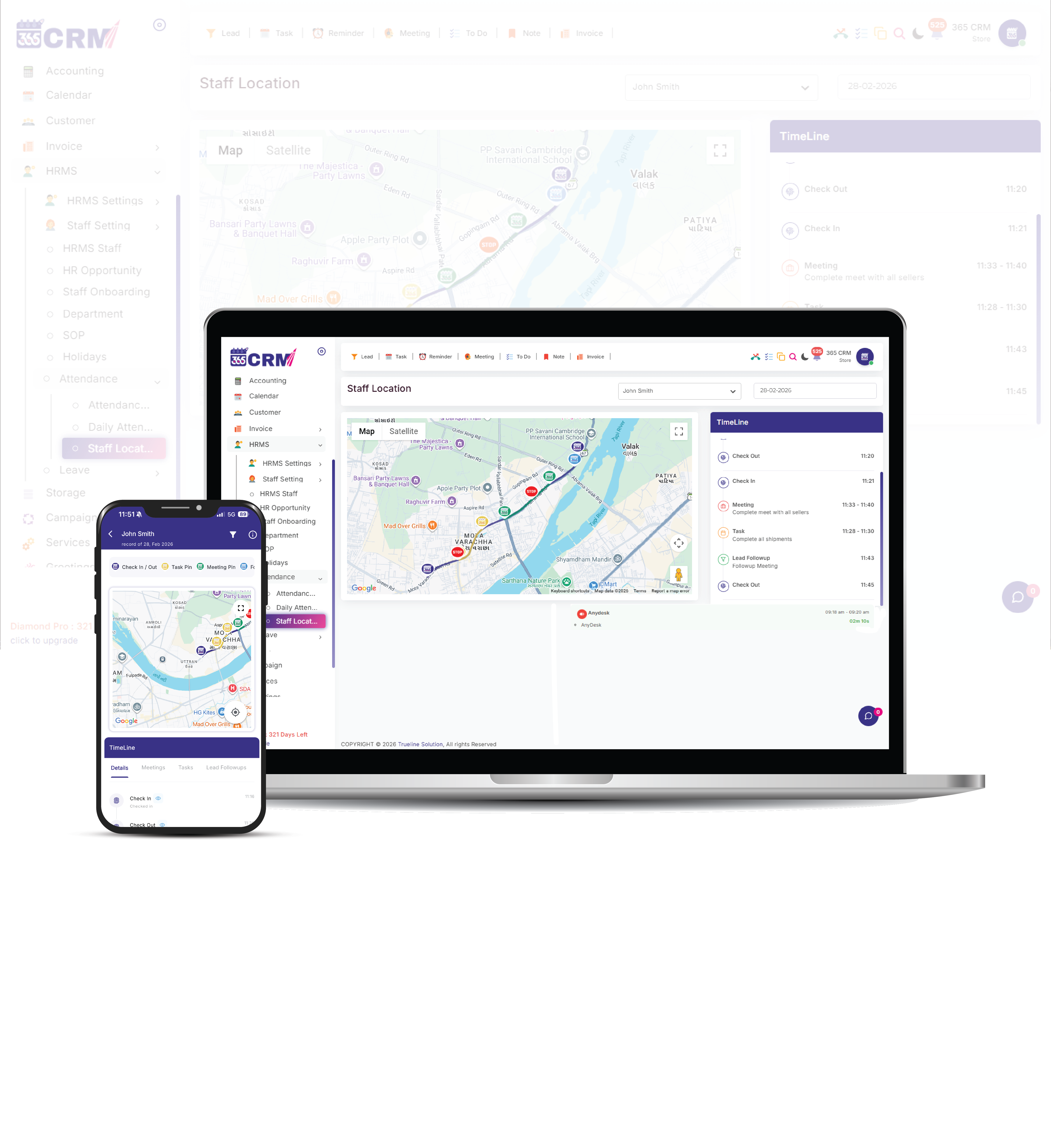
365 CRM is a complete field staff tracking software built for Indian businesses — a mobile workforce tracking software that connects live GPS location with task completion, so you get total visibility of customer visits, tasks, and meetings on one interactive map.




The Problem with Field Operations
Zero Visibility of Field Staff
Managers can't verify if staff is actually at the client location or elsewhere.
Untracked Task Progress
No way to know if meetings are starting on time or how many tasks are pending in real time.
Manual Attendance Fraud
High risk of fake check-ins without location or identity verification.
Unclear Route History
Difficulty auditing travel expenses or verifying the sequence of visits throughout the day.
The 365 CRM Solution
Everything You Need to
Manage Your Team
As a complete field force management software, 365 CRM packs powerful tracking features designed for field operations teams of any size — from startups to enterprises.
Live Location Monitoring
Track movement and route history throughout the day. Filter staff by name, status, or department on the live map.
Smart Task Assignment
Create tasks and meetings with location pins, priority levels, and specific agendas — connected to Task and Meeting Management.
Background Tracking
GPS tracking starts automatically upon Check-In and continues seamlessly in the background while the app is active.
Work Proof Attachments
Staff can attach visit photos and notes as proof of work for every completed task, meeting, or trip.
Real-Time Field Force Tracking
Admins can track live staff locations, task trips, and follow-up visits directly from the dashboard.
Automated Daily Summaries
Get a complete report of total hours worked, tasks completed, and the actual route taken by each staff member.
Stay Ahead of the Competition
Connect with us to explore innovative solutions designed to fuel your business growth.
From Check-In to Completed Visit — Every Step Tracked
Whether you need a sales team GPS tracker or a tracking system for service and delivery staff, 365 CRM Field Staff Tracking is built to make employee tracking simple, accurate, and connected with daily CRM activities.
Assign Field Staff Tracking Permission
Admins assign Field Staff Tracking permission from the Staff Management module — only selected employees get tracking access, keeping usage private, secure, and controlled.
Check-In Starts Live Location Tracking
Once a field employee logs into the mobile app and clicks Check-In, the system automatically starts GPS tracking, location recording, and working-timeline tracking for the day.
Task & Meeting Trip Tracking
Employees start a trip directly from a task or meeting. The system records the starting location, GPS route, travel duration and distance covered until the trip ends.
Visit Verification & Feedback
During meetings and task completion, employees can upload visit photos and submit customer feedback — giving managers verified proof of every customer interaction.
Check-Out Completes the Day
At day-end, employees click Check-Out. Tracking stops, and the complete movement history — start location, end location, working duration and travel history — is saved for reporting.
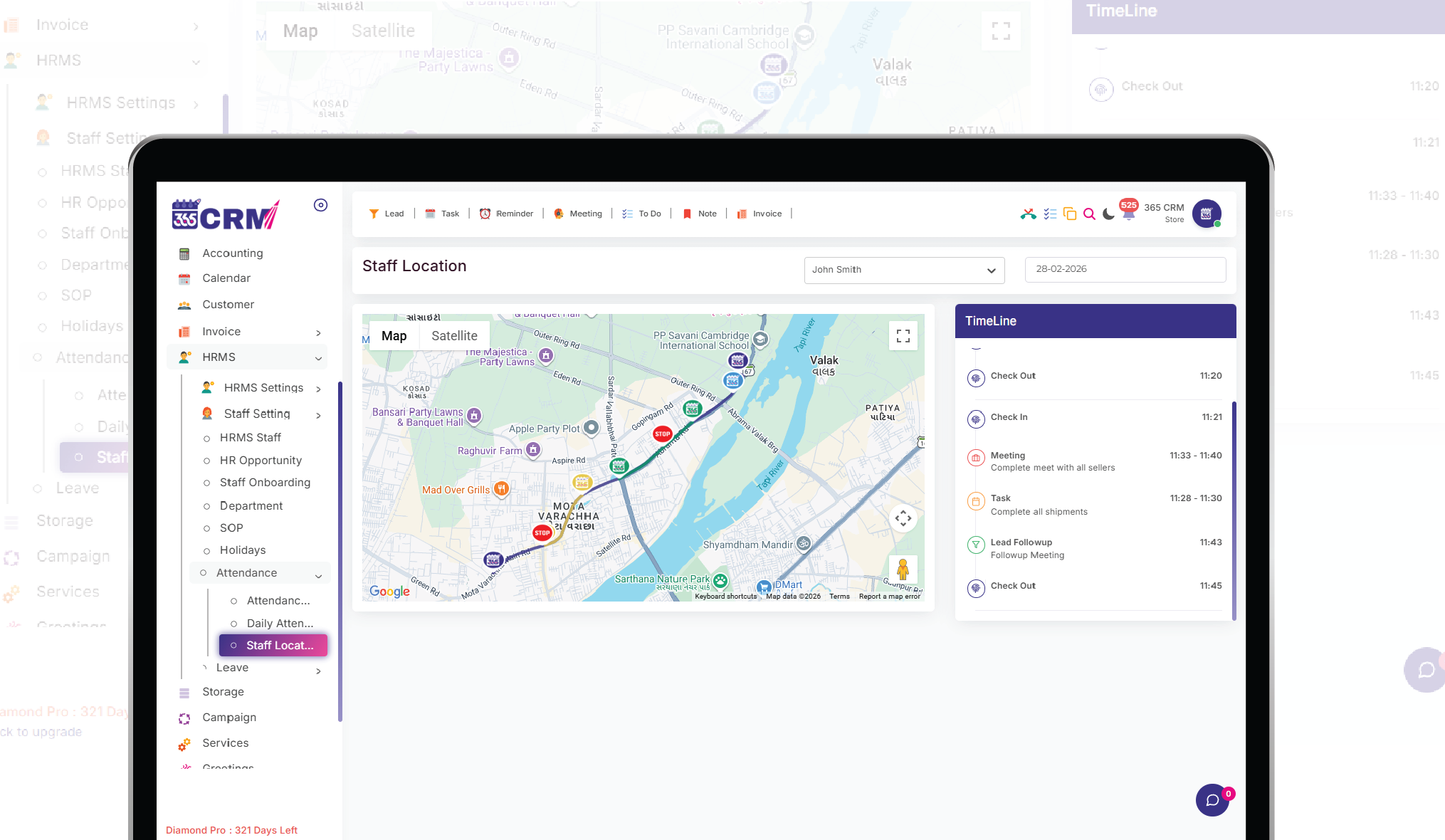
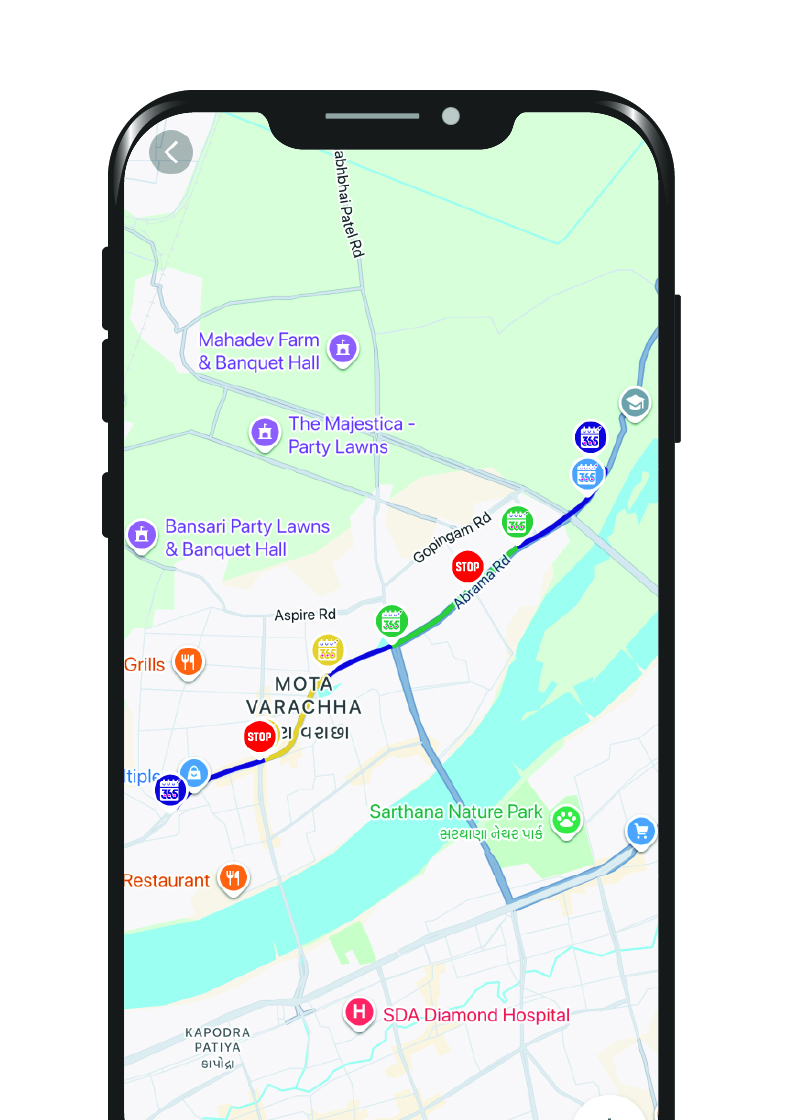
See Map Tracking in Action
A clean, intuitive dashboard that gives managers and agents everything they need at a glance.
Tangible Benefits That
Drive Real Results
Employee tracking isn't just about accountability — it's about empowering your team with better insight.
Measurable Productivity Gains
Teams report improved focused work hours once real-time monitoring is active.
Full Transparency for Both Sides
Staff can view their own tracked data and routes, encouraging self-accountability.
Fairer Performance Reviews
Replace guesswork with data using actual activity logs and location history.
Enterprise-Grade Compliance
Permission-based monitoring keeps tracking usage controlled and policy-aligned.
Based on data from 3,500+ businesses using 365 CRM Map Tracking
Tracking That's Connected to Real Work — Not Just a Map
Most GPS apps only show you a dot on a map. As a live location tracking CRM India businesses trust, 365 CRM ties every location update to an actual CRM activity — a task, a meeting, or a lead follow-up. It's built to be the GPS employee tracking app India teams actually use, not just install.
- Permission-based employee tracking
- Task & meeting trip tracking, not just raw location pings
- Photo-based visit verification with customer feedback
- Lead follow-up tracking tied to the Lead Management module
- Complete location history and daily productivity reports
Real-Time Staff Tracking & Field Workforce Management
Assign location-based work to field staff with complete tracking.
What Our Community Says
Real feedback from field managers and business owners who have transformed their operations.
Real-Time Staff Tracking & Field Workforce Management
Assign location-based work to field staff with complete tracking.
Trusted by Field Teams Worldwide
Thousands of businesses rely on 365 CRM Map Tracking to manage their field operations every day.
Thank you so much 365 CRM and team to provide wonderful solutions for business automation and management about company and staff and even about my personal events and calendar.

365 CRM is actually very good, making it easy for small and medium-sized businesses to track leads and respond to them on time. To me, CRM has the potential to 10x a company's income. I would strongly propose startups that would be ideal for you.
Awesome experience with 365 Team Management application. it's make easy to our life for day to day activities which was challenge for our business. Good supporting system and customer care as well as.
CRM that is highly recommended The customer service was excellent. They were quite helpful in guiding me and answering all of my inquiries.
Great service support. I'm so happy. Thank you 365 CRM team
Awesome experience with 365 Team Management application. it's make easy to our life for day to day activities. Best service ever.
We were lacking in follow-up management. We only tried the 365 CRM free trial at first, but we subsequently profited from ts follow-up on-time reminder. Eventually, we were able to convert more leads. We now use 365 crm on a regular basis.
If you are looking for a crm, this is the greatest one. Here are some of the reasons why. * You CAN track your leads and follow-ups; it also indicates in red when you fail to follow-up on your leads.* LEADS CAN BE FETCHED FROM YOUR RESPECTIVE SOURCE and directly sent automatically with alternate lead assigned to team. * MONITORING YOUR SALES IS VERSY EASY.
When looking for a strategic IT-partner for the development of a corporate CRM solution, we chose 365 CRM System. The company proved itself a reliable provider of IT services. And also team is very supportive. Thank you for the best service.
Superb service and the way you guys have coordinate is wow. I will surely recommend to other friends of mine who are also entrepreneurs
I really like using 365 CRM for my business. It's easy to use, and it helps me keep track of my leads. The automatic reminders are handy, and the reports give me useful information. The customer support is good too - they're quick to help when I have questions. I recommend it!
There is a problem in this CRM...I have been using it for a long time...I have not been able to add the calling system, or the second follow up date or time has not come in the age line, even when you Follow up has to be seen to see the lead up and down of the entire system...in which time more time is wasted,,,experience is true compared to other CRM....
I am happy as of now with the process explained to me. Software is easy accessible with easy interface. I am delighted by post sales service i.e Trainning and Support especially by Preeti Mam.. Thank You
365 CRM Software is a powerful tool for streamlining sales processes and enhancing customer relationships. With features like lead scoring, automation, and reporting, it helps businesses improve efficiency and close deals faster. While it may have a learning curve, its user-friendly interface and strong customer support make it a valuable asset for many organizations.
Have Questions? Let's Talk.
Our team is ready to help you set up Map Tracking for your field operations. Drop us a message and we'll get back within 24 hours.
Frequently Asked Questions
Everything you need to know about the Map Tracking feature. Can't find the answer? Contact our team.
Go to the Admin Portal, assign Field Staff Tracking permission to the employee from Staff Management, and enable location tracking. Create a task with a map pin to monitor their progress.
Staff must log in to the mobile app and capture a live selfie. The system automatically records the GPS location and time at that moment.
365 CRM ensures accountability — staff must mark all assigned tasks and meetings as "Completed" before the app allows Clock-Out.
Yes. Once staff have clocked in, the system continues sending location updates even while the app runs in the background.
Yes. Employees can start and end a trip directly from a task or meeting, and the system records the starting location, route, and travel duration for that activity.
Yes. Staff can attach photos at trip start and trip end as visual proof of work for every completed task or meeting.
Assign Field Staff Tracking permission from Staff Management, then have the employee Check-In with a selfie in the mobile app. GPS tracking starts automatically and continues through every task and meeting trip until Check-Out.