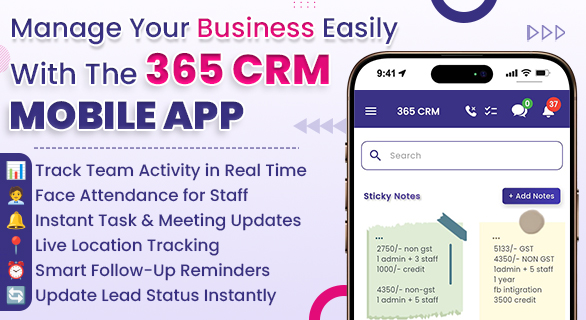
Manage Your Business Easily with the 365 CRM Mobile App
Managing a business is no longer limited to office hours or desktop systems. Leads can arrive anytime, sales teams are often working in the field, and customer expectations for quick responses are higher than ever. When business data is spread across spreadsheets, WhatsApp chats, and manual notes, it becomes difficult to maintain consistency and control.
The 365 CRM Mobile App is built to solve this problem by enabling business owners and sales teams to manage leads, tasks, staff activities, and customer interactions directly from their mobile devices. Designed for real-time action, it allows executives to update data, handle meetings, and manage operations while travelling or working remotely, without depending on desktop systems. This reduces reliance on office infrastructure and ensures business continuity, especially for companies operating with field teams or across multiple locations.
What is the 365 CRM Mobile App?
The 365 CRM Mobile App is a business-focused mobile CRM solution designed to help companies handle their daily sales and operational activities from anywhere. It provides real-time access to lead data, follow-ups, team performance, and customer communication without depending on manual tools.
Businesses can manage everything in one centralized CRM system on mobile instead of switching between multiple apps or files. The 365 CRM Mobile App lets users update leads, assign tasks, and schedule meetings anytime, even without a desktop, making it ideal for small and growing teams.
Why Mobile-Based Business Management is Important
Today’s sales and service teams are rarely confined to one place. Many businesses operate with field staff, remote teams, and multiple lead sources. In such scenarios, relying only on desktop systems creates delays and missed opportunities.
Using a CRM app for a small business allows teams to:
- Respond to new leads faster
- Update lead status immediately after calls or meetings
- Maintain accurate records without waiting to return to the office
- Improve coordination between managers and sales executives
Set urgent meetings directly from the mobile app when unexpected client requests arise
Assign or reassign tasks instantly without depending on office staff
Faster response times directly improve conversion rates, making mobile CRM a practical requirement rather than a luxury.
Core Features of the 365 CRM Mobile App
The 365 CRM Mobile App offers a wide range of features that help businesses manage operations more efficiently.
- Lead Management
Leads from sources like Facebook Ads, Google Ads, websites, IndiaMART, Justdial, and Magicbricks are captured in one place with complete details, allowing sales teams to prioritize quickly. Through the 365 CRM Mobile App, executives can update follow-up status immediately after client calls, reducing delays and keeping data accurate in real time. - Task and Follow-Up Tracking
Missed follow-ups are a common reason businesses lose customers. The 365 CRM Mobile App lets users create tasks, set reminders, and track activities, allowing tasks to be created or reassigned instantly from anywhere to reduce delays and workload confusion. - Sales Team Management
Managers can monitor sales activity, lead assignments, call updates, and performance in real time through the 365 CRM Mobile App, eliminating the need for end-of-day manual reports and reducing the reporting workload. - Face Attendance and Location Tracking
The face attendance system allows businesses to track employee attendance accurately. Location tracking helps managers understand field activity, especially for sales teams working on-site or travelling for client meetings.
Since location tracking is available within the 365 CRM Mobile App, managers can view real-time movement of field staff without separate tracking tools. Face attendance through mobile reduces manual attendance entries and improves accuracy. This directly reduces administrative workload and improves operational control. - HRMS and Staff Management
With the HRMS module, businesses can manage employee records, attendance data, and basic staff operations from the same platform. This reduces dependency on separate HR tools. - Notes, Calendar, and Meeting Reminders
Users can add notes to leads, schedule meetings, and manage calendars directly within the app. This ensures that important details are never lost and communication history remains clear. Here, you can also arrange an urgent meeting with the client directly within the app. - Integrations
365 CRM supports integrations with multiple lead sources and communication channels, making it easier to manage customer conversations and inquiries from a single interface.
The structure of the 365 CRM Mobile App reflects common sales workflows followed by service-based and product-based businesses, making it easier for teams to adopt the system without extensive training.
How the 365 CRM Mobile App Helps Different Business Roles
- For Sales Executives
Sales executives can view assigned leads, update call outcomes, and schedule follow-ups while on the move. This reduces delays and improves daily productivity
They can also manage meeting schedules, update task status, and close leads directly from the 365 CRM Mobile App without returning to the office.
- For Sales Managers
Business owners can track sales progress, team activity, and lead flow without constant manual reporting. This allows better decision-making based on real data.
Access through the mobile CRM ensures that business owners stay informed even during travel or external meetings.
Business Handling With 365 CRM Mobile App vs Without 365 CRM Mobile App
| Aspect | Manual Methods | 365 CRM Mobile App |
| Lead Tracking | Disorganized | Centralized |
| Follow-Up Control | Often missed | Reminder-based |
| Team Visibility | Limited | Real-time |
| Data Accuracy | Error-prone | Structured |
| Mobility | Low | High |
This comparison clearly shows how handling business without a mobile CRM increases workload and risk, while the 365 CRM Mobile App simplifies daily operations and improves control.
Practical Business Scenario
Consider a service-based business receiving inquiries from online ads, portals, and website forms. Without a CRM, leads are handled through calls, messages, and notes, increasing the risk of missed follow-ups.
With the 365 CRM Mobile App, the team can instantly receive leads, assign them to sales executives, track follow-ups, and monitor field activity using location tracking. Managers can review performance daily, and business owners can track growth without manual intervention.
If a sales executive is attending multiple client visits in one day, they can update each lead immediately after the meeting, schedule the next follow-up, and assign tasks without waiting to return to the office. This reduces backlog and keeps the workflow smooth.
Many growing businesses using mobile-based CRM systems report better follow-up consistency once their sales teams start updating lead status directly after calls or meetings. Tools like the 365 CRM Mobile App help reduce dependency on memory or manual notes, especially for teams handling multiple leads every day.
Is the 365 CRM Mobile App Suitable for Your Business?
The app works well for businesses that:
- Handle multiple leads daily
- Operate with field sales teams
- Want structured follow-up processes
- Need better visibility into staff activities
- Prefer managing operations directly from mobile without relying only on desktop systems
Businesses evaluating any CRM should assess their lead volume, team size, and follow-up process to ensure it fits their operations. For growing businesses, a mobile CRM builds strong operational discipline from the start.
Final Thoughts
365 CRM is designed for businesses that receive leads from multiple digital and offline sources and need a unified system to manage sales, staff, and follow-ups. It supports structured processes based on real operational needs rather than generic setups. The 365 CRM Mobile App enables teams to manage leads, follow-ups, attendance, HRMS, and integrations in one mobile-friendly platform. It reduces manual reporting, prevents follow-up delays, provides real-time updates, and gives complete business control from anywhere, making it a practical and scalable solution for growing teams.
FAQs
It is used to manage leads, sales tasks, teams, and customer interactions directly from mobile devices.
Yes, it is designed as a CRM app for small businesses and growing teams.
Yes, features like mobile access, location tracking, and task reminders support field sales teams.
Yes, it supports multiple lead sources such as Facebook, Google Ads, websites, and portals.
Yes, 365 CRM includes a face attendance system for staff and sales teams.