Monitor, Track &
Boost Team Productivity
Gain real-time visibility into your team's workflow. 365 CRM’s monitoring system helps you eliminate distractions and drive performance with data-backed insights.




The Problem with No Monitoring
No visibility into remote work hours
Without a tracking system, it's impossible to verify when remote staff actually start or end their workday.
Undetected Productivity Leaks
Time spent on non-work activities—social media, gaming, or idle browsing—remains hidden from managers.
No Tangible Proof of Work
Lack of activity logs makes it difficult to justify billable hours to clients or conduct internal audits.
Biased Performance Reviews
Managers are forced to rely on guesswork instead of facts when evaluating who is performing and who is struggling.
The 365 CRM Solution
Everything You Need to
Monitor Your Team
A complete set of powerful monitoring tools designed for CRM-driven businesses — transparent, secure, and built for scale.
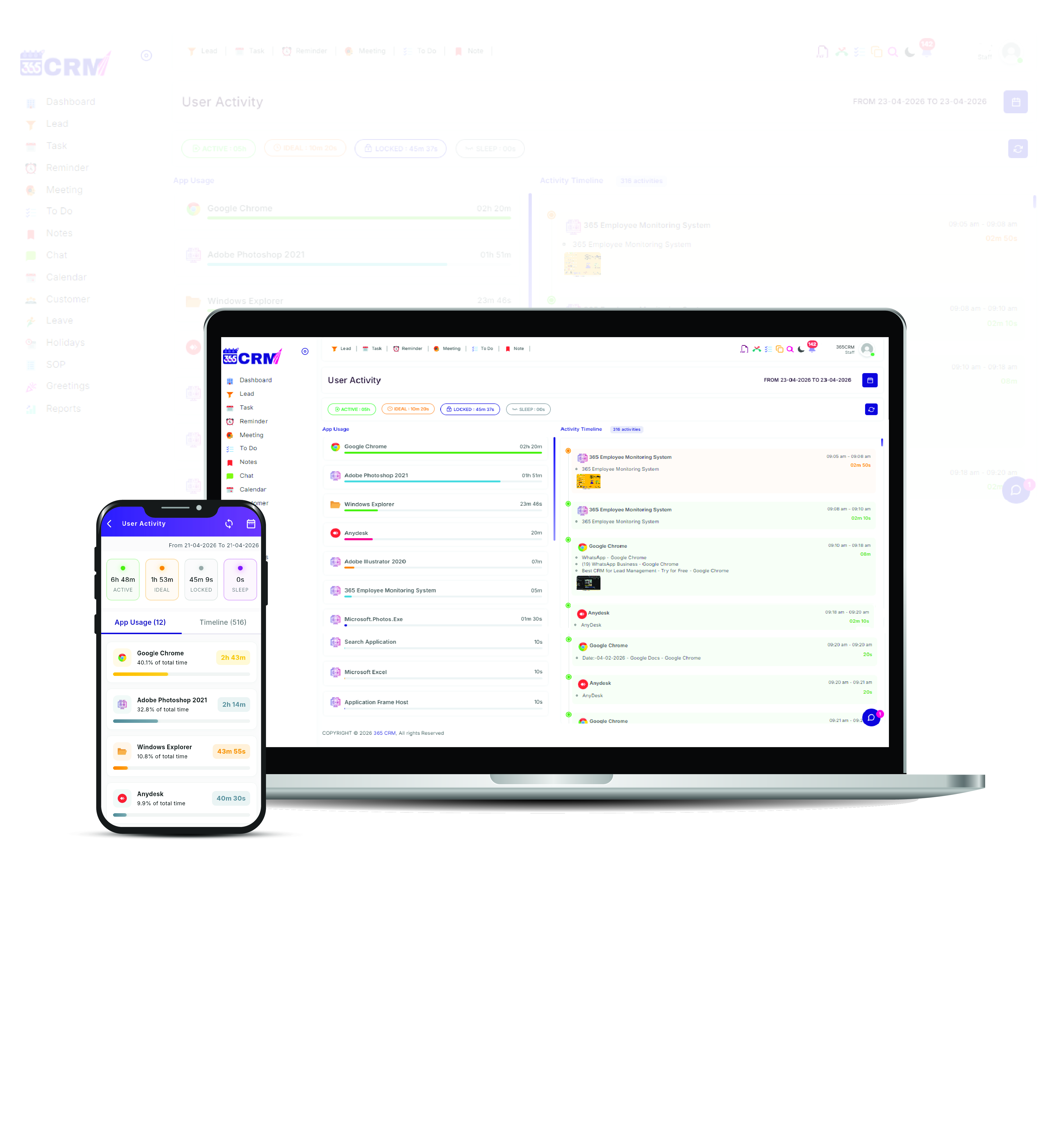
Staff Activity Tracking
Monitor every move your staff makes during work hours. From task initiation to completion, stay updated on their daily work journey.
Background Desktop Monitoring
Go beyond the CRM. Once the system is active, it tracks all desktop activity, including browser searches and external app usage, ensuring full accountability.
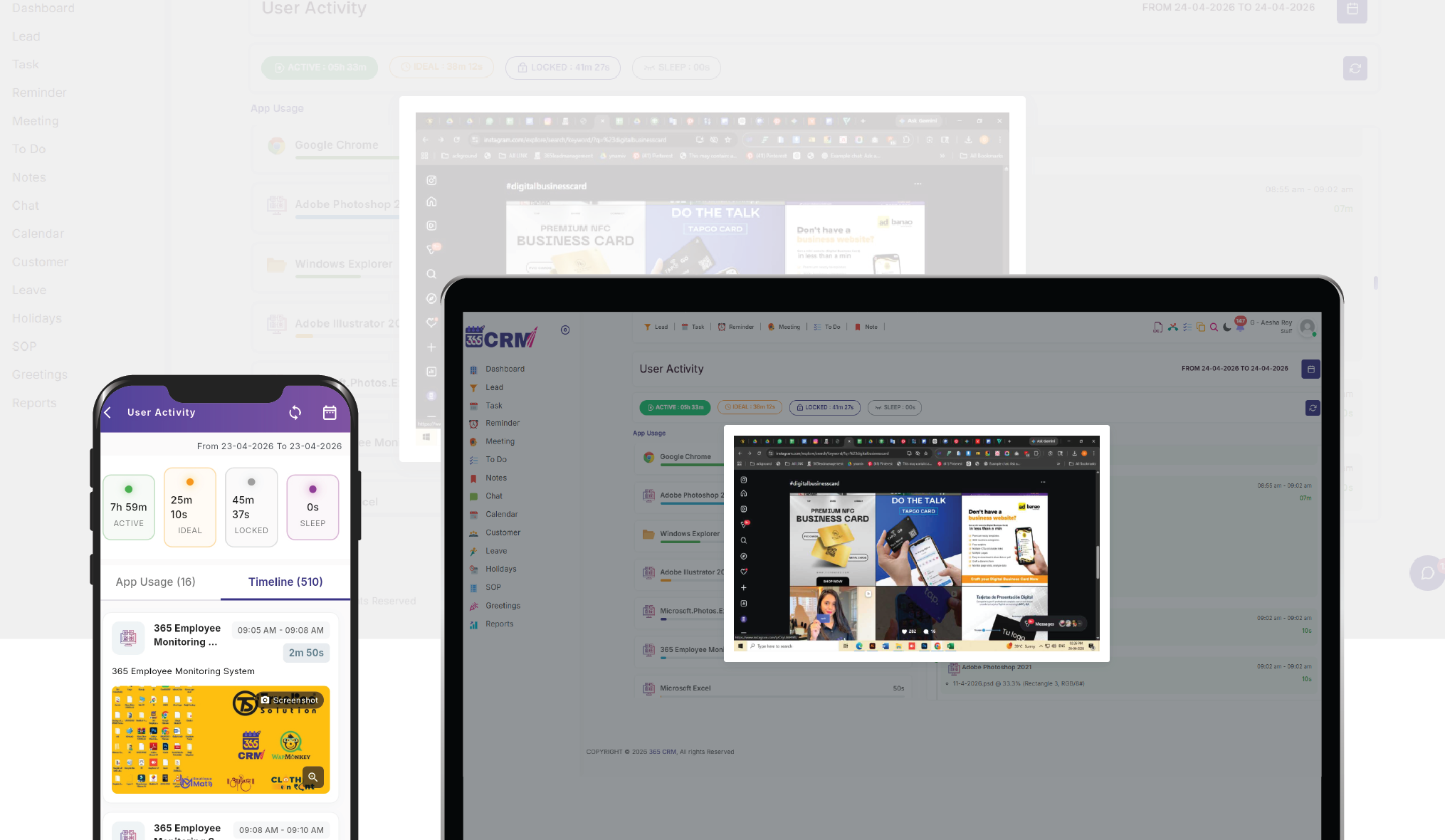
Random Screenshot Capture
The system captures screens at random intervals without any notifications. This provides a clear "Proof of Work" while keeping the process discreet.
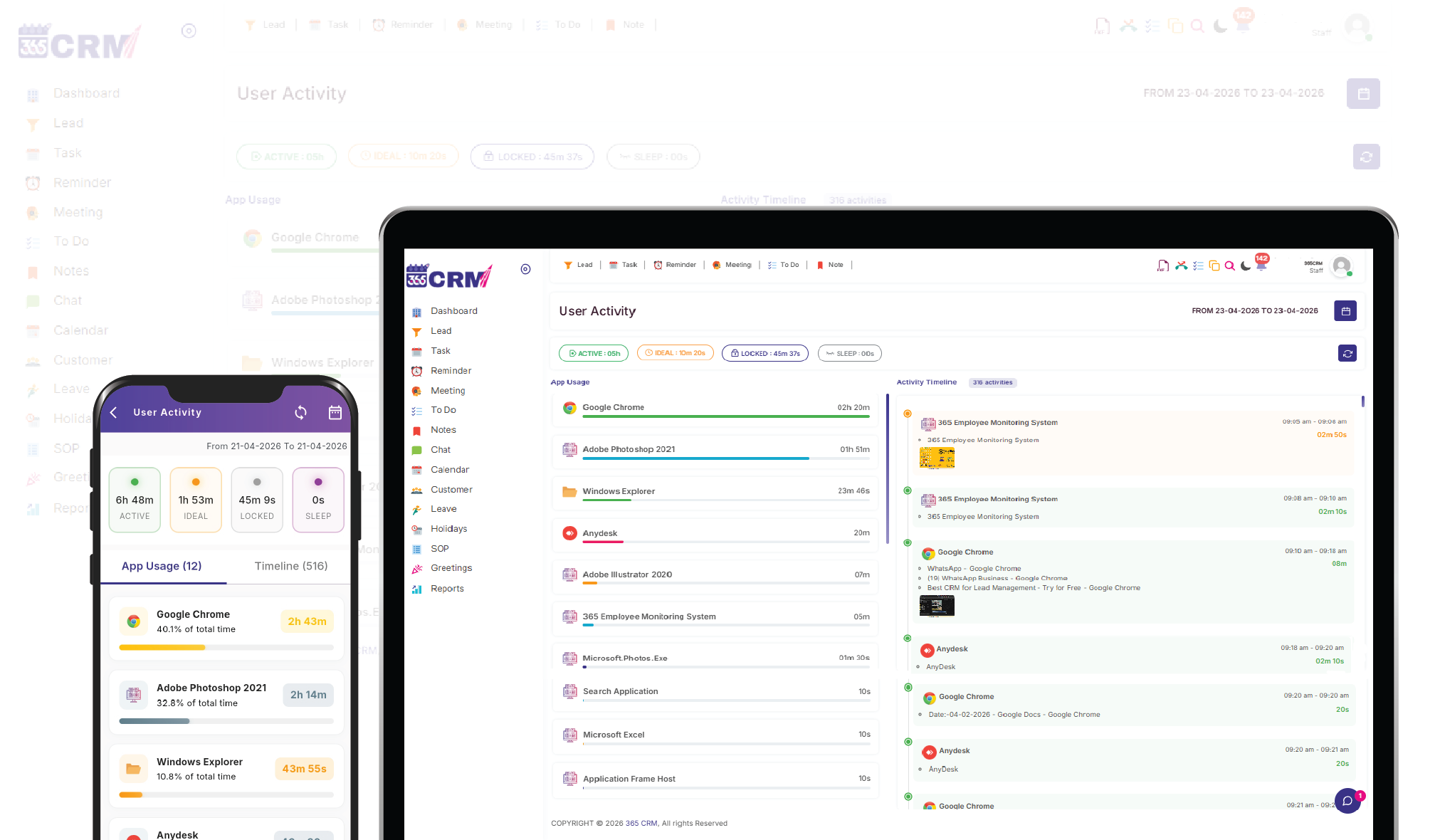
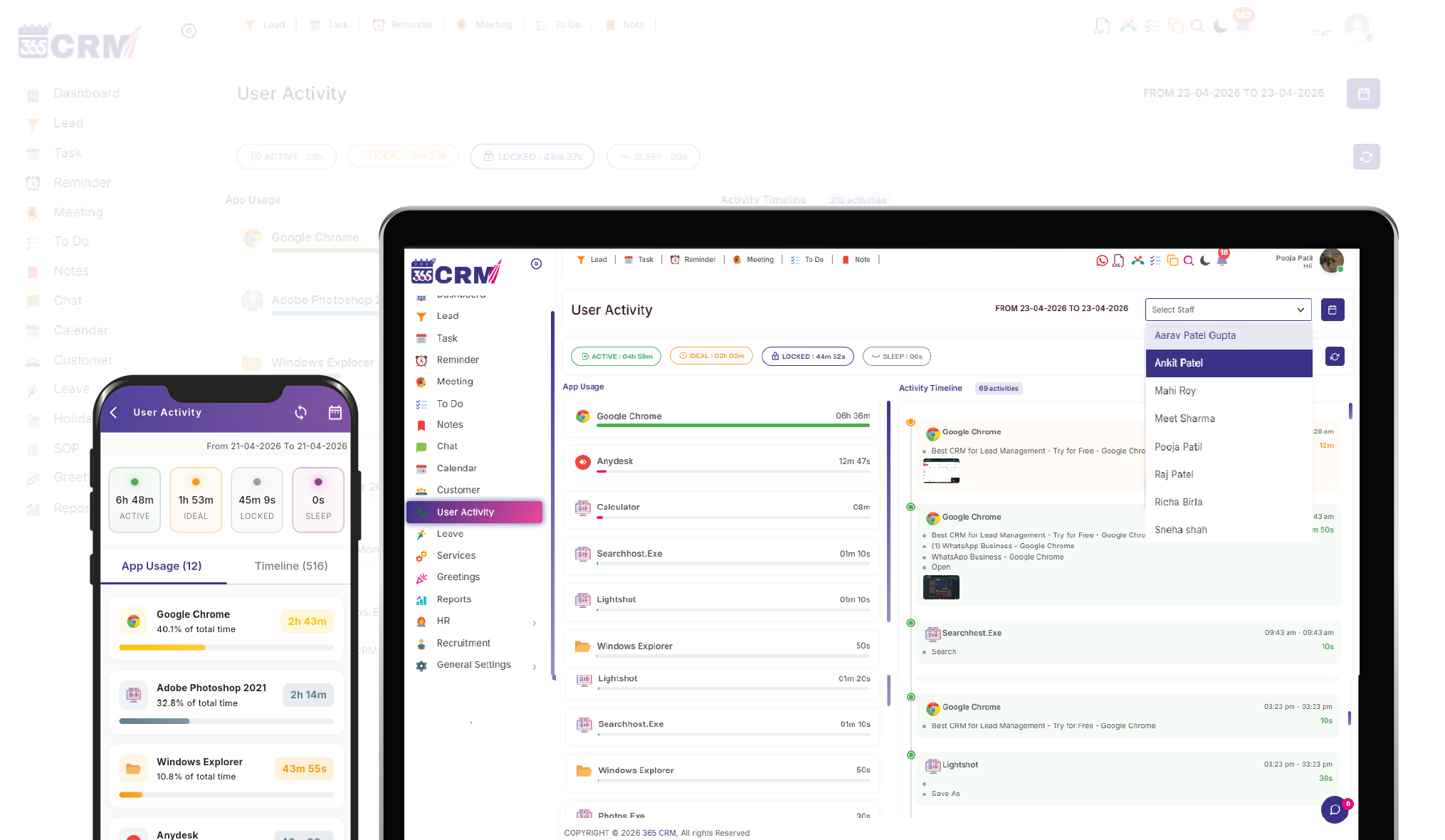
Admin & Staff Dashboards
A dual-view interface. Admins get a bird’s-eye view of the entire team, while staff can see their own logs for self-improvement.
Secure Login-Based Tracking
Tracking only begins when the user logs in. Every login and logout event is recorded and reported to the admin instantly.
Permission-Based Access
Monitoring is 100% opt-in. Admins enable it individually, ensuring that the system is used ethically and only for designated roles.
Stay Ahead of the Competition
Connect with us to explore innovative solutions designed to fuel your business growth.
Get Started in 5 Simple Steps
From admin setup to live monitoring — the entire process takes under 10 minutes. No complex IT configuration needed.
Admin Creates Staff Account
Admin adds staff in the 365 CRM panel and enables the monitoring permission specifically for that user.
Staff Logs In to CRM
Staff signs in to their 365 CRM account and can see the option to download the desktop monitoring app.
Download & Install the App
Staff downloads the Windows executable, installs it in seconds, then logs in using their CRM credentials.
App Runs in Background
The lightweight app runs silently, tracking active time, idle periods, app usage, and capturing screenshots automatically.
Data Visible to Both Sides
All activity data and screenshots are available in real time — both admin and the respective staff member can view their own reports.
See the System in Action
A clean, intuitive interface that gives admins and staff exactly the insights they need.
Why Teams Love This Feature
Employee monitoring isn't just about accountability — it's about empowering your team with better insight, fairer evaluations, and clearer goals.
Measurable Productivity Gains
Transparency naturally leads to better focus. Businesses see a significant rise in "deep work" hours once active monitoring is implemented.
Full Transparency for Both Sides
Trust is a two-way street. Staff can access their own activity data, ensuring there are no hidden surprises and promoting self-accountability.
Fair & Data-Driven Reviews
Remove favouritism from the workplace. Use actual activity scores and logs to reward high-performers based on hard evidence.
Regulatory & Data Compliance
With permission-based settings and detailed audit trails, our system helps you stay compliant with modern workplace data privacy standards.
Based on data from 10,000+ businesses using 365 CRM Employee Monitoring
Ready to Optimize Your Team’s Performance?
Get in touch to see how 365 Employee Monitoring can transform your team’s productivity and accountability.
What Our Community Says
Real feedback from field managers and business owners who have transformed their operations.
Ready to Optimize Your Team’s Performance?
Get in touch to see how 365 Employee Monitoring can transform your team’s productivity and accountability.
Trusted by Field Teams Worldwide
Thousands of businesses rely on 365 CRM Map Tracking to manage their field operations every day.
Thank you so much 365 CRM and team to provide wonderful solutions for business automation and management about company and staff and even about my personal events and calendar.

365 CRM is actually very good, making it easy for small and medium-sized businesses to track leads and respond to them on time. To me, CRM has the potential to 10x a company's income. I would strongly propose startups that would be ideal for you.
Awesome experience with 365 Team Management application. it's make easy to our life for day to day activities which was challenge for our business. Good supporting system and customer care as well as.
CRM that is highly recommended The customer service was excellent. They were quite helpful in guiding me and answering all of my inquiries.
Great service support. I'm so happy. Thank you 365 CRM team
Awesome experience with 365 Team Management application. it's make easy to our life for day to day activities. Best service ever.
We were lacking in follow-up management. We only tried the 365 CRM free trial at first, but we subsequently profited from ts follow-up on-time reminder. Eventually, we were able to convert more leads. We now use 365 crm on a regular basis.
If you are looking for a crm, this is the greatest one. Here are some of the reasons why. * You CAN track your leads and follow-ups; it also indicates in red when you fail to follow-up on your leads.* LEADS CAN BE FETCHED FROM YOUR RESPECTIVE SOURCE and directly sent automatically with alternate lead assigned to team. * MONITORING YOUR SALES IS VERSY EASY.
When looking for a strategic IT-partner for the development of a corporate CRM solution, we chose 365 CRM System. The company proved itself a reliable provider of IT services. And also team is very supportive. Thank you for the best service.
Superb service and the way you guys have coordinate is wow. I will surely recommend to other friends of mine who are also entrepreneurs
I really like using 365 CRM for my business. It's easy to use, and it helps me keep track of my leads. The automatic reminders are handy, and the reports give me useful information. The customer support is good too - they're quick to help when I have questions. I recommend it!
There is a problem in this CRM...I have been using it for a long time...I have not been able to add the calling system, or the second follow up date or time has not come in the age line, even when you Follow up has to be seen to see the lead up and down of the entire system...in which time more time is wasted,,,experience is true compared to other CRM....
I am happy as of now with the process explained to me. Software is easy accessible with easy interface. I am delighted by post sales service i.e Trainning and Support especially by Preeti Mam.. Thank You
365 CRM Software is a powerful tool for streamlining sales processes and enhancing customer relationships. With features like lead scoring, automation, and reporting, it helps businesses improve efficiency and close deals faster. While it may have a learning curve, its user-friendly interface and strong customer support make it a valuable asset for many organizations.
Have Questions? Let's Talk.
Our team is ready to help you set up Employee Monitoring for your business. Drop us a message and we'll respond within 24 hours.
Frequently Asked Questions
Everything you need to know about the Employee Monitoring System. Can't find the answer? Contact our team.
It works via a lightweight desktop agent. Once the Admin enables permission, the staff member downloads the tracker from the CRM dashboard, installs it on their Windows PC, and logs in using their CRM credentials. The system then automatically tracks activity in the background.
The system categorizes behavior into four main types:
Active: When the user is typing, clicking, or using software.
Idle: When there is no mouse or keyboard movement for a set period.
Locked: When the computer screen is locked (e.g., during breaks).
Sleep: When the system enters power-saving mode.
Yes. The system provides a detailed Activity Timeline. It logs the usage of specific applications like Google Chrome (including searches), WhatsApp Web, Windows Explorer, Notepad, and any other software used during working hours.
The system automatically captures screenshots of the employee's screen at random intervals. These screenshots are uploaded to the Admin dashboard, providing visual "Proof of Work" and verifying actual task progress without manual reporting.
Yes. The Store Admin has exclusive access to advanced settings. You can define how many screenshots should be taken per hour and set the interval duration according to your business needs.
Yes. At 365 CRM, we prioritize transparency. Employees log in to the tracker themselves and can view their own activity data and screenshots in their "My Activity" panel. This fosters a culture of trust and self-accountability.
The Employee Monitoring System is available as a powerful Add-on Module. It costs ₹500 per user for a 1-year validity. You can add this service to any of your existing 365 CRM packages.
Yes. Through the Web Settings, the Admin can configure the exact number of minutes of inactivity required before the system marks a user’s status as "Idle."