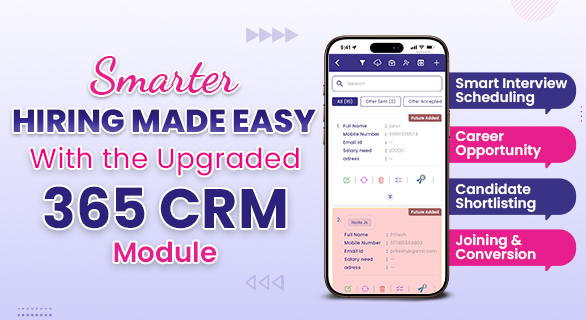
Smarter Hiring Made Easy with the Upgraded 365 CRM Module
Hiring becomes stressful when information is scattered across spreadsheets, follow-ups get missed, and candidate tracking becomes confusing. The upgraded 365 CRM Hiring Module is designed to eliminate these challenges. With new tools, intelligent color indicators, dynamic filters, QR-based form completion, and customizable hiring pipelines, the entire recruitment flow becomes organized, fast, and transparent.
This updated module isn’t just an improvement—it's a complete shift from old-style hiring to a smarter, structured, technology-driven process.
🌟 Why This Upgrade Matters for Companies
Before this update, many HR teams struggled with:
- Missed follow-ups
- No clarity on candidate interview status
- Difficult candidate search
- Confusing pipeline stages
- Manual data entry
The new version fixes all of these with a clean design, automation-ready steps, and extremely efficient tools.
What’s New in the Upgraded 365 CRM Hiring Module?
✅ 1. Follow-Up Tracking with Color Alerts
Follow-up management is now super easy.
- You can add follow-ups for every candidate directly inside the HR panel.
- If a follow-up is missed, it automatically turns red, ensuring HR never loses track again.
- The system visually highlights priority candidates, allowing timely communication.
Result: No more missed calls, forgotten messages, or delayed replies.
🎨 2. Color-Coded Interview Indicators
Interviews scheduled for the same day now appear in a different color, helping HR instantly identify:
- Who is arriving today
- Who is scheduled later
- Who needs immediate attention
This small yet smart feature increases HR speed and reduces confusion during busy days.
📱 3. New “Edit with Virtual QR Code” – A Game-Changing Feature
This is one of the standout upgrades in the module.
How it works:
If a candidate has filled only part of the form earlier and then arrives for an interview:
- HR generates a QR code directly from the candidate’s lead
- Candidate scans the QR
- The incomplete form opens immediately on their phone
- The candidate fills only the missing details
- Data gets updated in real time
This avoids manual correction, saves time, reduces paperwork, and ensures all data is accurate.
📝 4. Add Notes to Any Candidate
HR can now attach unlimited notes, such as:
- Salary discussions
- Interview feedback
- Required documents
- Internal updates
These notes appear inside the candidate’s profile, ensuring the HR team has full context before taking the next step.
🔎 5. Dynamic Filters for Faster Search
Filtering candidates is now smoother and more powerful.
You can search using:
- Name
- Position
- Experience
- Pipeline stage
- Status
This helps HR find candidates in seconds instead of scrolling through long lists.
🔄 6. Fully Customizable Hiring Pipelines
You can create your own hiring journey based on your company’s process.
Example stages:
- Future CV
- New CV
- Interview Schedule
- In Process
- Offer Given
- Rejected
- Confirmed
You can create as many stages as required.
Enable or Disable Stages Anytime
If any stage is no longer needed, simply turn it ON/OFF without deleting it.
This gives complete control to HR teams to shape their hiring flow.
🎯 7. Today’s Joining Indicator
Candidates who are joining today appear in a unique color so HR instantly knows:
- Who needs onboarding
- Which documents must be prepared
- Which team do they need to report to
This ensures a smooth joining experience
🔔 8. Real-Time Admin & Sub-Admin Activity Alerts
-
Salary offer
- Notes
- Status
- Documents
HR sees a notification with a different color indicator.
This indicator remains visible until HR reviews the update.
Once seen, it automatically changes to “Mark as Read”, helping admins track HR engagement.
9. Smart Rejection With Reason
Rejecting a candidate is now structured.
- Select Reject
- Add the reason
- Rejection history is saved for future reference and tracking
This helps with future filtering, documentation, and audit trails.
Old Hiring Workflow vs Upgraded 365 CRM Workflow
| Process | Old Style (Before Upgrade) | New 365 CRM Upgrade |
| Follow-up | Hard to track, often missed | Auto color alerts (Red for missed) |
| Interview visibility | Manual checking | Instant search |
| Form completion | Manual edits | QR-based quick completion |
| Candidate notes | Scattered or offline | Stored inside the candidate profile |
| Searching | Time-consuming | Dynamic filter options |
| Pipeline | Fixed stages | Fully customizable |
| Joining day | Easy to miss | Color-coded joining indicator |
| Status updates | No visibility | Admin/Sub-admin color alerts |
| Rejection | Manual note writing | Rejection with a structured reason |
📌 How These Upgrades Transform HR Productivity
1. Faster Hiring
Reduced manual work speeds up the recruitment cycle.
2. Better Candidate Experience
Candidates complete forms easily and receive proper follow-ups.
3. Organized Data
Everything stays inside one CRM—no more Excel chaos.
4. Hr Team Transparency
Everyone knows who updated what and when.
5. Zero Missed Follow-Ups
Automatic color alerts eliminate guesswork.
Why the 365 CRM Hiring Module Is Better Than Spreadsheets
| Feature | Spreadsheet | 365 CRM Upgraded Module |
| Automation | ❌ None | ✅ Alerts + Auto Updates |
| Data Accuracy | ❌ Manual errors | ✅ No manual mistakes |
| Candidate Tracking | ❌ Complicated | ✅ Easy pipeline stages |
| Form Updates | ❌ Edit manually | ✅ QR-based smart update |
| Collaboration | ❌ Difficult | ✅ Shared, real-time updates |
| Notes | ❌ Scattered | ✅ Organized inside profile |
| Performance | ❌ Slow | ✅ Fast, filter-based |
| Hiring Visibility | ❌ Not clear | ✅ Color-coded indicators |
🎉 Final Thoughts
The upgraded 365 CRM Hiring Module is built to reduce HR workload, remove confusion, and bring unmatched clarity to the entire hiring journey. From smart follow-ups to dynamic filters, QR-based forms to robust pipelines—every feature empowers teams to hire faster, better, and smarter.
If your company still depends on outdated spreadsheets, this upgrade will completely transform the way you hire.
FAQs
Yes. Even a single HR executive can handle complete recruitment without confusion.
Absolutely. You can create, edit, enable, or disable any stage at any time.
It reduces paperwork and allows candidates to complete missing data instantly without typing everything again.
Yes. Missed follow-ups turn red automatically to alert the HR team.
Yes. The upgraded module supports multi-user access with real-time updates.