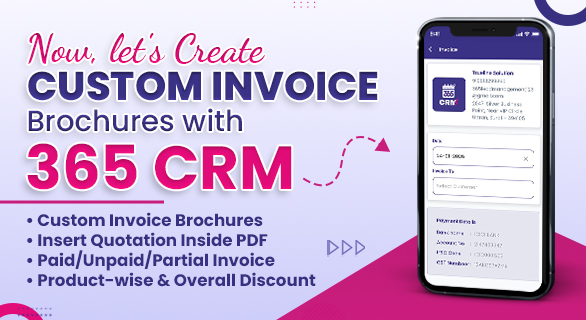
Now, let's Create Custom Invoice Brochures with 365 CRM
In every growing business, invoices, quotations, and company documents play a crucial role in communication. Whether it’s an official company profile, a legal document, or a detailed quotation, the way you present your files creates a strong impression on clients. To simplify this entire process, the upgraded 365 CRM now introduces multiple new features that help businesses design, customize, and share professional-grade documents, including custom invoice brochures, without depending on external tools.
This update is all about refinement, flexibility, and clarity - designed to make document management effortless while ensuring every file matches your business standards.
Professional-Level Invoice Design
Earlier, companies had to switch between several tools just to add a quotation inside a PDF or merge an additional page. Now, 365 CRM allows you to attach quotations inside any PDF, at any page, without breaking the file format.
Insert Quotation Pages Anywhere — Instantly
Whether you’re sending:
- Company profile
- Legal documents
- Product catalogs
- Presentation PDFs
You can now insert a quotation page in the middle of the file without downloading or manually editing anything.
Types of Invoice and Custom Invoice Brochures supported.
You can add:
- Paid Invoice
- Unpaid Invoice
- Partially paid Invoice
This ensures clients clearly understand the pricing, status, and payment expectations.
Design dynamic lead forms and integrate Custom Invoice Brochures
The dynamic lead form previously offered limited customization and branding. The upgraded version now gives full control over design and presentation, strengthening lead management in 365 CRM with a more personalized experience.
1. Add Your Company Logo to Inquiry URL
Whenever you share your inquiry form link with leads:
- Your logo appears on top
- Users immediately recognize your brand
This branding touch improves trust and increases form submissions.
2. Fully Customized Layout
You can now:
- Rearrange fields
- Add or remove sections
- Change structure based on category or department
- Tailor the form to specific campaigns
This flexibility helps companies collect relevant data while keeping the process simple for users.
Better Ad Tracking: Know Which Campaign Generated the Lead
One of the most powerful updates is the improved lead source identification.
Previously, 365 CRM showed general sources like:
But this wasn’t enough to understand which specific campaign performed better.
New Improvement: Campaign-Level Lead Tracking
Now CRM automatically shows:
- Exact campaign name
- Specific ads source
- Which ad group generated the lead
This helps businesses:
- Identify high-performing campaigns
- Stop wasting money on non-performing ads
- Understand which creative attracts better responses
- Optimize ad strategies with real data
For agencies and internal marketing teams, this update brings deeper insight and more accurate reporting.
Advanced Discount Options in Invoices and Custom Invoice Brochures
While creating invoices, businesses often need different discount structures depending on the client or product.
The upgrade now introduces multiple discount types, such as:
1. Product-Level Discount
Apply different discounts to each product individually.
Useful for:
- Promotional items
- Stock clearance
- Different margin products
2. Overall Discount
Apply a single discount to the entire invoice.
Perfect for:
- Bulk orders
- Seasonal offers
- Returning customers
All discount details appear clearly inside the final invoice, so clients understand exactly how the pricing is calculated.
Why These Updates Matter for Businesses
These upgrades are not just small improvements - they solve real business challenges.
1. Smooth Document Flow
No more switching between PDF editors and quotation tools.
2. Strong Brand Identity
Custom logos and personalized forms create better client trust.
3. Professional-Level Invoice Design
Advanced discount types and neat formatting improve clarity.
4. Professional-Level Invoice Design
Advanced discount types and neat formatting improve clarity.
5. Time-Saving Automation
Fewer manual tasks, faster delivery, and organized information.
How 365 CRM Enhances Business Workflows
Below is a quick comparison showing how the new update impacts daily operations:
Before vs After 365 CRM Update
| Task | Before Update | After Update |
| Insert quotations into PDF | Required external tools | Add inside CRM to any page |
| Lead Form Customization | Fixed format only | Fully customizable + Logo |
| Lead Source Identification | Only platform (FB/IG) | Exact campaign & ad source |
| Invoice Discount | Limited options | Product-wise + Overall discount |
| Branding in Inquiry URL | Not available | Logo + personalized layout |
| Professional Document Sharing | Manual formatting | Auto-formatted with inserted pages |
Real-World Use Cases
1. Sales Teams
They can attach pricing directly to a brochure and send it immediately.
2. HR & Admin
Legal documents or company policies can include approval notes or financial terms..
3. Marketing Managers
Get clarity on which campaign performed best.
4. Accounting Teams
Prepare invoices and Custom Invoice Brochures with accurate discounts and clean presentation
5. Agencies
Manage multiple clients, create branded forms, and send personalized documents.
Final Thoughts
The new updates in 365 CRM bring power, flexibility, and professional strength to your daily business workflow. From personalized inquiry forms to campaign-based lead tracking, from customizable PDF quotations to custom invoice brochures and advanced invoice discounts, everything is designed to help businesses work faster and smarter. These improvements ensure your communication stands out, your documents look professional, and your operations run more efficiently without relying on scattered tools.
These improvements ensure your communication stands out, your documents look professional, and your operations run more efficiently without relying on scattered tools.
FAQ’s
Yes, you can add multiple pages at any section of the file, including custom invoice brochures.
Once added, it appears automatically in every inquiry URL.
Yes, the layout can be tailored depending on your requirements.
It shows which ads generate better responses, helping you optimize your marketing budget.
Yes. You can apply both product-level and overall discounts.