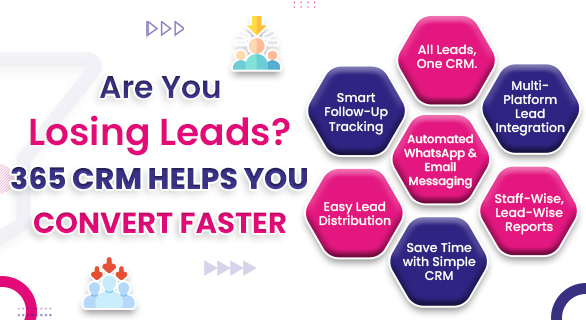
Are You Losing Leads? 365 CRM Helps You Convert Faster
Generating leads is no longer the biggest challenge for businesses. The real challenge begins after the lead arrives. Many companies invest heavily in ads, campaigns, and promotions, yet struggle to convert inquiries into paying customers. The reason is rarely the product or pricing. Most of the time, leads are lost due to poor follow-ups, unorganized tracking, and unclear ownership.
This is where 365 CRM plays a critical role.
Instead of relying on spreadsheets, manual notes, or memory-based follow-ups, 365 CRM provides a structured system that ensures every lead is tracked, followed up, and moved forward with clarity. If you’ve ever wondered why your lead volume looks good, but conversions remain low, this blog will explain how 365 CRM helps you convert faster and more consistently.
What Is 365 CRM
365 CRM is a centralized lead management system designed to help businesses handle inquiries, track sales activities, and manage customer relationships efficiently. It brings all sales-related data into one organized platform so teams can focus on conversion instead of administration.
Unlike basic tools that only store contact information, 365 CRM supports the complete sales journey. From the first inquiry to the final conversion, every interaction is recorded, visible, and actionable
For businesses that depend on consistent follow-ups and timely responses, 365 CRM acts as a reliable foundation for scalable sales operations.
Why Businesses Lose Leads Without a CRM
Before understanding how 365 CRM works, it’s important to identify where lead loss usually happens.
Common reasons include
- Leads are not assigned on time
- Follow-ups are delayed or missed
- Sales teams forget previous conversations
- No visibility into lead status
- Data scattered across tools
- Manual tracking errors
When businesses depend on spreadsheets or disconnected tools, even strong leads can go cold. A structured CRM for sales teams eliminates this uncertainty by bringing accountability and clarity into the process.
How 365 CRM Works
Centralized Lead Capture
All leads, whether from inquiry forms, campaigns, calls, or manual entries, are added to 365 CRM. Each lead gets a dedicated profile where all related data is stored.
Unified Sales Dashboard
Sales teams see every lead in one dashboard. They can instantly check lead status, assigned team member, last interaction, and next action. This eliminates confusion and duplication.
Lead Tracking in Real Time
With 365 CRM, every update, note, and activity is logged. This creates a reliable lead tracking software environment where nothing is lost or forgotten.
Structured Follow-Up Flow
Follow-ups are clearly visible inside the system. Sales teams always know which leads need attention, helping them respond before interest fades.
Sales Lead Flow Visibility
Leads move through defined stages, allowing teams and managers to understand exactly where each opportunity stands
How 365 CRM Improves Sales Lead Conversion
Faster Response Time
Quick responses significantly increase conversion chances. 365 CRM ensures leads are visible the moment they arrive.
Clear Ownership
Every lead is assigned to a specific team member. There is no confusion about responsibility.
Complete Lead History
Sales teams can review previous conversations before contacting a lead, improving communication quality and trust.
Reduced Manual Work
Since data is stored and updated in one place, teams spend less time managing records and more time selling.
Better Team Coordination
Managers can monitor progress without constant follow-ups, creating a transparent sales environment.
365 CRM vs Manual Lead Tracking
| Feature | Manual Process | 365 CRM |
| Lead visibility | Scattered | Centralized |
| Follow-up control | Inconsistent | Structured |
| Data accuracy | Error | Reliable |
| Sales tracking | Manual updates | Real-time |
| Team coordination | Limited | Clear |
| Conversion speed | Slow | Faster |
This comparison shows why businesses are moving away from spreadsheets and adopting CRM for sales teams.
Key Benefits of Using 365 CRM
Better Lead Control
Every inquiry is tracked from the conversion entry.
Improved Sales Efficiency
Sales teams focus on conversations, not data entry.
Higher Conversion Rates
Timely follow-ups and structured tracking reduce lead loss.
Data-Driven Decisions
Managers gain insights into sales performance and lead quality.
Why 365 CRM Is Ideal for Modern Sales Teams
Sales environments today move fast. Delays cost money. 365 CRM helps teams stay organized, responsive, and consistent.'
For growing businesses, 365 CRM offers the balance between structure and flexibility. It supports both small teams and expanding organizations without overwhelming users.
This makes 365 CRM a dependable solution for businesses serious about sales lead conversion.
Conclusion
If leads are coming in but conversions are slow, the issue is rarely marketing. The real problem lies in gaps in follow-up, tracking issues, and a lack of visibility.
365 CRM solves these challenges by providing a clear, structured, and reliable lead management system. It helps businesses respond faster, stay organized, and convert more leads with confidence.
In competitive markets, the difference between success and loss often comes down to how well leads are managed. 365 CRM ensures no opportunity slips away unnoticed.
FAQ’s
Most lead loss happens after the inquiry due to delayed responses or poor tracking. 365 CRM streamlines the entire sales process.
Yes. 365 CRM works well for small teams by simplifying lead tracking and reducing manual work.
Yes. 365 CRM removes the need for spreadsheets by offering real-time tracking and centralized data.
Managers can track lead movement, team performance, and pending actions without constant follow-ups.
Yes. Faster visibility, clear ownership, and structured follow-ups directly improve conversion speed.