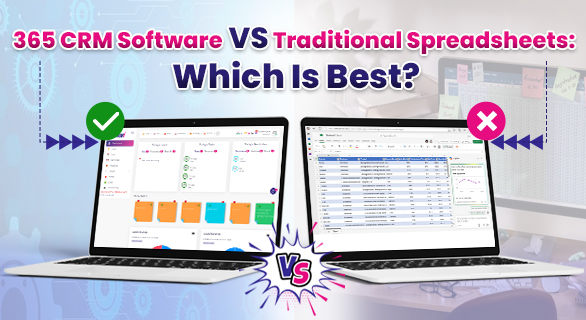
365 CRM Software vs Traditional Spreadsheets: Which is Best?
In the business world, managing leads, tracking sales, and maintaining customer relationships are vital for growth. For many years, companies have relied on spreadsheets to manage data and generate reports. However, as sales processes evolve, spreadsheets often fall short. This is where 365 CRM Software stands out—offering a smarter, faster, and more reliable way to manage customers and sales activities without the limitations of traditional spreadsheets.
The Limitations of Spreadsheets
Spreadsheets are simple and familiar, but they’re not designed for today’s dynamic business environment. As your customer base grows, manual entry and constant updates can lead to confusion, errors, and missed opportunities. Sales teams often spend more time maintaining sheets than engaging with potential clients.
Here’s why spreadsheets can hold back your business growth:
- Data Inconsistency: Multiple versions and manual edits increase the chances of errors.
- No Real-Time Updates: Teams struggle to stay aligned when using offline files.
- Limited Collaboration: Only one or two people can make changes at a time, slowing teamwork.
- Lack of Automation: Every follow-up, reminder, and report has to be done manually.
- No Analytics or Reports: Spreadsheets can’t provide deep insights into customer behaviour or sales performance.
If you’re using spreadsheets to manage leads and customers, it’s time to think about a more efficient, automated, and scalable solution in 365 CRM Software.
365 CRM Software: A Smarter Way to Manage Sales
365 CRM Software centralises all customer data, lead activities, and communication history in one place. It automates repetitive tasks, provides real-time insights, and enables teams to work together more efficiently. Unlike spreadsheets, it’s not just a data entry tool—it’s a complete customer relationship management system designed to help businesses sell smarter and faster.
Here’s what makes 365 CRM Software different from traditional spreadsheets:
365 CRM Software vs Traditional Spreadsheets
| Feature | 365 CRM Software | Traditional Spreadsheets |
| Data Management | Centralised and cloud-based | Manually updated and scattered |
| Automation | Set Auto reminders, lead tracking, Performance track, and chat with staff | Entirely manual |
| Collaboration | Real-time multi-user access | Limited access and sync issues |
| Reporting | Smart analytics and performance reports | Basic and static charts |
| Accessibility | Access from anywhere via web or app | Restricted to device or file |
| Security | Encrypted and permission-based | No security control |
| Integration | Connects with marketing tools and emails |
No integration support |
Why Businesses Prefer 365 CRM Software Over Spreadsheets
- Time-Saving Automation
- Repetitive tasks, such as sending reminders, assigning leads, and updating follow-up notifications, are automated in 365 CRM Software. Sales teams can focus more on closing deals instead of managing sheets.
- Repetitive tasks, such as sending reminders, assigning leads, and updating follow-up notifications, are automated in 365 CRM Software. Sales teams can focus more on closing deals instead of managing sheets.
- Improved Team Collaboration
- Everyone on your team can view customer updates, notes, and progress in real-time. No more emailing Excel files back and forth
- Everyone on your team can view customer updates, notes, and progress in real-time. No more emailing Excel files back and forth
- Accurate Reporting & Insights
- 365 CRM Software helps you understand sales trends, track individual performance, and identify opportunities through powerful analytics.
- 365 CRM Software helps you understand sales trends, track individual performance, and identify opportunities through powerful analytics.
- 360° Customer View
- All interactions—calls, emails, follow-ups, and meetings—are stored under each lead. This complete view ensures your team always knows the customer’s history before making contact.
- All interactions—calls, emails, follow-ups, and meetings—are stored under each lead. This complete view ensures your team always knows the customer’s history before making contact.
- Scalability for Growth
- As your business grows, 365 CRM Software grows with you. It can handle thousands of leads and users without lag or data loss.
Key Advantages of 365 CRM Software
| Advantage | Description |
| Lead Tracking | Monitor every stage of the lead journey from inquiry to conversion. |
| Sales Pipeline | Visualise and manage deals efficiently in a structured pipeline. |
| Follow-Up Alerts | Get instant notifications for missed or upcoming follow-ups. |
| Performance Reports | Generate insightful reports for sales and marketing efforts. |
| Customer Segmentation | Categorize leads by region, interest, or source for better targeting. |
How 365 CRM Software Eliminates the Need for Spreadsheets
When businesses start using 365 CRM Software, they realize they no longer need spreadsheets for any sales or customer activity tracking. The CRM automates every process—from lead capture to closure—and gives you real-time visibility into your team’s performance.
For instance, when a new lead comes in through your website or social media, 365 CRM Software automatically records the information, assigns it to the right salesperson, and sends a follow-up reminder. No manual data entry, no formula errors, and no version conflicts.
Conclusion
Switching from spreadsheets to 365 CRM Software is not just about adopting a tool—it’s about transforming the way your business works. You save time, reduce errors, improve collaboration, and gain actionable insights that help you grow faster.
If you’re still managing sales and support using spreadsheets, it’s time to experience the simplicity and intelligence of 365 CRM Software.
FAQ's
Yes. It manages all customer data, sales records, and communication history automatically, removing the need for manual sheets.
Yes. It’s cloud-based, meaning you can access your CRM from anywhere, anytime, using any device.
Its automation, analytics, and scalability ensure your team works efficiently and customers receive better support.